
Kaomoji Maker: Make Your Own Kaomoji
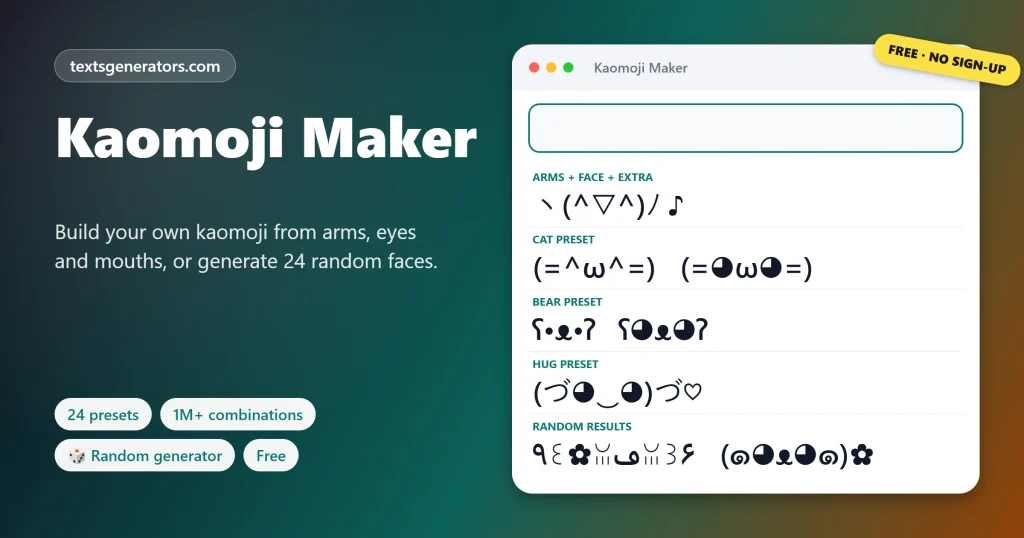
Assemble a brand-new face in seconds by picking arms, an outline, cheeks, eyes, a mouth and a final flourish, or begin with one of 24 presets. No login, no fee. The random generator invents two dozen new faces per click, and every creation can be saved, decoded, turned into a sticker or given a keyboard shortcut.
- 24 presets
- 1M+ part combinations
- 🎲 random generator
- ★ saves your faces
Inspiration: faces built from parts
Made a face you are proud of?
Share the maker so friends can build their own.
Starter Ideas and Remixes
Faces built in the maker, with a short line. Copy takes the line; Edit in tool pairs the line with every inspiration face below.
What Is a Kaomoji Maker?
Quick answer: with a kaomoji maker (also called a kaomoji generator), you snap a Japanese text face together from separate pieces, from the outline and the arms to the blush, the eyes, the mouth, and one finishing symbol. You choose each part from a menu, and the finished face appears instantly, ready to copy.
It answers searches like how to make kaomoji, make your own kaomoji, kaomoji maker, and kaomoji generator. Instead of hunting for the right symbols on a keyboard, you pick them from lists. Browse 1,200+ ready-made faces in the kaomoji collection.
Already open above, the maker offers 24 presets, Cat, Bear, Lenny, Table flip, and Crying among them. Below it, the Random Kaomoji Generator invents 24 faces per click, and the cards show real kaomoji grouped by the part they show off, for inspiration.
- 6 Parts per face
- 24 Presets
- 35 Eye pairs
- 33 Mouths
How to Make Your Own Kaomoji, Step by Step
- Pick a preset: Tap Happy, Cat, Bear, or any other starting point.
- Change the eyes: Eyes decide the mood: ^ for joy, ◕ for cute, ಥ for tears.
- Pick a mouth: ▽ grins, ω purrs, Д shouts, ε kisses.
- Add arms or an extra: Raise arms, hug, shrug, or add ♡, ✧ or zzZ.
- Copy or save: ★ Save keeps it in My saved faces on every kaomoji page here.
Which Parts Can You Combine?
| Part | Examples | What changes |
| Arms | ヽ ノ, ٩ ۶, (づ )づ, ¯\_ _/¯ | Action: cheer, hug, shrug, throw |
| Face edge | ( ), ʕ ʔ, ꒰ ꒱, (= =), ૮ ა | Species and shape: human, bear, cat, dog |
| Cheeks | * *, 〃 〃, ⸝⸝, ✿ | Blush, sparkle, or decoration |
| Eyes | ^ ^, ◕ ◕, ಠ ಠ, T T, ☆ ☆ | The core emotion |
| Mouth | ▽, ω, ‿, Д, 益, ε, ʖ | Smile, shout, kiss or smirk |
| Extra | ♡, ✧, ♪, zzZ, ⌐■-■ | A final touch at the end |
For bigger pictures made of characters, try the text art generator.
How Does the Random Kaomoji Generator Work?
Each click draws random parts and assembles 24 new faces, skipping duplicates. Choose a mood filter, such as Cute or Angry, and the generator checks every face with the same decoder used elsewhere on the site, keeping only the ones that read with that feeling. Some results are charming, some are strange; that is half the fun. Tap any tile to copy it.
Design Tips for Better Kaomoji
Keep it balanced
Matching left and right parts read more clearly than lopsided ones.
One extra is enough
A single ♡ or ✧ says more than a crowd of symbols.
Test on your phone
Paste it into a note app before using it as a username.
Give it a shortcut
Add your favourite creation to the shortcut file so it is always one code away. Need inspiration for kawaii faces? Browse the cute kaomoji.
Kaomoji Maker FAQ
How do you make a kaomoji?
Pick a preset in the Kaomoji Maker, then change the arms, edge, cheeks, eyes, mouth, and extra until you like it.
What is a kaomoji generator?
A tool that builds text faces from parts or at random. This page has both.
Is the kaomoji maker free?
Yes, completely, with no account.
How many combinations are possible?
More than a million, from 21 arm styles, 12 face edges, 11 cheeks, 35 eye pairs, 33 mouths, and 16 extras.
Where are my saved faces kept?
In your own browser, under My saved faces. They also appear on other kaomoji pages of this site.
Can I generate random kaomoji?
Yes. The Random Kaomoji Generator creates 24 new faces per click.
Can I filter random faces by mood?
Yes, choose a mood such as Cute, Sad, or Angry before generating.
Which part sets the emotion?
Mostly the eyes, with the mouth a close second.
How do I make a cat kaomoji?
Tap the Cat preset: whisker edges (= =), ^ eyes, and an ω mouth.
How do I make a bear kaomoji?
Tap Bear for ʕ•ᴥ•ʔ, then swap the eyes for a different mood.
Does a Lenny preset exist?
Yes, one tap assembles ( ͡° ͜ʖ ͡°). For Lenny-only parts and the Lennypede, use the Lenny face maker.
How do I know what my face means?
Paste it into Check What Your Face Says for a part-by-part reading.
Can I turn my kaomoji into an image?
Use the sticker panel to export it as a PNG.
Can I type my custom kaomoji with a shortcut?
Add it to the shortcut file with a code like my1 and install the file.
Why does my face show a box on another device?
One of the parts uses a rare symbol. Try simpler eyes or edges.
Can I use my kaomoji on Discord?
Yes. If it has underscores or asterisks, copy it in Discord mode.
Can this replace a kaomoji keyboard app?
This maker works like one in any browser, and the shortcut file adds faces to your real keyboard.
How do I add text to my kaomoji?
Use it in the text box, then type your words around it.
Can I share a face I made?
Copy your creation and post it wherever you want; it is ordinary text.
Who owns the kaomoji I make?
Text faces are not owned by anyone; use your creations however you like.
Does the maker work on phones?
Yes, the menus are touch-friendly, and the layout fits small screens.
Make a Kaomoji
(◕ᴗ◕✿) ✎
Build, generate, and save your own Japanese text faces. ✎ Open the Kaomoji Maker
- Angry Kaomoji: Mad, Annoyed and Raging Faces
- Animal Kaomoji: Dogs, Bunnies, Birds and Fish
- Bear Kaomoji ʕ•ᴥ•ʔ and Text Bears to Copy
- Blushing Kaomoji: Shy and Flustered Faces
- Cat Kaomoji and Text Cats to Copy
- Crying Kaomoji: Tears, Sobs and Happy Tears
- Cute Kaomoji and Kawaii Faces to Copy
- Dancing Kaomoji and Music Faces to Copy
- Emoticons Copy and Paste, With Meanings
- Happy Kaomoji: Smiling and Excited Faces
- Heart Kaomoji: Love, Kisses and Hugs
- Kaomoji Copy and Paste: 1,200+ Japanese Emoticons
- Kaomoji Dividers and Text Borders to Copy
- Laughing Kaomoji: Giggles, Cackles, and LOL Faces
- Lenny Face Copy and Paste ( ͡° ͜ʖ ͡°)
- Sad Kaomoji: Gloomy Faces to Copy
- Shocked Kaomoji: Surprised, Nervous, and Sweating Faces
- Shrug Emoticon ¯\_(ツ)_/¯ Copy and Paste
- Sleepy Kaomoji: Tired, Sleeping, and Good Night Faces
- Sparkle Kaomoji and Sparkle Text to Copy
- Star Kaomoji: Star Eyes, Wishes and Night Skies
- Table Flip (╯°□°)╯︵ ┻━┻ Copy and Paste
- Text Emojis: Copy and Paste Keyboard Faces
- UwU Faces and OwO Emoticons to Copy
No tools match your search. Try another word or choose "All tools".