
Alphabetical Order Tool: Sort Lists A to Z Online
Get any list into alphabetical order in a second with this free sorter; nobody asks you to register. Sort names, words, keywords or titles A to Z or Z to A, with numbers in natural order so item 2 comes before item 10. Sort people by last name, skip The and A at the start of titles, number the result, sort a spreadsheet by any column, and build an A to Z index grouped by letter.
- A→Z natural number order
- 👤 sort by last name
- ▦ CSV column sorter
- 6 sort orders
Your list in order
Know a teacher or editor who sorts lists by hand?
Share this free alphabetical order tool.
Words, Names and Keywords Put in Alphabetical Order
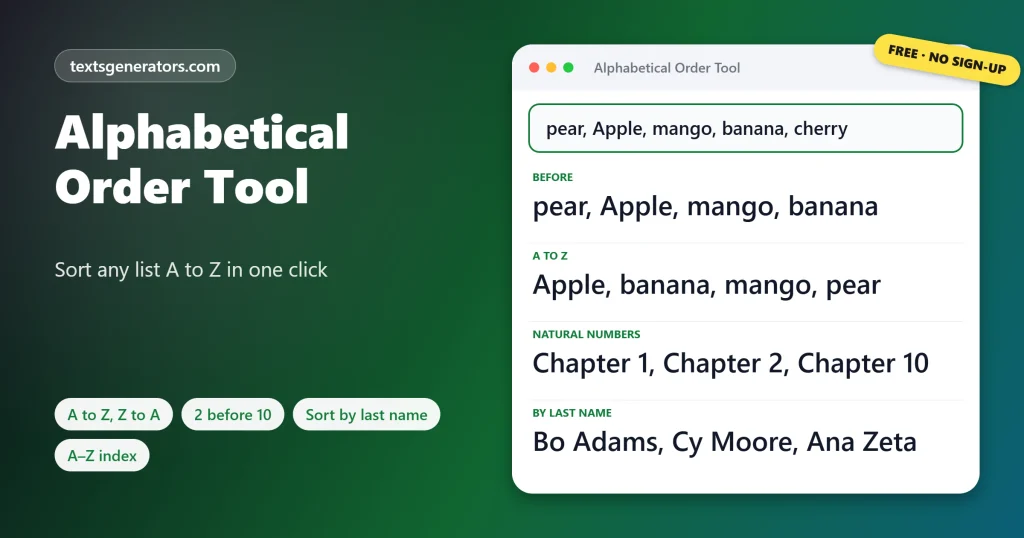
Each card shows a list sorted A to Z with numbers in natural order. Copy takes the sorted list; Edit in tool restores the jumbled one so you can try Z to A or another order.
What Is an Alphabetical Order Tool?
Quick answer: An alphabetical order tool sorts a list by the letters of each item, from A to Z or Z to A. A good one also handles numbers naturally, so Chapter 10, Chapter 2, Chapter 1 becomes Chapter 1, Chapter 2, Chapter 10 rather than putting 10 before 2.
Alphabetizing means arranging words in the order of the alphabet, comparing the first letter, then the second, and so on.
Sorting by hand is slow and error-prone once a list passes a dozen items. This tool sorts thousands of lines at once and follows the rules people actually expect: capitals do not jump ahead of lowercase words, accented letters sit next to their plain versions, and numbers inside text are compared as numbers. It can also file people under their surname, ignore leading articles in book and film titles, and number or bullet the result. For tables, the column sorter orders whole rows by text, numbers, or dates, and the index builder turns a list into a glossary with letter headings.
- 7 Sort buttons
- 6 Sorting rules you can switch
- 5 Output layouts
- 3 Column types: text, numbers, dates
How Do You Put a List in Alphabetical Order?
- Paste the list: Stacked in rows or strung along a single line with punctuation.
- Pick the rules: Natural numbers, last names, skipping the and A.
- Press Sort A to Z, or Z to A, by length, or shuffled.
- Choose the layout: Keep it as pasted, or number and bullet it.
How Are Numbers, Capitals and Accents Sorted?
| Situation | Plain computer sort | This tool |
| Numbers in text | file1, file10, file2 | file1, file2, file10 |
| Capital letters | Zebra, apple, banana | apple, banana, Zebra |
| Accented letters | Zoe, Émile after Z | Émile, Zoe |
| Leading articles (option) | The Zoo before Apple | Apple, The Zoo |
| People (last name option) | Ana Zeta, Bo Adams | Bo Adams, Ana Zeta |
Stray spaces at the start of lines can affect sorting; strip them with the remove extra spaces tool.
Can Word, Google Docs, and Excel Sort Lists A to Z?
| App | Steps |
| Microsoft Word | Select the list, Home tab, Sort (A↓Z icon), choose Paragraphs and Text, Ascending |
| Google Docs | Install the Sorted Paragraphs add-on, or paste the list here and copy it back |
| Excel | Select the column, Data tab, Sort A to Z; use Sort for several columns |
| Google Sheets | Data, Sort range, or =SORT(A2:A100) |
| Mac Pages and Numbers | Numbers: Organize, Sort; Pages has no list sort, so paste the list here |
Word and Excel put item 10 before item 2 in many cases, and Google Docs has no built-in sort at all, which is where a browser tool saves time.
How Should Names and Titles Be Alphabetized?
Directories, class lists, and bibliographies usually file people by surname: Bo Adams comes before Ana Zeta even though A follows B in their first names. Tick: Sort names by last name, and suffixes such as Jr. and III are ignored when finding the surname. Libraries and shops file titles without the opening article, so The Hobbit goes under H and A Tale of Two Cities under T; tick Skip The, A and An at the start to follow that rule. The words are not changed, only where they land in the list.
Capitalise book and film titles properly with the title case converter.
What Can You Sort With It?
- Students: spelling lists, vocabulary and reference lists.
- Writers and editors: glossaries, indexes and character lists.
- Teachers: class registers sorted by surname.
- Event planners: guest lists and seating charts.
- SEO and marketing teams: keyword lists and tag sets.
- Developers: imports, config keys and dependency lists.
Sorting Terms
Ascending
Rising order, so letters run from the start of the alphabet and dates move forward in time.
Descending
Falling order, so the alphabet runs backwards and the latest dates lead.
Natural sort
Ordering that reads digits as whole numbers, as people do.
Lexicographic order
Character-by-character comparison used by most programs.
Collation
The language rules that decide where accented letters go.
Stable sort
A sort that keeps equal items in their original order.
What Else Is Included?
Both directions
A to Z and Z to A.
Natural numbers
2 before 10.
Surnames
Files people by last name.
By length
Shortest or longest first.
Columns
Sort table rows.
A–Z index
Grouped by letter.
Making a glossary or directory?
Turn your list into an index with a heading for every letter.
List Not Sorting Correctly?
| Problem | Cause | Fix |
| The whole list stayed as one item | Items are separated by something else | Set Split the list at the right character |
| 10 appears before 2 | Natural number order is off | Tick Natural number order |
| Capitalised words come first | Ignore case is unticked | Tick Ignore upper and lower case |
| Names sorted by first name | Last name sorting is off | Tick Sort names by last name |
| Prices sorted like words | The column was read as text | Set Treat values as Numbers |
Need the sorted column as one comma list? Join it with the Remove Line Breaks tool.
Tips for Sorting Lists
Remove repeats while sorting
Tick Drop repeated items to sort and deduplicate in one step.
Pad numbers in file names
Names like 01, 02 and 10 sort correctly everywhere, even without natural sorting.
Shuffle for fairness
Random order is handy for quiz questions, raffles, and presentation slots.
Keep headers on top
Tick First row is a header so column titles never get sorted into the data.
Count or compare repeated entries in detail with the remove duplicate lines tool.
Alphabetical Order FAQ
How do I put a list in alphabetical order?
Paste the list and press Sort A to Z. The result replaces the box, and Undo brings back the original.
How do I sort a list Z to A?
Press Sort Z to A for reverse alphabetical order.
Does it ignore capital letters?
Yes, by default. Apple and apple sort together instead of capitals jumping to the top.
Why does item 10 come after item 2 here?
Natural number order reads digits as whole numbers. Untick it to sort character by character.
How are accented letters sorted?
Next to their plain letter, so Émile sits among the E words rather than after Z.
Can I sort names by last name?
Yes. Tick Sort names by last name; the full names stay unchanged in the output.
How do I ignore The and A in titles?
Tick Skip The, A and An at the start. The Hobbit is then filed under H.
Can I alphabetize a comma-separated list?
Yes. A single-line list with commas is split at each comma, sorted, and rebuilt in the same style.
Can I sort words in a sentence?
Yes. Press Sort words in each line to put the words of every line in order.
Can I number the sorted list?
Yes. Set Show the result as a numbered list, or choose Bulleted list.
Can I sort by length?
Yes. Shortest first and Longest first order items by character count.
How do I reverse a list without sorting it?
Press Flip the order. The last item becomes the first, and nothing else changes.
Can I shuffle a list randomly?
Yes. Shuffle randomly gives a new random order each time you press it.
Can I sort and remove duplicates at the same time?
Yes. Tick Drop repeated items before pressing a sort button.
How do I sort a table by one column?
Paste the rows into Sort a Table by Column, pick the column and the order.
Can it sort prices and dates correctly?
Yes. Columns are detected as numbers or dates, ignoring currency signs and thousands separators.
How do I make an alphabetical index?
Paste the list and open the A–Z Index Builder for letter headings in text, Markdown, or HTML.
How do I alphabetize in Google Docs?
Docs has no sort button. Paste the list here, sort it, and paste it back.
Can I sort only some lines?
Yes. Select those lines in the box first; the rest of the text keeps its place.
Is the alphabetical order tool free?
Yes. Sorting, table ordering, and index building are all included at zero cost, with no registration involved.
Does my list get uploaded?
No. Sorting runs in your browser, so names and data stay on your device.
Alphabetical Order Tool
Jumbled → A to Z
Any list, sorted the way people read it. ↧ Sort A to Z
- camelCase Converter: Turn Words and Names Into camelCase
- Capitalize the First Letter of Each Word, Sentence, or Line
- Case Converter: Change Text to UPPERCASE, lowercase, or Title Case
- Find and Replace Text Online: Swap Words in Seconds
- Lowercase Converter: Change CAPS to Small Letters
- Minecraft Color Codes and Colored Text Generator
- Number-to-Words Converter: Amount in Words for Cheques
- PascalCase Converter: Class, Type and Component Names
- Plain Text Converter: Remove Formatting and Hidden Characters
- Remove Duplicate Lines: Delete Repeated Lines and List Items
- Remove Extra Spaces: Delete Double Spaces and Fix Spacing
- Remove Line Breaks: Fix Broken Lines From PDFs and Emails
- Roman Numeral Converter: Numbers and Dates to Roman
- Sentence Case Converter: Turn Any Text Into Proper Sentences
- Snake Case Converter: Words and camelCase to snake_case
- Text Repeater: Repeat Text, Words and Emoji Up to 10,000 Times
- Title Case Converter: Capitalize Titles in AP, APA, Chicago, and MLA Style
- Toggle Case Converter: Invert Capitals and Fix Caps Lock Text
- Uppercase Converter: Change Lowercase to Capital Letters
- URL Slug Generator: Turn Titles Into SEO-Friendly Slugs
- Word Combiner: Mix Words and Keyword Lists Into Every Combination
No tools match your search. Try another word or choose "All tools".