
Facebook Font Generator 𝗕𝗼𝗹𝗱 · 𝐼𝑡𝑎𝑙𝑖𝑐 · 𝓢𝓬𝓻𝓲𝓹𝓽
Style Facebook posts, comments, group updates and Marketplace listings with fonts that survive copy and paste: bold, italic, script, small caps and more. Format a whole post with bold headings and bullet points, preview where Facebook cuts it with “See more”, and build a tidy Marketplace listing in seconds.
- 40+ Facebook fonts
- “See more” fold preview
- Marketplace listing formatter
- Field guide for names and bios
| Field | Styled fonts | Length |
|---|
All Facebook fonts
Running a page, a group or a small shop?
Share the Facebook font generator with your co-admin.
Facebook Lines for Posts, Groups, Selling and Life Events
Lines already styled for the feed. Copy grabs the line; Edit in tool drops the plain words back in to try other fonts.
What Is a Facebook Font Generator?
Quick answer: this tool rewrites your words with bold, italic, script, and other Unicode lettering, which the Facebook feed, comment threads, groups, and Marketplace all display as typed. Facebook has no formatting toolbar for most of these places, so pasted characters are the only way to make text bold there.
Facebook draws every post in the same typeface, and it offers no bold button in the main feed composer. That is why a bold word in a Facebook post is almost always a Unicode character that looks bold, not a formatting setting. Pages, groups, and sellers rely on this trick to make headings, prices, and key details pop.
This FB font generator covers more than forty styles sorted by job: bold fonts for hooks, italic and script for quotes and wishes, clean and tiny fonts for subtle details, layouts for whole posts, and templates for groups and selling. Three tools go further: a post formatter that turns stars and dashes into bold text and bullets while previewing the “See more” cut-off, a Marketplace listing formatter, and a field guide that tells you where Facebook accepts styled text and where it does not.
- 9 Facebook fields checked
- 5 Bullet styles
- 0 Apps to install
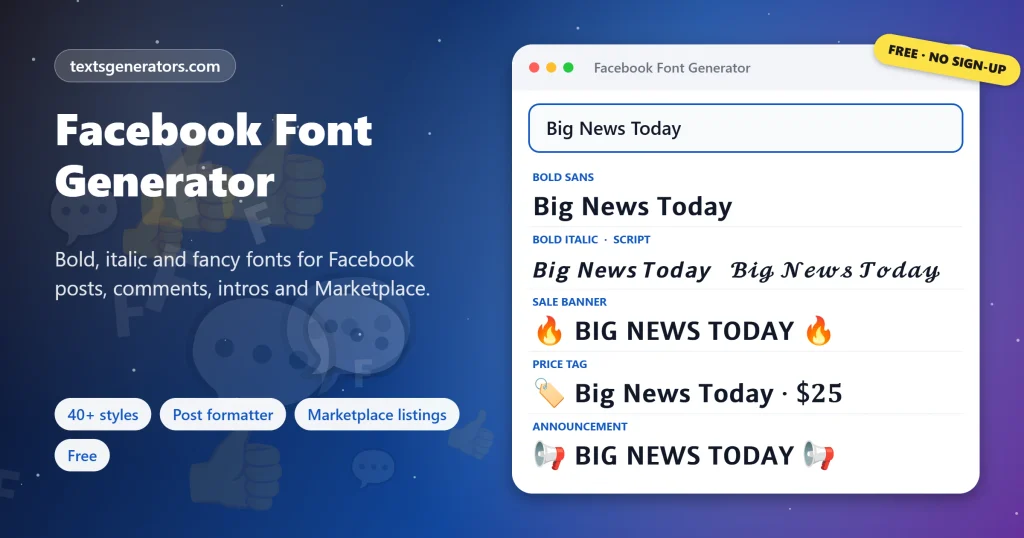
How Do You Change the Font on Facebook?
- Type your text: A post hook, a comment, a sale title, or a group rule.
- Pick a font or layout: Bold for headlines, script for wishes, bullets for details.
- Check the field: Posts and comments accept styled text; profile names usually do not.
- Copy and paste into Facebook: Paste into the composer and publish as normal.
Need more weight options, including bold only for keywords and an unbold converter? Our bold text generator has them all.
Where Can You Use Fancy Fonts on Facebook?
| Place | Styled fonts | Tip |
| Posts and comments | ✅ | Style the hook, keep the body plain |
| Group posts and announcements | ✅ | Bold headings make rules scannable |
| Intro bio | ✅ | 101 characters, so prefer compact fonts |
| Marketplace descriptions | ✅ | Keep the item name plain in the title |
| Messenger chats | ✅ | Works in personal and group chats |
| Profile and page names | ❌ | Facebook’s name rules reject styled letters |
Posting the same update on LinkedIn? The LinkedIn text generator previews your hook in LinkedIn’s feed.
What Do People Use Facebook Fonts For?
- Post hooks: an opening line heavy enough to stop a scrolling thumb.
- Group admin posts: rules, weekly threads and welcome messages with clear headings.
- Small business updates: opening hours, offers and prices that stand out in the feed.
- Marketplace selling: tidy descriptions with condition, features and pickup details.
- Birthdays and milestones: script lettering for wishes and announcements.
- Comments: a highlighted answer in a busy thread.
For quotes and gentle emphasis, browse every slanted option in our italic text generator.
Facebook Formatting Terms
See more
The link Facebook adds when a post is longer than the visible preview.
Intro
The short bio on a profile, limited to 101 characters.
Unicode bold
Letters from the Mathematical Alphanumeric block that look bold anywhere.
Composer
The box where you write a post, comment, or listing.
Name standards
Facebook’s rules that keep profile names in ordinary letters.
Background post
A short status shown on a coloured card; styled letters work there too.
Facebook Font Tools on This Page
Post formatter
Stars become bold, dashes become bullets.
See more preview
Phone and desktop cut-off views.
Listing formatter
Title, price, condition and features.
Field guide
Nine Facebook fields with length checks.
Limit checker
Intro, titles, groups and events.
Favourites
Keep your page’s house style handy.
Writing a long post?
Format it once and see exactly where readers will hit “See more”.
Why Won’t Facebook Show My Font?
| Problem | Reason | Fix |
| Name change rejected | Profile names must use ordinary characters | Use styled text in your Intro instead |
| Boxes on an old phone | The device lacks a character | Pick the widest-support badge |
| Post not found in search | Search reads plain letters | Keep keywords unstyled |
| Stars still showing | An asterisk was not closed | Wrap bold words in a pair of stars |
| Intro cut short | The 101-character limit | Pick small caps or remove symbols |
Tips for Facebook Posts That Get Read
Hook in bold
One bold line above the fold beats a whole bold post.
Short paragraphs
Leave a blank line between ideas for phone readers.
Bullets for details
Dates, prices, and rules scan faster as a list.
Plain keywords
Repeat important words in normal letters so search finds them.
Want emoji between your words instead of styled letters? Try our emoji text tool for posts and comments.
Facebook Font Generator FAQ
What is a Facebook font generator?
A tool that converts text into bold, italic, script, and other Unicode fonts that display in Facebook posts, comments, and descriptions.
Is this FB font generator free?
Yes. All styles, the post formatter, the listing formatter, and the field guide are free without signing up.
How can an FB post contain heavy lettering?
Grab Bold Sans or Bold Serif here, then drop it into the composer; the heavy letters stay heavy after publishing.
Can I change my Facebook profile name font?
Usually not. Facebook’s name standards reject styled characters, so use them in your Intro or posts instead.
How long can a Facebook Intro be?
The Intro allows 101 characters, and styled letters can use the limit faster.
Where does Facebook cut a post with See more?
On phones, the preview shows only a few lines; on desktop, a few more. The formatter previews both.
How do I add bullet points to a Facebook post?
Start lines with a dash in the post formatter and pick a bullet such as •, ✅ or 👉.
Can I use fonts in Facebook groups?
Yes. Group posts, comments, and announcements accept styled text; group names sometimes accept it.
Do styled fonts work on Facebook Marketplace?
Descriptions accept them. Keep the item name plain in the title so buyers can search for it.
Will fancy fonts reduce my post’s reach?
Facebook does not penalise them, but search and screen readers prefer plain words, so style only the highlights.
Do Facebook fonts work in Messenger?
Yes. Pasted Unicode fonts display in personal and group chats in Messenger.
Why might a friend see empty rectangles in my post?
Their phone is missing a few characters; cards with the widest-support badge avoid that.
Can I underline text on Facebook?
Yes, with the Underlined style, which adds a line mark under each letter.
How do I write italic on Facebook?
Copy the Italic Serif or Italic Sans style, or wrap words in underscores in the post formatter.
Can I format a Facebook post on my phone?
Yes. Open this page in your phone browser, tap Copy, then switch to the Facebook app and paste.
What is the best font for a Facebook sale post?
Bold sans capitals for the headline and plain text for details are easy to read and stand out.
Do business page updates accept styled letters?
Yes. Page posts, comments, and replies all accept them, although the page name itself must stay plain.
Do Facebook fonts work in event descriptions?
Descriptions accept them; event names sometimes do, depending on the characters used.
How do I make numbered steps in a post?
Choose the numbered bullet option in the formatter to get 1️⃣ 2️⃣ 3️⃣ automatically.
Is my post text saved anywhere?
No. Your post stays in this browser tab; none of it leaves your phone or computer.
Does this work for Facebook comments too?
Yes. Comments and replies display styled letters exactly like posts.
See every style family, from gothic to outline, in our main font generator.
Make Facebook Posts People Stop For
𝗕𝗼𝗹𝗱 𝘄𝗵𝗲𝗿𝗲 𝗶𝘁 𝗺𝗮𝘁𝘁𝗲𝗿𝘀
Fonts, post layouts, and listing formats that paste straight into Facebook. 𝐟 Start Styling
- 3D Text Generator
- Aesthetic Text Generator
- Arrow Text Generator
- Big Text Generator
- Birthday Text Generator
- Bold Italic Text Generator
- Bold Text Generator
- Bracket and Boxed Text Generator
- Bubble Text Generator
- Calligraphy Text Generator
- Christmas Text Generator
- Clap Emoji Text Generator
- Cool Fonts Generator
- Copy and Paste Fonts
- Cursive Generator: Cursive Letters and Fonts
- Cute Fonts Generator
- Decorative Text Generator
- Discord Fonts Generator
- Diwali Text Generator
- Double Struck Text Generator
- Eid Text Generator
- Emoji Text Generator
- Fancy Text Generator
- Flag Text Generator
- Glitch Text Generator: Zalgo and Cursed Text
- Glow Text Generator
- Gothic Text Generator
- Halloween Text Generator
- Heart Text Generator
- Invisible Text Generator
- Italic Text Generator
- LinkedIn Text Generator
- Love Text Generator
- Monospace Text Generator
- Neon Text Generator
- New Year Text Generator
- Old English Font Generator and Translator
- Serif And Sans Serif Text Generator
- Small Caps Generator
- Small Text Generator
- Square Text Generator
- Star Text Generator
- Strikethrough Text Generator
- Stylish Text Generator
- Subscript Text Generator
- Underline Text Generator
- Valentine’s Text Generator
- Vaporwave Text Generator
- Weird Text Generator
No tools match your search. Try another word or choose "All tools".