
Invisible Text Generator [ ⠀⠀⠀ ]
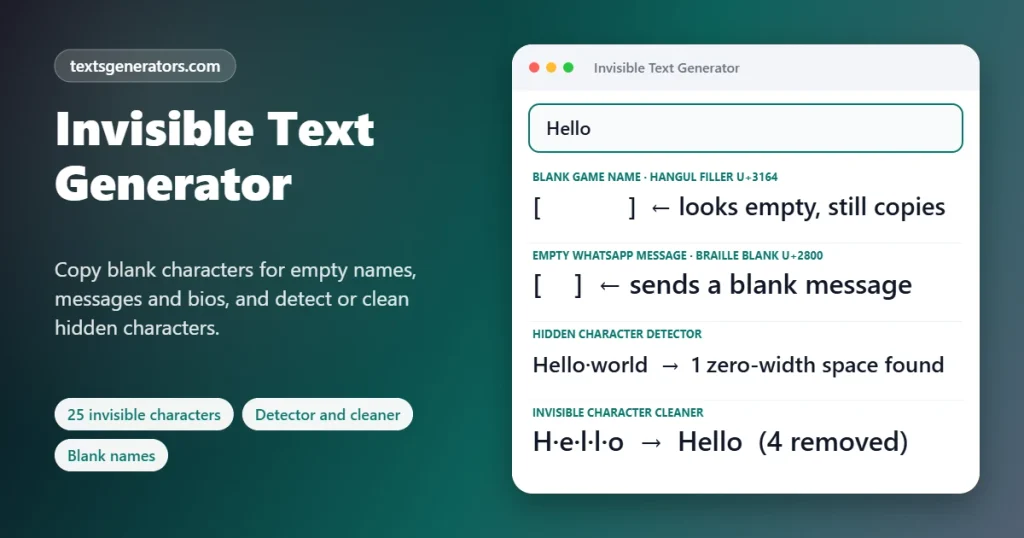
Copy blank characters that look empty but count as text: for an empty-looking message, a spacer between bio lines, a gap that apps will not delete, or a name field that refuses to stay blank. Every character is labelled with its code point and best use, and the detector reveals hidden zero-width characters inside any text you paste.
- 25 labelled blank characters
- Blank generator with any count
- Hidden-character detector
- Cleaner for pasted text
| Character | Name | Code | Behaviour | Good for | Copy |
|---|
Invisible spacing tools for your text
Know someone fighting with blank lines?
Share the library so they can copy the right invisible character.
Blank Fillers, Spacing Tricks and Protected Text Examples
Each example contains real invisible characters. Copy takes it exactly; Edit in tool puts its visible words into the input above.
What Is Invisible Text?
Invisible text is made of Unicode characters that take up a character slot but show little or nothing on screen, such as the Hangul Filler, the Braille Pattern Blank, or the Zero-Width Space. To an app, they are real text; to a reader, they look empty.
Many forms and apps refuse an empty field, trim spaces from the start and end of a line, or collapse several blank lines into one. Invisible characters get around those rules because the software sees a genuine character rather than whitespace. That is how people create empty-looking messages, keep a blank line in a bio, push text to the right, or stop a link from turning into a preview.
These characters also cause trouble when they arrive unexpectedly. A zero-width space copied from a web page can break a password, a search, or a line of code without anyone noticing. This page covers both directions: a labelled library and generator for using blanks deliberately, and a detector that finds and removes hidden characters from any text you paste.
- 25 Invisible and space characters explained
- 500 Blanks in one copy
- 0 Width of a zero-width space
How to Copy and Use a Blank Character
- Choose the right blank: The library lists each character with what it does. Hangul Filler and Braille Blank are the usual choices for empty-looking text.
- Copy it: Press Copy beside the character. Because it is invisible, the toast confirms what was copied.
- Need more than one?: The Blank Text Generator copies up to 500 of any character, on one line or many.
- Paste and test: Paste into the app and send or save. If the field rejects it, try another character from the list.
Which Invisible Character Should You Use?
| Goal | Best character | Why |
| An empty-looking message or name | Hangul Filler U+3164 | Treated as a printable letter, so fields accept it |
| A blank line in a bio or caption | Braille Pattern Blank U+2800 | Not classed as whitespace, so it is not trimmed |
| Stop a link or mention from activating | Zero-Width Space U+200B | Splits the pattern without a visible gap |
| Keep two words on the same line | No-Break Space U+00A0 | Prevents wrapping between them |
| Indent a paragraph in plain text | Em Space U+2003 | A fixed, wide gap that is not collapsed |
| Fine spacing between letters | Thin or Hair Space | Subtle gaps for headings |
Platforms change their filters. A blank that works for a game name today may be blocked after an update, so keep a couple of alternatives handy.
Finding Hidden Characters That Break Text
Invisible characters often travel along with copied text. A zero-width space inside a product code makes a search fail, a no-break space stops a spreadsheet formula from matching, and a byte-order mark at the start of a file confuses programs. Because none of them is visible, the usual reaction is confusion. The detector highlights each one with its code point and name, counts them by type, and copies a cleaned version with either all invisibles removed or every odd space turned into a normal space.
- Check passwords or codes that “look right” but are rejected.
- Clean data before pasting it into spreadsheets, forms, or code.
- Spot direction-control characters that can make text display in a misleading order.
Practical Uses for Invisible Characters
📱 Spaced-out bios
Braille blanks keep empty lines between bio sections so they do not collapse.
🔗 Plain links
A zero-width space after the dot in a domain stops some apps from creating a preview card.
🔕 Quiet mentions
Write @everyone in a guide without pinging a whole server by adding a zero-width space after the @.
🧾 Neat plain-text lists
Figure spaces line up numbers in receipts and price lists sent as messages.
🏷 Unbroken names and units
No-break spaces keep “10 kg”, “Mr. Khan” or a brand name from splitting across lines.
🎮 Spacing in game names
Games that block normal spaces sometimes accept a Hangul Filler between words.
What This Invisible Text Tool Offers
Labelled library
25 characters with names, code points, behaviour, and best use.
Blank generator
Any character, 1 to 500 copies, three layouts.
Detector
Reveals hidden characters with code points and counts.
Cleaner
Removes invisibles or converts odd spaces to normal ones.
Spacing tools
Indents, centring, wide gaps and blank lines applied to your text.
Protection tools
Stop links, mentions and hashtags; keep words together.
Visible previews
Results show blanks as dots so you can see what you are copying.
Length and bytes
Know exactly how much space the blanks use.
Local processing
Pasted text is analysed on your device only.
Text acting strangely?
Paste it into the detector and see every hidden character.
Responsible Use of Blank and Zero-Width Characters
1. Respect community rules
Blank names and empty messages can be confusing; some servers and games forbid them.
2. Keep accessibility in mind
Screen readers may announce invisible characters or read text oddly around them.
3. Do not hide links to mislead
Using invisible characters to disguise addresses or impersonate others breaks platform rules and can be harmful.
4. Clean before you code
Run copied snippets through the detector before using them in code, formulas, or passwords.
Invisible Character Problems and Fixes
| Problem | Reason | Fix |
| The app says the field cannot be empty | It removes spaces and zero-width characters | Use the Hangul Filler, which counts as a letter |
| My blank line still disappears | The app trims whitespace-like characters | Use the Braille Pattern Blank on that line |
| A box or question mark appears | The font has no glyph for that filler | Switch to Braille Blank or a standard space character |
| My code or formula fails for no reason | A hidden zero-width or no-break space is inside | Paste it into the detector and copy the cleaned version |
| The blank name was rejected by a game | The game filters filler characters | Try the Halfwidth or Choseong fillers, or choose a short visible name |
| The message still shows a link preview | The app recognised the domain anyway | Add zero-width spaces at each dot, or remove the protocol |
This Invisible Text Tool Compared With Copy-One-Blank Pages
| Feature | This page | Typical blank-character pages |
| Characters offered | 25, each explained | One or two unlabelled |
| Bulk blank generator | ✅ Up to 500 | Sometimes |
| Hidden-character detection | ✅ With code points | ❌ |
| Text cleaning | ✅ Two modes | ❌ |
| Spacing and protection tools | ✅ | ❌ |
| Visible preview of blanks | ✅ | ❌ |
Invisible Text and Blank Characters: FAQ
What is invisible text?
Invisible text uses Unicode characters that occupy space in a text field but display as blank, like the Hangul Filler or Braille Pattern Blank.
How do I copy a blank character?
Open the Invisible Character Library and press Copy next to the character you need. A message confirms which one was copied, since you cannot see it.
Which invisible character works best for an empty name?
The Hangul Filler (U+3164) is the most widely accepted because apps treat it as a letter. Some platforms block it, so try the other fillers if it fails.
How do I send an empty message on WhatsApp?
Copy a Hangul Filler or a few Braille blanks and send them as the message. It arrives looking empty.
How do I add blank lines to my Instagram bio?
Put a Braille Pattern Blank on each empty line. Instagram keeps the line because the character is not treated as whitespace.
What is a zero-width space?
U+200B is a character with no width at all. It marks where a line may break and can split text without showing a gap.
How do I stop a link from turning into a preview?
Insert a zero-width space after a dot in the address, as the Stop Auto-Links style does. Many apps then treat it as plain text.
How can I mention @everyone without pinging people?
Add a zero-width space right after the @ symbol. The Stop Mentions style does this automatically.
What is the difference between a space and a no-break space?
A normal space lets text wrap there. A no-break space looks the same but keeps the words on either side together on one line.
How do I find hidden characters in my text?
Paste the text into the Hidden Character Detector. Each invisible character is highlighted with its code point and name, and you can copy a cleaned version.
Why does my password or code fail when copied?
Copied text sometimes includes invisible characters like zero-width spaces. Clean it with the detector and paste again.
Can I make multiple blank lines at once?
Yes. In the Blank Text Generator, choose a character, set the count, and pick One per line.
Do invisible characters count toward character limits?
Yes. Each one is a real character, and some count as two units in certain apps. The generator shows length and bytes.
Why do I see a box instead of nothing?
The current font has no glyph for that character. Switch to a different blank, such as the Braille Pattern Blank.
Are invisible characters allowed in game names?
Some games accept fillers, and many block them. Filters shift between game versions, so try the name in a preview before spending anything.
Can invisible text be harmful?
The characters themselves are harmless, but they can hide changes in links or text. Use the detector when something looks suspicious.
How do I remove all invisible characters from text?
Paste it into the detector and press Copy with invisibles removed. Odd spaces become normal spaces, and hidden characters are deleted.
What is the Braille Pattern Blank?
U+2800 is the empty Braille cell. It looks like a space but is not classified as whitespace, which is why apps rarely trim it.
Can I indent paragraphs with invisible characters?
Yes. The Indented with Em Spaces style adds wide fixed spaces at the start of each line, which many apps keep.
Is this invisible text tool free?
It costs nothing, and you never have to register.
Does the detector upload my text?
No. Both scanning and cleaning happen locally, so your pasted text stays on this device.
The Right Blank for Every Job
[ ⠀⠀⠀⠀⠀ ]
Labelled blanks, bulk generation, and a detector for hidden characters, free. ⬚ Get a Blank Character
- 3D Text Generator
- Aesthetic Text Generator
- Arrow Text Generator
- Big Text Generator
- Birthday Text Generator
- Bold Italic Text Generator
- Bold Text Generator
- Bracket and Boxed Text Generator
- Bubble Text Generator
- Calligraphy Text Generator
- Christmas Text Generator
- Clap Emoji Text Generator
- Cool Fonts Generator
- Copy and Paste Fonts
- Cursive Generator: Cursive Letters and Fonts
- Cute Fonts Generator
- Decorative Text Generator
- Discord Fonts Generator
- Diwali Text Generator
- Double Struck Text Generator
- Eid Text Generator
- Emoji Text Generator
- Fancy Text Generator
- Flag Text Generator
- Glitch Text Generator: Zalgo and Cursed Text
- Glow Text Generator
- Gothic Text Generator
- Halloween Text Generator
- Heart Text Generator
- Italic Text Generator
- LinkedIn Text Generator
- Love Text Generator
- Monospace Text Generator
- Neon Text Generator
- New Year Text Generator
- Old English Font Generator and Translator
- Serif And Sans Serif Text Generator
- Small Caps Generator
- Small Text Generator
- Square Text Generator
- Star Text Generator
- Strikethrough Text Generator
- Stylish Text Generator
- Subscript Text Generator
- Underline Text Generator
- Valentine’s Text Generator
- Vaporwave Text Generator
- Weird Text Generator
No tools match your search. Try another word or choose "All tools".