
Bracket and Boxed Text Generator 【Boxed】
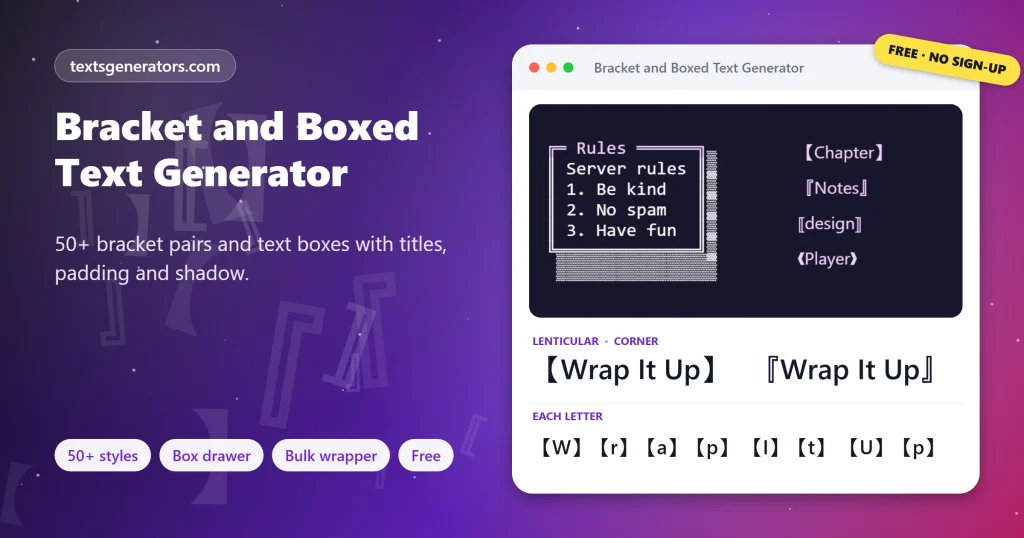
Frame words in 【lenticular】, 『corner』, ⟦math⟧ or ❰ornamental❱ brackets, or draw a full box around them with ┌─┐ lines. Build multi-line text boxes with titles, padding and alignment, browse 50+ named bracket pairs with code points, and bracket every line, word or letter of a list at once.
- 50+ bracket and box styles
- ┌─┐ text box drawer
- 50+ named bracket pairs
- [ ] bulk list wrapper
All bracket and box styles
Making headers for a server, a notes app or a README?
Send the bracket and box generator to a teammate.
Bracketed and Boxed Lines for Titles, Bios, Lists and Code
Examples using the most popular pairs and borders. Copy grabs the framed line; Edit in tool removes the frame and loads the words above.
What Is a Bracket and Boxed Text Generator?
Quick answer: a bracket text generator wraps words in decorative bracket pairs such as 【 】, 『 』 or ⟦ ⟧, and a boxed text generator draws a full frame around text with box-drawing lines like ┌─┐. Both use standard Unicode characters, so the frames paste into usernames, chats, notes and code.
Your keyboard offers four bracket families: parentheses, square brackets, curly braces and angle brackets. Unicode holds more than fifty further pairs, many borrowed from Chinese and Japanese typesetting, mathematics and old printing ornaments. They frame a title or a tag far more stylishly than a plain [ ].
For bigger framing jobs, the Box Drawing block (U+2500 to U+257F) contains every line, corner, and junction needed to draw a rectangle out of text. The box drawer on this page measures your longest line, pads it, aligns it, can print a title into the top border, and can fence the result in backticks so Discord or GitHub keep the columns straight. Two more utilities finish the set: a library of named bracket pairs with code points and a bulk wrapper for lists and tags.
- 51 Named bracket pairs
- 9 Box border styles
- 4 Bulk wrap modes
How Do You Put Text in Brackets or a Box?
- Type the words: One line for brackets, several lines for a box.
- Pick a family: Asian, math, or ornamental brackets, or a box border.
- Refine: Add a title, padding, alignment, or shadow in the box drawer.
- Copy and paste: Use a monospace font or code block for boxes.
What Are the Different Types of Brackets?
| Family | Examples | Traditional role |
| Lenticular | 【 】 〖 〗 | Headings and labels in Chinese and Japanese text |
| Corner | 「 」 『 』 | Quotation marks in Japanese; double corners mark book titles |
| Tortoise shell | 〔 〕 〘 〙 | Inserted notes and editorial comments |
| Double angle | 《 》 « » | Titles of works in Chinese; quotation marks in French |
| Math white square | ⟦ ⟧ | Semantic brackets in logic and computer science |
| Floor and ceiling | ⌊ ⌋ ⌈ ⌉ | Rounding down and up in mathematics |
| Ornamental | ❰ ❱ ❴ ❵ | Dingbat decorations from printing type |
If you want each letter boxed rather than the whole phrase, the square text generator turns letters into 🄰 and 🅰︎ tiles.
Where Are Bracketed and Boxed Text Useful?
- Server and channel headers: boxed rules and announcements pinned at the top.
- Usernames and clan tags: 【TAG】Name or ❰Name❱ for gaming profiles.
- Bios and interest tags: [photography] [travel] lists in a profile.
- README files and code comments: ASCII boxes for warnings and section titles.
- Notes and journals: 『 Today 』 headings in plain-text notes apps.
- Math and logic: ⌊x⌋, ⌈x⌉ and ⟨a, b⟩ in forum answers.
Brackets pair nicely with wings, stars and dividers from our decorative text generator for a complete profile name.
Bracket and Box Vocabulary
Lenticular bracket
A lens-shaped pair, solid 【】 or hollow 〖〗, common in East Asian headings.
Corner bracket
An L-shaped pair 「」 used where English uses quotation marks.
Box Drawing block
Unicode range U+2500 to U+257F with lines, corners and crossings.
Full-width form
A character as wide as a CJK ideograph, with built-in side space.
Fenced code block
Text between triple backticks, shown in monospace by Markdown apps.
Dingbat
A decorative printer’s symbol, the source of the ornamental brackets.
Boxes need equal-width letters; the monospace text generator explains code blocks for each chat app.
Bracket and Box Tools Included
Box drawer
Nine borders, titles, padding and shadow.
Pair library
51 named pairs with code points.
Bulk wrapper
Lines, words or letters in one go.
Numbered lists in brackets read even better with arrow symbols pointing to each step.
Alignment
Left, centre or right inside the box.
Code fence
Keeps boxes square on Discord and GitHub.
Text export
Save boxes for documents and README files.
Need a rules box for your server?
Type the rules, pick a border, and paste it inside a code block.
Why Is My Text Box Crooked?
| Symptom | Reason | Fix |
| The right edge zigzags | The chat font gives letters different widths | Turn on the backtick fence or paste into a monospace font |
| One row sticks out | The row contains emoji or full-width characters | Remove them from boxed lines |
| Brackets look spaced out | Asian brackets carry built-in space | Use math or ornamental pairs for a tighter fit |
| A pair shows as squares | Rare math brackets are missing from some fonts | Pick an Asian or basic pair instead |
| The box breaks on a phone | The longest line is wider than the screen | Shorten lines to around 30 characters |
Tips for Clean Frames
Match the mood
Lenticular feels bold, corners feel calm, ornaments feel playful.
Keep boxes narrow
Phones show about 30 to 35 monospace characters per line.
One family per profile
Mixing many bracket styles in one bio looks cluttered.
Plain words inside
Brackets keep the words themselves searchable, unlike styled fonts.
Corner brackets are a staple of soft profile styling; browse more aesthetic bio ideas to complete the look.
Brackets and Text Boxes: FAQ
What is bracket text?
Words framed by a decorative pair of brackets, for example 【Title】 or ❰Name❱, using characters beyond the keyboard’s ( ) and [ ].
How do I type 【 】 brackets?
Copy them from the Black lenticular card or the pair library. On a Japanese keyboard, they appear when converting [ ].
What are 「 」 brackets called?
Corner brackets. Japanese uses them as quotation marks, and the white version 『 』 marks titles.
How do I draw a box around text?
Type your lines into the text box drawer, pick a border, and copy the result.
Why does my box look crooked on Instagram?
Instagram uses a proportional font, so lines of equal length have different widths. Boxes work best where monospace is available.
How do I keep a box straight on Discord?
Tick the backtick fence option; Discord then shows the box in a monospace code block.
Can I add a title to the top border?
Yes. Type it into the title field, and it is set into the top line of the frame.
What does the drop shadow option do?
It adds ▒ shading along the right and bottom edges for a raised look.
How can I bracket every item in a list?
Paste the list into the bulk wrapper, choose a pair, and choose each line, word, or letter.
What are floor and ceiling brackets?
⌊x⌋ rounds a number down, and ⌈x⌉ rounds it up; both are in the math brackets group.
What are ⟦ ⟧ brackets used for?
Logicians and computer scientists use these semantic brackets to show the meaning of an expression.
Are clan tags like 【TAG】 allowed in games?
Usually, clan tags like 【TAG】 are popular in PUBG, Free Fire, and Discord, but check each game’s character rules.
Do bracketed names count as more characters?
Each bracket counts as one character in most apps, so a pair adds two.
Which apps show box-drawing characters?
Almost all current apps and phones display them; alignment is the only issue in proportional fonts.
Why do Asian brackets have extra space?
They are full-width characters designed to match the width of Chinese and Japanese characters.
How do I make an ASCII box for code comments?
Choose the +-+ ASCII border. It uses only keyboard characters, so it is safe in any source file.
Can I copy just one bracket?
Yes. Set the library to copy only the opening bracket, then tap any pair.
What is the difference between parentheses and brackets?
In American usage, parentheses are ( ), brackets are [ ], and braces are { }; British usage calls all of them brackets.
Are bracket pairs searchable?
The words inside stay ordinary letters, so search still finds them, unlike most styled fonts.
Does the tool keep my text?
No. Every frame is assembled locally by this page; your words never travel to a server.
Can I use these frames for free?
Yes, every pair, border, and utility is free to use, including in commercial projects.
Fill your brackets with stylish letters from the fancy text generator for a fully custom name.
Bracket and Box Any Text
【 framed 】 ┌ boxed ┐
Fifty named pairs, nine box borders, and a bulk wrapper for lists.【】 Start Framing Text
- 3D Text Generator
- Aesthetic Text Generator
- Arrow Text Generator
- Big Text Generator
- Birthday Text Generator
- Bold Italic Text Generator
- Bold Text Generator
- Bubble Text Generator
- Calligraphy Text Generator
- Christmas Text Generator
- Clap Emoji Text Generator
- Cool Fonts Generator
- Copy and Paste Fonts
- Cursive Generator: Cursive Letters and Fonts
- Cute Fonts Generator
- Decorative Text Generator
- Discord Fonts Generator
- Diwali Text Generator
- Double Struck Text Generator
- Eid Text Generator
- Emoji Text Generator
- Fancy Text Generator
- Flag Text Generator
- Glitch Text Generator: Zalgo and Cursed Text
- Glow Text Generator
- Gothic Text Generator
- Halloween Text Generator
- Heart Text Generator
- Invisible Text Generator
- Italic Text Generator
- LinkedIn Text Generator
- Love Text Generator
- Monospace Text Generator
- Neon Text Generator
- New Year Text Generator
- Old English Font Generator and Translator
- Serif And Sans Serif Text Generator
- Small Caps Generator
- Small Text Generator
- Square Text Generator
- Star Text Generator
- Strikethrough Text Generator
- Stylish Text Generator
- Subscript Text Generator
- Underline Text Generator
- Valentine’s Text Generator
- Vaporwave Text Generator
- Weird Text Generator
No tools match your search. Try another word or choose "All tools".