
Decorative Text Generator ꧁༺ 𝓓𝓮𝓬𝓸𝓻𝓪𝓽𝓮 ༻꧂
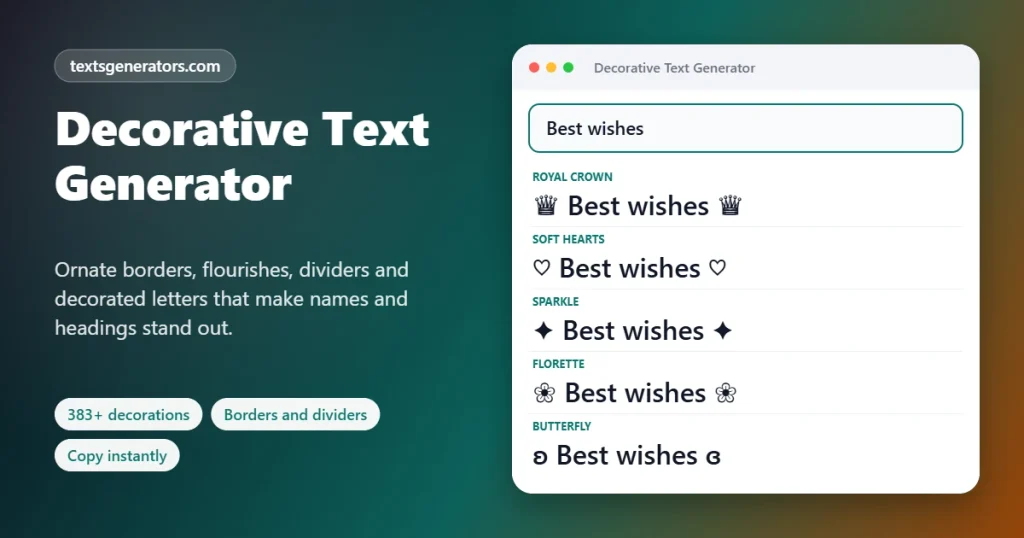
Decorate any name, bio or caption with wings ꧁꧂, hearts ♡, stars ✦, flowers ❀, brackets 【】, borders, dividers and stylish fonts. Build your own symmetric decorations, browse 300+ symbols and copy everything in one click for Instagram, TikTok, WhatsApp, Discord, Free Fire, PUBG and more. Always free, completely private, no account required.
- 350+ decorative styles
- 300+ symbols
- Auto-mirror decorator
- Divider maker
- 100% free
All decorative styles
Made something beautiful? ✨
Share this decorative text generator with friends who love aesthetic bios and stylish names.
Decorated Bio Templates and Caption Ideas
Copy a ready-made decorated bio, or press Use to open it in the generator. Replace the parts in [brackets] with your own details.
What Is a Decorative Text Generator?
Decorative text means everyday words dressed up with ornaments, symbols, and stylish lettering, for example ꧁༺ 𝓝𝓪𝓶𝓮 ༻꧂, ♡ ʟᴏᴠᴇ ♡, ★彡 𝐒𝐭𝐚𝐫 彡★, 【 𝙱𝚘𝚡𝚎𝚍 】 or •───── ✦ Divider ✦ ─────•.
Social apps don't offer formatting tools for names, bios, or comments. Decorative text fills that gap with special Unicode characters: wings, flourishes, hearts, stars, flowers, brackets, arrows, and box-drawing lines. Since they are real characters rather than images, your decorated text can be copied and pasted anywhere and still looks the same to everyone who sees it.
This generator goes much further than numbered style lists. Every style has a clear name and category, and you also get a Custom Decorator that mirrors your design automatically, a 300+ symbol library, a divider and border maker, decorated bio templates, a platform length check, starred favorites, a copy log, and one-click export, all on one page.
- 300+ Symbols in the library
- 12 Style categories
- 0 Sign-ups or downloads
How to Decorate Your Text, Step by Step
Decorate any text in under a minute, on desktop or mobile.
- Type your text: Start with the words you want to dress up (a name, a bio line, a caption) or choose a Quick text button like “Good Vibes”.
- Browse 350+ decorated styles: Each card refreshes the moment you change a letter. Narrow the list with the category chips (Wings and Royal, Hearts, Stars, Flowers, Cute, Brackets, Boxes, Dividers, Gaming…) or search for “wings” or “flower”.
- Add symbols where you want them: Open a tab in the Symbol Library and click any symbol; it lands right where your cursor is blinking. Need a single symbol on its own? Switch to Copy symbol mode.
- Build your own decoration: In the Custom Decorator, type or pick symbols for the left side. The right side is mirrored automatically, so ꧁༺ becomes ༻꧂ and 【✦ becomes ✦】. Add a font, separator, and letter case.
- Create dividers and borders: Use the Divider Maker to design lines like •───── ✦ ─────• with any pattern, end caps, center ornament, and length, with or without your text in the middle.
- Check the length: Choose your platform in Limit check, for example, Free Fire name (12) or Instagram bio (150); cards that fit get a green tick.
- Copy and paste: Copy a card with one click, then drop the result into any profile, chat, document, or game that accepts typing.
Pro tip: Click into the Left decoration box first, then tap symbols in the library. They go straight into your custom design, and the mirrored right side updates by itself.
The Complete Guide to Decorative Text on Every Platform
Each app treats special characters a little differently. Here's what works best where.
Decorate your name and bio lines and use dividers to separate sections. The @username can't contain symbols. Bio limit: 150.
Example: ꧁ 𝓢𝓪𝓻𝓪𝓱 ꧂
✦ ᴅʀᴇᴀᴍᴇʀ • ᴄʀᴇᴀᴛᴏʀ ✦
🎵 TikTok
Short, symmetric decorations look best in TikTok names and bios. Keep the bio under 80 characters.
Example: ⋆。°✩ 𝗗𝗮𝗻𝗰𝗲 𝗩𝗶𝗯𝗲𝘀 ✩°。⋆
Decorate your about text, group names, and messages. Multi-line boxes and banners look great in chats.
Example: ╭──────────╮
♡ Family ♡
╰──────────╯
🎧 Discord
Decorate server names, channel names, roles, and nicknames. Dividers make neat category headers.
Example: ┊・ʀᴜʟᴇꜱ ✦
🎮 Free Fire and PUBG
Wings, crowns, and brackets are classic gamer-name decorations. Keep names short and test in the game; filters vary.
Example: ꧁༒☬ 𝕷𝖊𝖌𝖊𝖓𝖉 ☬༒꧂
🐦 X (Twitter) and Threads
Decorate your display name and the first line of a post to catch the eye. Keep the rest readable.
Example: 【 𝐍𝐞𝐰 𝐏𝐨𝐬𝐭 】 ➤
▶️ YouTube
Dividers and decorated headings make long descriptions easy to scan. Avoid styled letters in titles for search.
Example: ═════ ✦ Chapters ✦ ═════
💼 Brands and shops
Use clean frames and dividers for promotions and announcements. Keep product names and prices plain.
Example: ✦ 𝗡𝗘𝗪 𝗖𝗢𝗟𝗟𝗘𝗖𝗧𝗜𝗢𝗡 ✦
📝 Notes and documents
Dividers and boxes organize notes, study guides, and digital planners. They paste into Notion, Google Docs, and Word.
Example: ⊱ ────── Notes ────── ⊰
How Does Decorative Text Work?
Everything is made of standard Unicode characters, the universal code every phone and computer uses for text. The generator combines four kinds of characters:
1. Ornaments and flourishes
Characters from many writing systems and symbol blocks, such as the Javanese rerenggan (꧁꧂), Tibetan marks (༺༻), dingbats (✦❀❥) and chess pieces (♛), act as wings, frames and accents.
2. Brackets and box lines
CJK brackets (【】『』「」), mathematical brackets (⟦⟧⟨⟩) and box-drawing characters (╔═╗ ╭─╮) create frames, boxes and dividers.
3. Styled alphabets
Unicode also contains whole alphabets designed to look script, bold, gothic, double-struck, or bubble, and each letter you type is exchanged for its counterpart.
4. Smart mirroring
The Custom Decorator reverses your left decoration and swaps each symbol for its mirror partner (꧁↔꧂, ༺↔༻, 【↔】, ⊰↔⊱, ╭↔╮), so both sides always match.
Portable by design: wings, hearts, and borders are typed characters, so they move with your words from app to app. The only time someone misses out is when their device has no font for a particular rare symbol.
Popular Decorative Symbols Explained
The real names and Unicode code points of the most popular decorative symbols. Tap Copy to grab any symbol.
| Symbol | Official Unicode name | Code point | Commonly used as |
| ꧁ ꧂ | Javanese Left / Right Rerenggan | U+A9C1 / U+A9C2 | Wings around names |
| ༺ ༻ | Tibetan Mark Gug Rtags Gyon / Gyas | U+0F3A / U+0F3B | Flourishes, inner wings |
| 【 】 | Left / Right Black Lenticular Bracket | U+3010 / U+3011 | Bold title frames |
| 『 』 | Left / Right White Corner Bracket | U+300E / U+300F | Quote and name frames |
| ✦ | Black Four Pointed Star | U+2726 | Sparkles, bullet points |
| ✧ | White Four Pointed Star | U+2727 | Soft aesthetic sparkles |
| ⋆ | Star Operator | U+22C6 | Tiny stars in aesthetic text |
| ❀ | White Florette | U+2740 | Flower decorations |
| ✿ | Black Florette | U+273F | Cute flower accents |
| ♡ | White Heart Suit | U+2661 | Soft heart decorations |
| ❥ | Rotated Heavy Black Heart Bullet | U+2765 | Love-themed bullets |
| ♛ | Black Chess Queen | U+265B | Crowns for royal names |
| ⚜ | Fleur-de-lis | U+269C | Elegant, royal accents |
| 彡 | CJK Unified Ideograph-5F61 | U+5F61 | Speed lines in ★彡 |
| ʚ ɞ | Latin Small Letter Closed Open E / Closed Reversed Open E | U+029A / U+025E | Butterfly wings ʚ♡ɞ |
| ୨ ୧ | Oriya Digit Two / Oriya Digit One | U+0B68 / U+0B67 | Bows in ୨♡୧ |
| ☾ ☽ | Last Quarter Moon / First Quarter Moon | U+263E / U+263D | Mystic, night-sky frames |
| ╭ ╮ ╰ ╯ | Box Drawings Light Arc corners | U+256D–U+2570 | Rounded boxes |
Everything Inside the Decorative Text Toolkit
350+ named styles
Every style has a real name and category, so you can find “Royal Wings” or “Flower Banner” instead of scrolling through numbers.
Auto-mirror decorator
Design the left side once; the right side is mirrored for you, keeping every decoration perfectly symmetric.
300+ symbol library
Stars, hearts, flowers, wings, brackets, arrows, lines, shapes, music, weather, checks, and cute symbols in 12 tabs.
Divider and border maker
Design lines for bios, captions, Discord channels, and notes with any pattern, cap, ornament, and length.
Multi-line boxes and banners
Double, rounded, and heavy boxes, ribbons, scrolls, and aesthetic banners that resize to your text.
Decorated bio templates
Aesthetic, cute, minimal, gamer, creator, and business bios ready to copy or customize.
Smart insertion
Symbols go exactly where your cursor is, in the main text or inside your custom decoration.
Character-limit checker
See instantly which decorations fit Instagram, TikTok, X, Discord, Free Fire, and PUBG limits.
Compatibility badges
Wide, Most, or Limited support labels help you avoid boxes on other people's phones.
Favorites and history
Pin the decorations you reach for most and pull back any recent copy from the history strip.
Export all styles
Download every decorated version of your text in one .txt file to compare or share.
Private, free, unlimited
Nothing to install or register, no caps on how much you create, and nothing you type ever leaves your browser.
What You Gain by Decorating Your Text
👀 Get noticed instantly
Decorated names and bios stand out in follower lists, comments, search results, and game lobbies.
🎨 Express your style
Royal, cute, aesthetic, minimal or gamer: decorations communicate your personality before anyone reads a word.
🗂️ Organize information
Dividers, bullets, and boxes structure bios, captions, Discord servers, and notes so they are easier to read.
🏷️ Build a recognizable identity
Use the same signature decoration across every platform so people recognize you instantly.
💸 No design skills or apps needed
No graphic design software, paid fonts, or app installs. Typing is the only skill required.
🎮 Unique gamer names
Symmetric wings, crowns, and brackets make nicknames look professional and harder to copy.
Faster Decorating, Less Searching
Decorating text by hand means hunting through symbol charts. Here's how much time the generator saves (typical estimates):
| Task | The manual way | With this tool |
| Find matching left and right wings | 5–10 min searching symbol sites | Instant with auto-mirror |
| Decorate a name in a fancy font | 5–10 min copying letters | ~3 seconds |
| Make a bio divider the right length | Typing and counting dashes | Slider in the Divider Maker |
| Draw a box around text | 10+ min aligning box characters | One click in Boxes and Banners |
| Write a complete aesthetic bio | 30+ min of trial and error | ~2 minutes with templates |
| Check a game name fits the limit | Rejected in-game, retry | Instant fit badge |
- One page, every tool: styles, symbols, decorator, dividers, and templates without switching sites.
- Keep a signature look: stars and history keep your go-to wings and borders a tap away.
- Catch issues early: support badges and length checks flag risky symbols before you publish.
- Batch your content: decorate a week of captions or a whole Discord server in one sitting.
Your decorated text is one click away ꧁✦꧂
Hundreds of named decorations, one click each, always free.
Which Decoration Style Should You Use?
| Purpose | Recommended category | Example |
| Gamer name (Free Fire, PUBG) | Wings and Royal, Gaming | ꧁༺ 𝕶𝖎𝖓𝖌 ༻꧂ |
| Aesthetic Instagram bio | Cute and Aesthetic, Stars | ⋆。°✩ ᴅʀᴇᴀᴍ ✩°。⋆ |
| Couple or love name | Hearts and Love | ʚ♡ɞ 𝒜𝓁𝒾 ʚ♡ɞ |
| Professional profile | Brackets, Dividers | 【 𝗗𝗲𝘀𝗶𝗴𝗻𝗲𝗿 】 |
| Discord channels | Dividers, Letter Decorations | ┊・ɢᴇɴᴇʀᴀʟ ✦ |
| WhatsApp group name | Flowers, Emoji | 🌸 Family Circle 🌸 |
| Announcements and posts | Boxes and Banners | ═════ ✦ 𝐒𝐀𝐋𝐄 ✦ ═════ |
| Notes and planners | Dividers, Arrows | ➤ To-do list |
Design Principles for Beautiful Decorative Text
⚖️ Keep it symmetric
Matching left and right decorations (꧁ text ꧂) look balanced and intentional. The auto-mirror option does this for you.
🎯 One theme per line
Pick one family (stars, hearts, or flowers) per line. Mixing too many symbol styles looks cluttered.
↔️ Add breathing space
A space between the decoration and your text improves readability, especially with fancy fonts.
🔤 Contrast font and frame
Pair ornate frames with simple fonts, or simple frames with ornate fonts, so one element leads.
📏 Respect length limits
Short names and bios need short decorations. Use the limit checker before saving.
👓 Readability first
If people can't read your name, decoration hurts more than it helps. Test on a small phone screen.
Decoration Issues and How to Solve Them
| Problem | Why it happens | How to fix it |
| A symbol shows as an empty square | No font on the viewer’s device contains it | For names, prefer cards with a Wide support badge and common symbols like ✦ ♡ 【】 |
| ꧁꧂ wings look thin or tiny | Many systems draw Javanese characters with a basic fallback font | Phones usually show them well; on PCs, ༺༻ or 【】 are sturdier alternatives |
| A game refuses my decorated nickname | Games filter certain symbols and cap name length | Use fewer ornaments, check limits, and preview before confirming a rename |
| Instagram will not take decorations in my username | Handles are restricted to letters, numbers, dots and underscores | Put decorations in the Name field and bio |
| The app says my bio is too long | Ornaments outside basic Unicode count as two units | Set Limit check to that platform and pick a card with a ✓ |
| Boxes and frames do not line up | Most apps use proportional fonts with uneven symbol widths | Expect small shifts; Discord code blocks and monospace apps align perfectly |
| The mirrored side looks odd | Some symbols have no mirror-image partner | Untick Auto-mirror and type the right side yourself |
| Script or gothic letters skip é or ñ | Styled Unicode alphabets cover plain A–Z only | Accented letters stay plain; the decorations around them are unaffected |
| My bio collapses onto one line | Some apps remove line breaks on paste | Use a single-line decoration or press Enter inside the app afterwards |
| Copying fails | The browser denied clipboard access | Click directly on the decorated text, or select it by hand and copy it |
| Decorated hashtags get no reach | A hashtag with symbols or styled letters is a different tag | Keep hashtags in ordinary characters |
| Screen readers read every ornament aloud | Each symbol has a spoken Unicode name | Decorate lightly and keep important details in plain text |
What Sets This Decorative Text Tool Apart
| Feature | This generator | Typical generator |
| Decorative styles | 350+ on one page | Numbered lists split across pages |
| Named styles and categories | ✅ | ❌ “Style 1, Style 2…” |
| Custom decorator with auto-mirror | ✅ | ❌ |
| 300+ symbol library with cursor insert | ✅ | ❌ |
| Divider and border maker | ✅ | ❌ |
| Multi-line boxes and banners | ✅ | Rare |
| Decorated bio templates | ✅ | ❌ |
| Symbol meanings and code points | ✅ | ❌ |
| Length checks per platform plus support badges | ✅ | ❌ |
| Favorites, history and .txt export | ✅ | ❌ |
| Sign-up required | Never | Sometimes |
Decorative Text Generator: Frequently Asked Questions
What is a decorative text generator?
It is a tool for framing and embellishing words. You type a name or phrase, and it surrounds or separates the letters with ornaments such as wings, hearts, stars, flowers, brackets, borders, and dividers, and it can switch the letters to stylish alphabets too.
Do I need to pay for decorations?
No. Every style, the symbol library, the Custom Decorator, the Divider Maker, and the bio templates are free, with nothing to register.
How do I copy a decoration?
Click the decorated text or the Copy button on its card, and a confirmation pops up. Switch to your app and paste it, either by pressing and holding on a touchscreen or with the keyboard shortcut on a computer.
What are the ꧁ ꧂ symbols called?
They are the Javanese Left and Right Rerenggan (U+A9C1 and U+A9C2), ornamental marks from the Javanese script. People use them as wings around names, especially in gaming nicknames.
How does the auto-mirror feature work?
It reverses the order of your left decoration and swaps each symbol for its mirror partner, for example ꧁ with ꧂, ༺ with ༻, 【 with 】 and ⊰ with ⊱. Symbols without a partner, like ✦ or ♡, stay the same. You can turn it off and type the right side yourself.
Can I use decorative text in Free Fire or PUBG names?
Many symbols work in game nicknames, but each game filters some characters and limits length (about 12 characters in Free Fire and 14 in PUBG Mobile). Check the length here first, then preview the nickname on the rename screen before confirming.
Can I decorate my Instagram name and bio?
Yes, both fields accept symbols, as do captions, comments, highlights, and messages. Usernames are the exception: they only take letters, numbers, dots, and underscores.
Which other apps support decorative symbols?
TikTok, WhatsApp, Discord, X, Threads, Snapchat display names, and most games accept them. A few profile-name fields filter unusual characters, so preview before saving.
Why do some decorations look like squares?
A square appears when the reader’s phone or computer lacks a font able to draw that symbol. Javanese wings and some newer emoji are the usual suspects, so prefer cards with a Wide support badge for names.
How do I make a divider or border line?
Open the Divider and Border Line Maker, choose a line pattern, end caps, a center ornament, and a length. Tick Put my text in the center to add your words, then copy the result.
Can I make boxes around my text?
Yes. The Boxes and Banners category draws double, rounded and heavy boxes, ribbons, scrolls and aesthetic banners that resize to your text. Box lines may shift slightly in apps that use proportional fonts.
How do I insert a symbol in the middle of my text?
Place your cursor where you want the symbol, then tap it in the Symbol Library. It is inserted exactly at the cursor. You can also insert symbols into the Custom Decorator boxes the same way.
Why do decorations eat into character limits?
Ornaments from outside the basic Unicode range take two storage units each, and platforms count units rather than what you see. Limit check mirrors that count, so its ✓ is reliable.
Can I combine fonts with decorations?
Yes. Many styles already pair a decoration with a font, and the Custom Decorator lets you choose any font, separator, and letter case together with your own decoration.
Can decorative text hurt SEO?
On a website, it can, if used in titles or headings, because search engines do not read symbols as keywords. In social bios, captions, and gamer names, it is harmless.
Does it work without an app?
Yes. It runs inside Chrome, Safari, Samsung Internet, and other browsers on phones, tablets, and computers.
Where is my text stored?
Only in your browser while you work. Favorites, history, and preferences live in local storage on your device and are never uploaded.
Can I save the decorations I like?
Star a card, and it moves to the top of the All view and into the Favorites filter, and it stays there on your next visit.
Can I decorate text in Urdu, Arabic or Hindi?
Yes. Wings, hearts, brackets, borders, and dividers surround any script. Only the alternative alphabets (script, gothic, bold, and so on) are limited to Latin letters and numbers.
Can screen readers handle decorative symbols?
Screen readers announce every symbol by name, so ꧁ may be read as Javanese left rerenggan. Decorate lightly and keep key information in plain text when accessibility matters.
How many decorative styles are there?
More than 350 named styles across 14 categories, plus a 300+ symbol library, unlimited custom decorations, and a divider maker with thousands of combinations.
Can brands use decorative symbols commercially?
Yes, Unicode symbols are free for commercial use. Use them for announcements and bios, but keep a plain version of your brand name so people can search for it.
What is the difference between decorative text and fancy fonts?
Fancy fonts change the shape of your letters (𝓐, 𝔄, Ⓐ). Decorative text adds ornaments around or between the letters (꧁ A ꧂, A♡B). This tool does both, separately or combined.
Decorate Your Words Like a Pro
꧁༺ 𝓨𝓸𝓾𝓻 𝓝𝓪𝓶𝓮 ༻꧂
350+ decorative styles, a 300+ symbol library, and your own mirrored designs. All free and fully private. ✨ Decorate My Text