
Glow Text Generator ˗ˏˋ 𝓰𝓵𝓸𝔀 ˎˊ˗
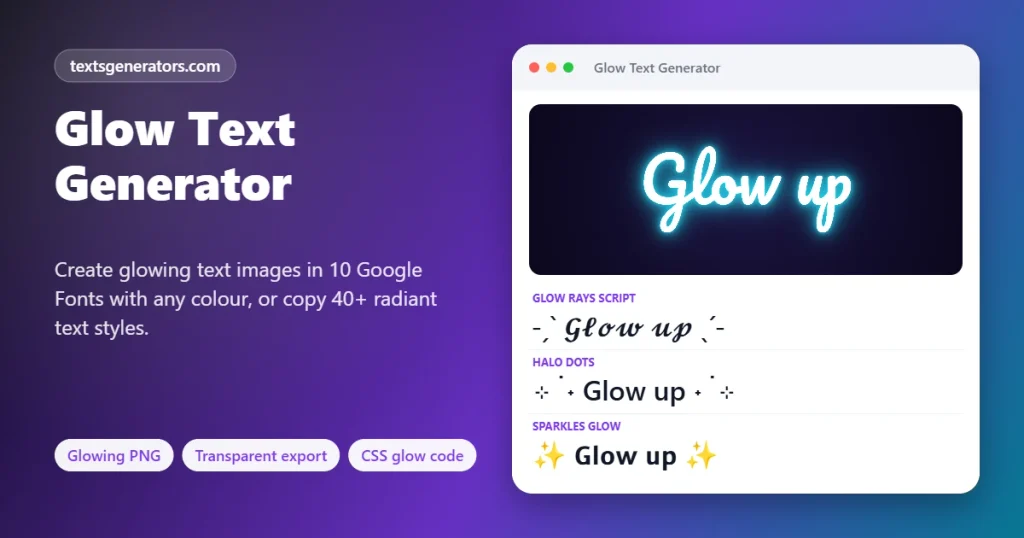
Make words that glow, two ways. Copy radiant Unicode styles with light rays, halos and sparkles for bios and captions, or create a real glowing text image in ten Google Fonts with any glow colour, transparent background included. Web designers get the matching CSS text-shadow code with a live preview.
- 40+ glow styles to copy
- Glowing PNG maker
- 10 Google Fonts
- CSS glow code generator
Typefaces arrive from Google Fonts when this panel opens, while the picture itself is painted locally.
All glow text styles
Designing a glowing banner for a friend?
Pass this page along and let them experiment with halos and typefaces themselves.
Glowing Bios, Captions, Gamer Tags and Mood Lines
Short lines already wrapped in light rays and halos. Copy takes the radiant line as shown, and Edit in tool lifts its words into the box, where the image maker can light them up too.
What Is a Glow Text Generator?
A glow text generator makes words look as if they give off light, either as copyable Unicode text framed with rays, halos and sparkles, or as an image where each letter is surrounded by a soft, coloured blur.
Real glow is a visual effect, so plain text in a chat cannot actually emit light. That is why this page offers both routes. For bios, usernames and captions, the Unicode styles suggest radiance with symbols such as ˗ˏˋ ˎˊ˗, ⊹ and ✧, which paste anywhere. For thumbnails, banners, stories and stream overlays, the image maker paints genuine glowing letters and saves them as a PNG.
The image maker layers several blurred copies of your text in the glow colour, then draws crisp letters on top- the same technique designers use in Photoshop. You choose from ten Google Fonts, seven preset colours or any custom colour, three strengths, and five backgrounds, including fully transparent for placing the text on your own photo.
- 10 Fonts in the image maker
- 5 Backgrounds, one transparent
- 4 Image sizes
How to Make Glowing Text
- Type your word: One to four short lines work best for images.
- Copy a glow style: For bios and chats, pick a Halo Frame or Radiant Letters style.
- Or design an image: Choose font, glow colour, strength, background, and size in the image maker.
- Download the PNG: Use it for thumbnails, stories, stream scenes, or slides.
How the Glow Effect Works
A glow is light spreading beyond an edge and fading with distance. Screens imitate it with blur. The image maker draws your text up to four times with growing blur radii in the glow colour, so the light is bright near each letter and dims farther out, then paints the letters on top in white, a pale tint, the glow colour, or dark ink.
| Strength | Layers | Good for |
| Soft | 2 tight halos | Elegant titles, light backgrounds |
| Medium | 3 halos | Thumbnails and social graphics |
| Intense | 4 wide halos | Dark posters and gaming overlays |
Choosing a Glow Colour
- Cyan and violet: futuristic, tech and synthwave moods.
- Gold and orange: warmth, celebrations and premium feel.
- Pink: playful, beauty and lifestyle content.
- Green: gaming, hacking themes, and eco topics.
- White: clean, dreamy and minimal designs.
- Dark letters with a glow: readable text on light photos.
Glow Generator Feature Set
40+ text styles
Halo frames, light emoji and radiant letters.
Glowing PNG
True blur glow drawn in your browser.
10 Google Fonts
From Pacifico script to Orbitron sci-fi.
Any colour
Seven presets plus a custom colour picker.
Transparent export
Drop the glow onto your own photo.
CSS code
Layered text-shadow with optional pulse.
Four sizes
Banner, square, story, and X header.
Favourites
Star your best halo frame.
On-device
Images are drawn locally, never uploaded.
Building a website?
Get layered CSS glow code with a live preview and pulse animation.
🧑💻 Open the CSS Glow Generator
Design Tips for Glowing Text
1. Dark backgrounds glow best
Light needs contrast; midnight and black backgrounds make colours pop.
2. Use bold fonts
Thick letters carry more light than hairline scripts.
3. One glow colour
Several colours compete; pick one and let it dominate.
4. Keep words short
Two or three words read better at thumbnail size.
5. Check contrast
White cores keep text readable even with intense glow.
6. Respect reduced motion
Offer a still version if you add the pulse animation on a site.
Glow Text Troubleshooting
| Problem | Why | Fix |
| The image uses a plain font | Google Fonts were blocked or offline | Reload with a connection or allow fonts.googleapis.com |
| The glow is invisible on white | Light colours vanish on light backgrounds | Choose dark letters or a dark background |
| The transparent PNG has a dark box | The viewer app fills transparency | Place it in an editor that supports transparency |
| Combining glow marks look misplaced | Fonts position combining marks differently | Use a halo frame instead |
| Wing brackets show boxes | The Javanese script font is missing | Choose Glow Rays or Sunburst |
| The text is cut at the edge | Very long words on a narrow size | Split into two lines or pick Banner |
Glow Generator Compared With Design Apps
| Feature | This page | Design apps |
| Copyable glow text for bios | ✅ 40+ styles | ❌ Images only |
| Glowing PNG | ✅ Instant | ✅ After setup |
| Transparent background | ✅ Free | Often premium |
| CSS code for websites | ✅ | ❌ |
| Account required | No | Usually |
| Watermark | None | On free plans |
Glow Text Generator: FAQ
What is a glow text generator?
It creates text that appears to emit light, as copyable Unicode styles with rays and halos or as a downloadable image with a real coloured glow.
Can text actually glow on Instagram or Discord?
Not as live text. Apps show characters without effects, so use the Unicode glow styles for a suggestion of light, or post a glowing image.
How do I make a glowing text image?
Type your words, open the Glow Text Image Maker, choose a font, colour, strength, and background, and press Download PNG.
Is a see-through PNG possible, with only the lit-up letters?
Yes. Choose Transparent as the background, and the PNG keeps only the letters and their glow.
Which fonts can I use for glowing text?
Ten Google Fonts: Poppins, Pacifico, Righteous, Bebas Neue, Dancing Script, Orbitron, Great Vibes, Lobster, Audiowide, and Comfortaa.
Can I choose my own glow colour?
Yes. Pick Custom in the colour list and use the colour picker to set any shade.
How do I make a glow effect in CSS?
Open the CSS Glow Code Generator, set the colour, spread, and layers, and copy the text-shadow code it writes.
Can the CSS glow pulse or flicker?
Tick Pulse animation to get keyframes that make the glow breathe slowly between dim and bright.
What are the ˗ˏˋ ˎˊ˗ symbols?
These little strokes come from linguists’ tone and accent marks; side by side they resemble beams spreading outward.
Why does the image use a different font than I picked?
The fonts load from Google Fonts. If that is blocked or you are offline, your device font is used instead.
What size should a YouTube thumbnail glow title be?
Use the Banner or X header size and crop, keeping the words large enough to read on a phone screen.
Does the glow look good on a white background?
Pale glows fade on white. Choose dark letters or a stronger colour such as violet or orange.
Can I use the glow PNG commercially?
The image is yours. The Google Fonts used are open-licensed and allowed in commercial work.
How do I put glowing text on my own photo?
Download a transparent PNG and layer it over your photo in Canva, CapCut, Photoshop, or any editor.
Is a glow effect the same thing as neon lettering?
Glow is a soft halo of light around letters; neon imitates glass tubes with a bright core and a coloured outer light.
Do the Unicode glow styles work in usernames?
Many games and apps accept them in display names; very strict username fields allow letters and numbers only.
Why do the combining glow marks look odd?
Each font places combining rings and dots differently. If they float awkwardly, choose a halo frame style.
Can I make multi-line glowing text?
Yes. Type up to four lines in the box and the image maker centres and sizes them all.
Is my text uploaded to make the image?
No. The glow is painted on a canvas inside your browser, and the PNG is created on your device.
Which glow strength should I choose?
Soft for subtle titles, Medium for most social images, and Intense for dark posters and gaming scenes.
Is the glow text generator free?
Yes. Styles, images, transparent export, and CSS code are free, with no watermark.
Give Your Words a Glow
˗ˏˋ 𝓼𝓱𝓲𝓷𝓮 𝓸𝓷 ˎˊ˗
Glowing Unicode text, a PNG glow maker, and CSS glow code, free. 💡 Make a Glow Image
- 3D Text Generator
- Aesthetic Text Generator
- Arrow Text Generator
- Big Text Generator
- Birthday Text Generator
- Bold Italic Text Generator
- Bold Text Generator
- Bracket and Boxed Text Generator
- Bubble Text Generator
- Calligraphy Text Generator
- Christmas Text Generator
- Clap Emoji Text Generator
- Cool Fonts Generator
- Copy and Paste Fonts
- Cursive Generator: Cursive Letters and Fonts
- Cute Fonts Generator
- Decorative Text Generator
- Discord Fonts Generator
- Diwali Text Generator
- Double Struck Text Generator
- Eid Text Generator
- Emoji Text Generator
- Fancy Text Generator
- Flag Text Generator
- Glitch Text Generator: Zalgo and Cursed Text
- Gothic Text Generator
- Halloween Text Generator
- Heart Text Generator
- Invisible Text Generator
- Italic Text Generator
- LinkedIn Text Generator
- Love Text Generator
- Monospace Text Generator
- Neon Text Generator
- New Year Text Generator
- Old English Font Generator and Translator
- Serif And Sans Serif Text Generator
- Small Caps Generator
- Small Text Generator
- Square Text Generator
- Star Text Generator
- Strikethrough Text Generator
- Stylish Text Generator
- Subscript Text Generator
- Underline Text Generator
- Valentine’s Text Generator
- Vaporwave Text Generator
- Weird Text Generator
No tools match your search. Try another word or choose "All tools".