Italic Text Generator Italics Anywhere
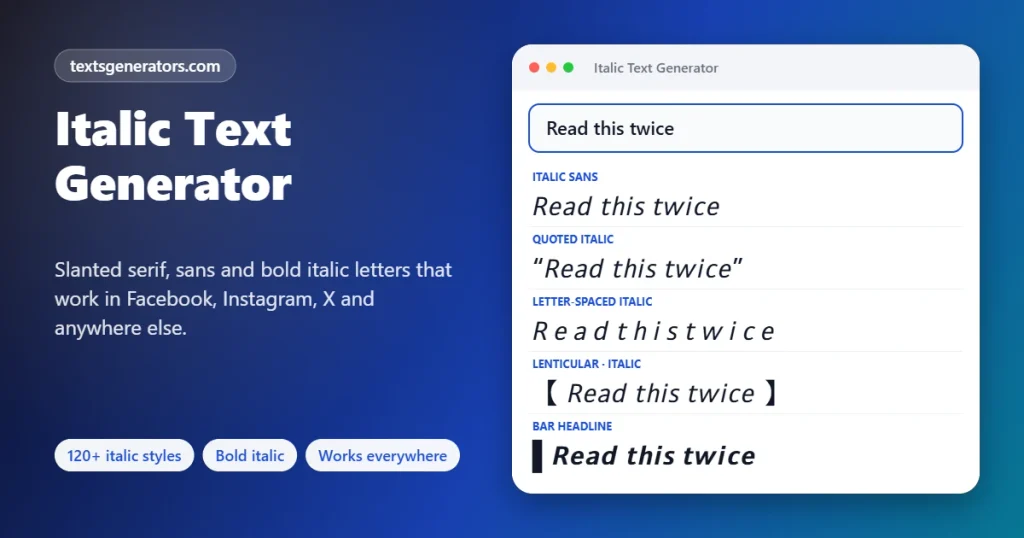
Use this italic text generator to slant a whole message or just one word, then paste it where the italic button does not exist: LinkedIn posts, X, Instagram captions, Facebook comments, TikTok bios and more. Four true Unicode italic alphabets (𝘴𝘢𝘯𝘴, 𝑠𝑒𝑟𝑖𝑓, 𝙗𝙤𝙡𝙙 𝙨𝙖𝙣𝙨, 𝒃𝒐𝒍𝒅 𝒔𝒆𝒓𝒊𝒇), accents that survive (𝘤𝘢𝘧𝘦́, 𝘯𝘪𝘯̃𝘰), and an eraser that turns italics back into ordinary letters.
- 120+ italic formats
- Emphasis Mode for single words
- Accent-safe é ñ ü
- Italic remover built in
All italic formats
Useful? Tell a fellow writer.
Marketers, students and LinkedIn regulars all hit the same wall: no italic button. Send them here.
Italic Hooks, Quotes and Caption Starters
These openers already mix upright and slanted words the way professional posts do. Take one as written, or press Rework to load it into Emphasis Mode with its marks intact.
What Is an Italic Text Generator?
It is a converter that replaces everyday letters with slanted Unicode look-alikes, giving you italics in text fields that offer no formatting toolbar.
In a word processor, italics are a style applied on top of your letters. Social networks store plain characters only, so that style has nowhere to live. The solution is a set of separate, pre-slanted characters in the Unicode standard: an italic “a” (𝘢) is a different character from a regular “a”. Swap one for the other, and the slant is baked into the text, so it travels through copy, paste, posting, and sharing.
Unicode offers four such alphabets, and this tool uses all of them: sans-serif italic, serif italic, sans-serif bold italic and serif bold italic. Around them, it adds what people actually need day-to-day: partial emphasis, underlines, quote and headline formats, accent preservation, and a way back to plain text.
- 4 Genuine italic alphabets
- 3 Emphasis marks: italic, bold, both
- 2,000 Characters per conversion
How to Italicize Text in 6 Steps
- Decide: everything or just a phrase? For a fully slanted line, use the main box. To slant one or two words inside a normal sentence, go to Emphasis Mode.
- Add your words: Type them, paste them, or tap a sample. Paragraph breaks and punctuation are left exactly as you wrote them.
- Mark emphasis (optional): In Emphasis Mode, put stars around the words to stress, or select them and press the Italic selection button to add the stars for you.
- Pick a format: Compare sans and serif, regular and bold, underlined versions, quote styles, and headline labels. The filter box narrows the list by keyword.
- Verify the length: Set Length check to LinkedIn, X, or another destination; each result reports whether it stays under that ceiling.
- Copy, then paste into your post: One click on a result places it on your clipboard, ready for any app that accepts typing.
Italicize One Word, Not the Whole Post
Converting an entire paragraph to italics makes it harder to read and invisible to search. Good writers stress a word or two. Emphasis Mode understands the same lightweight marks used in Markdown, so you can write naturally:
| You type | You get | Use it for |
| I *love* this idea | I 𝘭𝘰𝘷𝘦 this idea | Stress, tone of voice |
| Read **this first** | Read 𝘁𝗵𝗶𝘀 𝗳𝗶𝗿𝘀𝘁 | Key points, labels |
| ***Deadline: Friday*** | 𝘿𝙚𝙖𝙙𝙡𝙞𝙣𝙚: 𝙁𝙧𝙞𝙙𝙖𝙮 | Urgent or critical lines |
| Just finished _Dune_ | Just finished 𝘋𝘶𝘯𝘦 | Titles of books and films |
Why this matters for reach: the unmarked words stay as real letters, so your post can still be found through search, read aloud by assistive tools, and understood at a glance. Only the stressed words change.
Where Italics Already Work, and Where You Need This Tool
Many apps have a hidden italic shortcut. Use the native one when it exists; reach for Unicode italics when it does not.
| App or place | Built-in italics? | How |
| ✅ Yes | Underscores around the words: _like this_ | |
| Discord | ✅ Yes | One star or underscore on each side: *like this* |
| Slack and Google Chat | ✅ Yes | _like this_ |
| Telegram | ✅ Yes | Double underscores, or select the words and choose Italic |
| Messenger | ✅ Yes | _like this_ in the message box |
| YouTube comments | ✅ Yes | _like this_ |
| Reddit, GitHub, Notion (Markdown) | ✅ Yes | *like this* |
| Word, Google Docs, Gmail, Outlook | ✅ Yes | Ctrl+I, or ⌘+I on a Mac |
| Web pages (HTML) | ✅ Yes | The em element for emphasis, or CSS font-style: italic |
| LinkedIn posts, headlines and comments | ❌ No | Paste Unicode italics from this page |
| X (Twitter) posts and display names | ❌ No | Paste Unicode italics from this page |
| Instagram bios, captions and comments | ❌ No | Paste Unicode italics from this page |
| Facebook posts and comments | ❌ No | Paste Unicode italics from this page |
| TikTok bios and captions, Pinterest, SMS | ❌ No | Paste Unicode italics from this page |
App features change over time; if a shortcut above stops working, the Unicode method still will.
The Four Unicode Italic Alphabets
| Alphabet | Sample | Code range | Character | Good to know |
| Sans-serif italic | 𝘘𝘶𝘪𝘤𝘬 𝘧𝘰𝘹 | U+1D608–1D63B | Clean, modern, closest to app fonts | Complete A–Z and a–z; the safest default |
| Serif italic | 𝑄𝑢𝑖𝑐𝑘 𝑓𝑜𝑥 | U+1D434–1D467 | Bookish, academic | The small h is borrowed from U+210E (ℎ) because its own slot is empty |
| Sans-serif bold italic | 𝙌𝙪𝙞𝙘𝙠 𝙛𝙤𝙭 | U+1D63C–1D66F | Loud, headline-ready | Pairs with bold sans digits |
| Serif bold italic | 𝑸𝒖𝒊𝒄𝒌 𝒇𝒐𝒙 | U+1D468–1D49B | Elegant emphasis | Pairs with bold serif digits |
No italic numbers exist. Unicode never defined slanted digits, so 2026 cannot lean. In bold italic formats, this tool substitutes matching bold digits (𝟮𝟬𝟮𝟲); in regular italic it keeps numerals upright, which is also what printed books do.
When Should You Use Italics?
Style manuals such as APA, MLA and Chicago broadly agree on these uses. A quick reference for posts, essays and captions:
Titles of long works
Books, films, TV series, albums, newspapers and magazines: 𝘛𝘩𝘦 𝘎𝘳𝘦𝘢𝘵 𝘎𝘢𝘵𝘴𝘣𝘺. Short works such as articles, songs and episodes take quotation marks instead.
Stress
To show which word carries the weight: “I 𝘯𝘦𝘷𝘦𝘳 said that.” Use it sparingly, or nothing stands out.
Foreign terms
Words not yet at home in English: 𝘫𝘰𝘪𝘦 𝘥𝘦 𝘷𝘪𝘷𝘳𝘦, 𝘤𝘢𝘳𝘱𝘦 𝘥𝘪𝘦𝘮. Everyday loanwords like café or pizza stay upright.
Scientific names
Genus and species are slanted, with only the genus capitalized: 𝘏𝘰𝘮𝘰 𝘴𝘢𝘱𝘪𝘦𝘯𝘴, 𝘌. 𝘤𝘰𝘭𝘪.
Inner thoughts
Fiction often sets unspoken thoughts in italics: 𝘛𝘩𝘪𝘴 𝘤𝘢𝘯’𝘵 𝘣𝘦 𝘳𝘪𝘨𝘩𝘵, she thought.
Words as words
When you talk about a term itself: the word 𝘭𝘪𝘵𝘦𝘳𝘢𝘭𝘭𝘺 is overused. Letters as letters too: mind your 𝘱’s and 𝘲’s.
- Skip italics for whole paragraphs, hashtags, links, names you want people to search for, and anything in ALL CAPS.
- Do not double up: italic plus bold plus underline on the same word reads as shouting.
- Punctuation rule: a comma or full stop right after an italic word normally stays upright.
Using Italic Text on Social Platforms
The most common reason people look for italics. Stress one phrase in the opening line and keep job titles and skills upright so recruiters can search them.
Example: Most teams track activity. 𝘍𝘦𝘸 𝘵𝘳𝘢𝘤𝘬 𝘰𝘶𝘵𝘤𝘰𝘮𝘦𝘴.
𝕏 X (Twitter)
A slanted word adds tone that plain text cannot. Remember that each italic letter counts double toward the 280 limit.
Example: That was 𝘯𝘰𝘵 the plan.
Use italics for a quote or a title inside captions, and for a tagline in your bio.
Example: Now reading: 𝘈𝘵𝘰𝘮𝘪𝘤 𝘏𝘢𝘣𝘪𝘵𝘴
Group rules, event details, and comment replies benefit from an italic note or caveat.
Example: 𝘕𝘰𝘵𝘦: doors open at 7 pm.
🎵 TikTok and Reels
Bios and captions accept slanted letters; keep them short so they remain legible over video.
Example: 𝘱𝘰𝘷: you finally post it
📌 Pinterest and Threads
Pin descriptions and profile blurbs can carry an italic phrase for a softer, editorial feel.
Example: recipes for 𝘴𝘭𝘰𝘸 mornings
What Happens When You Press a Key
Substitution
Each plain letter is replaced by the character at the same position in the chosen italic alphabet. The one missing slot, serif italic h, is filled with the official Planck-constant character ℎ.
Accent preservation
Accented letters are split into a base letter and its mark. The base is slanted, and the mark is re-attached, so 𝘯𝘪𝘯̃𝘰 and 𝘤𝘢𝘧𝘦́ keep their meaning instead of falling back to upright letters.
Selective emphasis
Emphasis Mode scans for star and underscore pairs and converts only what sits between them, leaving the rest untouched.
Reversal
The remover maps slanted and bold characters back to the basic alphabet and recombines accents, giving you clean text to edit or reuse.
What This Italic Generator Includes
Emphasis Mode
Stars and underscores become italic, bold, or bold italic while surrounding words stay ordinary.
All four italic alphabets
Sans, serif, and both bold variants, each offered in several capitalizations.
Accent-safe conversion
Spanish, French, German, Portuguese, and other accented words stay correct.
Underline and strike options
Slanted text with single, double, wavy or dotted lines, plus strikethrough.
Quote and note formats
Pull quotes, attributions, asides, stage directions, P.S. lines and labelled notes.
Headline labels
Bold italic openers such as NEW, UPDATE and key-takeaway cards for posts.
Italic Composer
Combine typeface, weight, digits, capitalization, a line and a frame yourself.
Letter picker
Copy an individual slanted character, handy for maths variables or initials.
Italic remover
Strip slant and bold from text you receive, restoring normal characters.
Length check
Compares each result with LinkedIn, X, Instagram, and other ceilings.
Usage guide
Native shortcuts by app and the standard rules for when italics are appropriate.
Local processing
Your draft is converted on your own device and never transmitted.
Why Writers and Marketers Reach for Italics
🎙 Tone comes through
Plain text loses the voice. A slanted word shows where you would lean in if you were speaking.
🧭 Readers find the point faster
One emphasized phrase guides the eye to the idea you most want remembered.
🎓 Posts look edited
Correctly italicized titles and terms signal care and credibility, especially on professional networks.
🧱 Structure without clutter
Italic notes, asides, and labels organize a long post without emojis or symbols.
⚖ Softer than bold
Where bold shouts, italics nudge. That makes them suitable for nuance, caveats, and quotations.
🧩 Works where toolbars do not
The same slanted phrase can be reused in bios, comments and captions across networks.
Minutes Saved on Everyday Formatting
| Job | The slow route | On this page |
| Stress one word in a LinkedIn post | Convert the word elsewhere, copy, paste, fix spacing | Add two stars and copy the sentence |
| Italicize a book title in a caption | Search a character map letter by letter | Underscores around the title |
| Slant a Spanish or French phrase | Accents break and must be repaired by hand | Accents are kept automatically |
| Reuse an old italic post in an email | Retype it in normal letters | Run it through the Italic Remover |
| Prepare five differently styled hooks | Repeat the conversion five times | All formats listed at once |
- Draft once, publish everywhere: write with stars, then paste the converted line into each network.
- House style: star the format your brand uses so every teammate picks the same one.
- Hand-off ready: export the full list as a text file for a client or editor to choose from.
Put the stress exactly where you mean it
Mark a word, copy the sentence, post it. That is the whole workflow.
Italic Text Problems, Solved
| Symptom | Reason | Remedy |
| The serif italic h looks taller or heavier | It is the separate character ℎ (U+210E), drawn independently of the other letters | Switch to a sans-serif italic format, where every letter belongs to one set |
| Numbers stay upright | Slanted digits were never added to Unicode | Expected. Bold italic formats use bold digits for a closer match |
| ß, ø, æ or ı do not slant | These letters have no base-plus-accent form to convert | They remain upright; rephrase if a uniform look matters |
| Accented letters show the mark slightly off-centre | Some fonts position combining marks loosely over maths letters | Untick “Keep accents” to leave those letters upright instead |
| My italic words cannot be found by search | Search engines index them as symbols, not letters | Italicize only a phrase with Emphasis Mode and keep keywords plain |
| The post was cut short | Each slanted letter occupies two units of the limit | Choose your platform in Length check before copying |
| Stars appear in my result | A mark is missing its partner, or there is a space just inside it | Write *word* with no gap between star and word |
| snake_case words turned italic | Underscores are treated as marks only at word edges | Use stars for emphasis when your text contains underscores |
| Empty rectangles instead of letters | A very old device lacks the mathematical letter fonts | Rare today; advise the reader to update, or use native italics there |
| I received italic text and need to edit it | The slant is part of each character | Paste it into the Italic Remover, edit, then convert again |
| A voice assistant spells my post out oddly | Assistive software announces each maths letter by name | Keep italics to a few words and never use them for essential details |
| I only need italics in a document | Unicode italics are meant for places without formatting | In Word, Docs or email, press Ctrl+I for true italics instead |
Readable, Searchable, Accessible Italics
1. Emphasize phrases, not paragraphs
Long slanted passages slow reading for everyone and are skipped by many screen readers.
2. Leave keywords upright
Names, job titles, product terms, and hashtags should stay as standard letters to remain discoverable.
3. Prefer sans-serif on phones
Sans italic matches most app typefaces and keeps consistent letter shapes at small sizes.
4. Use real italics where available
If the app or document supports formatting, the built-in option is always the most accessible choice.
How This Tool Differs from Basic Italic Converters
| Need | This page | Basic converters |
| Italicize a single word inside a sentence | ✅ Emphasis Mode with star marks | ❌ Whole text only |
| Keep é, ñ, ü and similar letters slanted | ✅ Automatic | ❌ Left upright |
| Italic alphabets offered | ✅ All four, clearly named | One or two, sometimes mixed with script |
| Ready formats | ✅ 120+ on one screen | 2 to 5 |
| Remove italics from existing text | ✅ | ❌ |
| Guide to native italic shortcuts | ✅ 14 apps | ❌ |
| Rules for correct italic usage | ✅ | ❌ |
| Length check against platform limits | ✅ | ❌ |
Italic Font Generator for Slanted Text Anywhere
An italic font generator and an italics converter are the same thing here. Instead of switching your device to a slanted typeface, the page replaces each upright letter with a slanted Unicode letter, so the lean survives when you paste into a profile, a comment, or a post that has no formatting buttons.
Four slanted alphabets are available, and each suits a different job, from a gentle serif lean for quotes to a heavy sans slant for hooks.
| Slanted look | Alphabet used | Example |
| Classic italic | Serif italic | 𝐼𝑡𝑎𝑙𝑖𝑐 |
| Clean slanted font | Sans-serif italic | 𝘚𝘭𝘢𝘯𝘵𝘦𝘥 |
| Bold italic font | Serif bold italic | 𝑩𝒐𝒍𝒅 |
| Italic bold, modern | Sans bold italic | 𝙈𝙤𝙙𝙚𝙧𝙣 |
Need weight and slant together? The bold italic text generator keeps every bold italic style on one page.
Italics Generator: Italic Letters A to Z
Italic letters in Unicode come in four alphabets. Use the chart to grab one italic letter at a time, handy for a book title in a caption, a foreign word, or the signature line under a quote.
| Italic font | Italic letters a to z |
| Italic Sans | 𝘢𝘣𝘤𝘥𝘦𝘧𝘨𝘩𝘪𝘫𝘬𝘭𝘮𝘯𝘰𝘱𝘲𝘳𝘴𝘵𝘶𝘷𝘸𝘹𝘺𝘻 |
| Italic Serif | 𝑎𝑏𝑐𝑑𝑒𝑓𝑔ℎ𝑖𝑗𝑘𝑙𝑚𝑛𝑜𝑝𝑞𝑟𝑠𝑡𝑢𝑣𝑤𝑥𝑦𝑧 |
| Bold Italic Sans | 𝙖𝙗𝙘𝙙𝙚𝙛𝙜𝙝𝙞𝙟𝙠𝙡𝙢𝙣𝙤𝙥𝙦𝙧𝙨𝙩𝙪𝙫𝙬𝙭𝙮𝙯 |
| Bold Italic Serif | 𝒂𝒃𝒄𝒅𝒆𝒇𝒈𝒉𝒊𝒋𝒌𝒍𝒎𝒏𝒐𝒑𝒒𝒓𝒔𝒕𝒖𝒗𝒘𝒙𝒚𝒛 |
Italic Font vs Slanted Font: Are They the Same?
Typographers separate the two. A true italic font redraws letters with a handwriting-like shape, such as the single-storey a, whereas a slanted or oblique font simply leans the upright letters. Unicode serif italic behaves like a true italic, while its sans italic acts more like an oblique, which is why the two styles here feel different even though both are called italics.
Italic Text Generator: Common Questions
How do I make italic text I can paste into social media?
Enter your words in the main box, pick one of the slanted results underneath, and click it. The italic version lands on your clipboard, and you paste it into the post, bio or comment field.
Can I italicize just one word in a sentence?
Yes, and that is what Emphasis Mode is for. Put a star on each side of the word, as in *really*, and only that word is slanted while the remaining sentence stays in normal letters.
How do I write in italics on LinkedIn?
LinkedIn has no italic button for posts, headlines, or comments. Create the slanted words here, copy them, and paste them into LinkedIn. Stress a short phrase and leave your keywords upright so people can still find you.
How do I get italics on X, Instagram or Facebook?
None of these offers formatting in posts or bios, so the method is the same: generate Unicode italics on this page and paste them in. They appear slanted to everyone who views your post.
Does WhatsApp need an italic generator?
No. WhatsApp formats italics itself when you type an underscore before and after the words. The table of native shortcuts on this page lists similar tricks for Discord, Slack, Telegram, and YouTube comments.
What is the difference between sans-serif and serif italic?
Sans-serif italic has plain, even strokes and blends in with the fonts used by most apps. Serif italic has small finishing strokes and looks like book typography. Both are separate Unicode alphabets.
Why does the letter h look unusual in serif italic?
The position reserved for a serif italic h is empty in Unicode, because an identical symbol, the Planck constant ℎ, already existed. Converters must borrow that character, and fonts often draw it a little differently.
Why are numbers not slanted?
Unicode contains italic letters but no italic digits. Regular italic results keep numerals upright, while bold italic results switch to bold numerals so the weight matches.
Will accented letters like é, ñ or ü stay italic?
Yes, when Keep accents is ticked. The tool slants the base letter and re-attaches the accent mark, so words such as café or niño remain correctly spelled. A few letters without a base form, like ß or ø, stay upright.
Is italic text from a generator the same as real italics?
Visually, it is very close, but technically it differs. Real italics are a style applied to ordinary letters, whereas generated italics are distinct characters. That is why they survive pasting, and also why search engines cannot read them as words.
Can I remove italics from text someone sent me?
Yes. Open the Italic Remover, paste the styled text, and it returns standard upright letters, with bold removed too and accents recombined.
Can I combine bold and italic?
Yes. Choose any Bold Italic format, or in Emphasis Mode surround the words with three stars on each side. Two stars give bold without the slant.
Can I underline italic text?
Yes. The Underline and Strike group adds single, double, wavy, or dotted lines beneath slanted letters, and the Italic Composer lets you add a line to any typeface and weight.
Will italic text reduce the reach of my post?
Platforms do not publish rules about this, but there is one known cost: slanted words are not matched by keyword search. Limiting italics to a short phrase avoids that problem.
Does italic Unicode text work in email subject lines?
It displays in most inboxes, but spam filters and older mail clients can treat unusual characters with suspicion. Inside the email body, use the normal italic button instead.
When is it correct to use italics?
Use them for titles of books, films and other long works, for stress on a word, for unfamiliar foreign terms, for scientific names and for words discussed as words. The writing guide above gives examples of each.
Should song and article titles be italic?
Usually not. Most style guides put short works such as songs, poems, articles, and episodes in quotation marks, and reserve italics for the larger work they belong to, like the album or the magazine.
Why does my italic post use so many characters?
Slanted letters sit in a higher region of Unicode and are stored as two units each. Select your destination under Length check, and the tool tells you whether a result is within its ceiling.
Do the stars stay in my text?
No. Complete pairs of stars or underscores are removed during conversion. If a star remains, it has no partner, or there is a space between it and the word.
Is there a keyboard shortcut for italics?
In editors with formatting, press Ctrl+I on Windows or Command+I on a Mac. Where that shortcut does nothing, such as social media post boxes, paste generated italics instead.
Are generated italics readable by screen readers?
Often poorly. Many screen readers either skip the characters or read out their mathematical names. Keep slanted text to a few words and never rely on it for essential information.
Is anything I type uploaded?
No. The conversion runs entirely on your device. Saved formats, recent copies, and settings are stored only in this browser and can be erased at any time.
Is the italic generator free for commercial posts?
Yes. There is no charge, account, or attribution requirement, and you may use the output in business, client, or advertising content.
Does this italic font generator include bold italic?
Yes. Serif and sans bold italic are included, and the separate bold italic page adds an emphasis painter and Markdown converter.
What is a slanted font generator?
It is simply another label for an italics converter, which leans each letter by substituting a tilted Unicode version.
Do slanted letters work from a mobile browser?
Yes. Press Copy beneath the slanted card you like, switch apps and paste; nothing extra gets installed.
What does italicize mean?
To italicize is to set words in italics, a slanted style used for titles, foreign words, and emphasis. Here, italicizing swaps each letter for its Unicode italic version.
Are italicized and italicised the same?
Yes. Italicized is the American spelling and italicised is the British one; both describe text set in italics.
Which italic font looks most elegant?
Serif italic looks the most classic, close to book typography. Sans italic feels modern and clean, and bold italic adds weight for headlines.
Say It with a Slant
𝘞𝘰𝘳𝘥𝘴 𝘸𝘪𝘵𝘩 𝘦𝘮𝘱𝘩𝘢𝘴𝘪𝘴.
Whole lines or single words, sans or serif, with accents intact and an undo button for later. ↗ Italicize Text Now
- 3D Text Generator
- Aesthetic Text Generator
- Arrow Text Generator
- Big Text Generator
- Birthday Text Generator
- Bold Italic Text Generator
- Bold Text Generator
- Bracket and Boxed Text Generator
- Bubble Text Generator
- Calligraphy Text Generator
- Christmas Text Generator
- Clap Emoji Text Generator
- Cool Fonts Generator
- Copy and Paste Fonts
- Cursive Generator: Cursive Letters and Fonts
- Cute Fonts Generator
- Decorative Text Generator
- Discord Fonts Generator
- Diwali Text Generator
- Double Struck Text Generator
- Eid Text Generator
- Emoji Text Generator
- Fancy Text Generator
- Flag Text Generator
- Glitch Text Generator: Zalgo and Cursed Text
- Glow Text Generator
- Gothic Text Generator
- Halloween Text Generator
- Heart Text Generator
- Invisible Text Generator
- LinkedIn Text Generator
- Love Text Generator
- Monospace Text Generator
- Neon Text Generator
- New Year Text Generator
- Old English Font Generator and Translator
- Serif And Sans Serif Text Generator
- Small Caps Generator
- Small Text Generator
- Square Text Generator
- Star Text Generator
- Strikethrough Text Generator
- Stylish Text Generator
- Subscript Text Generator
- Underline Text Generator
- Valentine’s Text Generator
- Vaporwave Text Generator
- Weird Text Generator
No tools match your search. Try another word or choose "All tools".