
3D Text Generator 𝗣𝗢𝗣 𝗢𝗨𝗧
Give your words real depth. Push chunky display lettering backwards with a depth slider, tilt it four ways, paint the front and the sides separately and export the picture, with or without a backdrop. Copy 3D block-letter banners made of characters for Discord and code comments, plus 30+ Unicode styles and CSS 3D code.
- 30+ 3D text styles
- Extruded PNG maker
- 3D block letter banners
- CSS 3D code generator
Display fonts are fetched from Google when you first open this tool; drawing happens in your browser.
All 3D text styles
Making thumbnails with a friend?
Send them the 3D generator so your channel titles match.
3D-Style Video Titles, Gaming Lines, Promotions and Fun Phrases
Lines with solid frames and outline letters that suggest depth. Copy takes one exactly; Edit in tool loads the phrase into the box, and the extrusion preview rebuilds with it straight away.
What Is a 3D Text Generator?
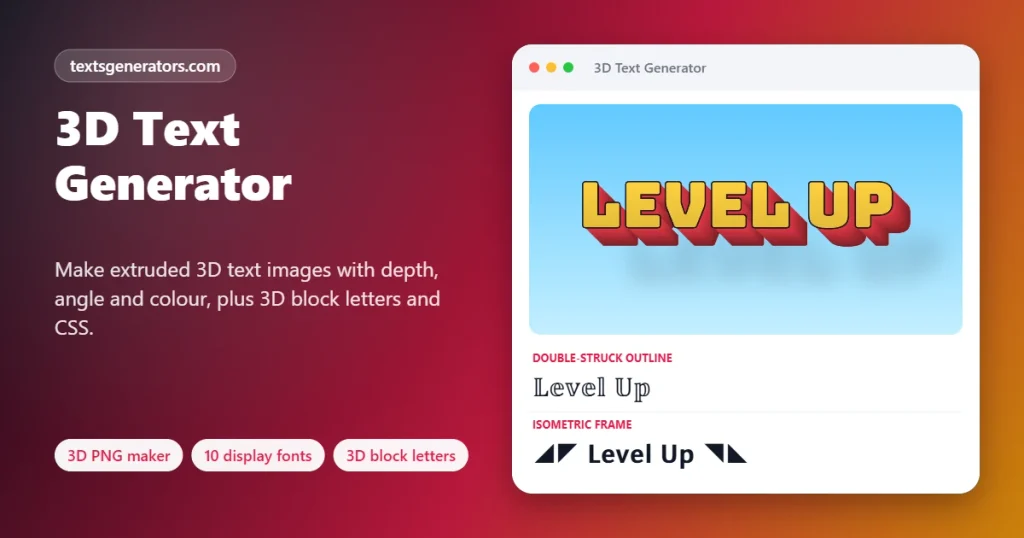
A 3D text generator gives flat words the look of solid objects, with a front face, coloured sides that recede into the distance, and a shadow, either as an image you download or as character art you can paste.
Three-dimensional lettering is everywhere in thumbnails, game logos, posters and retro graphics, because depth makes a title jump forward. Creating it in design software usually means layer styles, extrusion settings and exports. This page reduces that to a few choices: a bold display font, a colour preset or your own face and side colours, a depth slider and a direction.
For places where images are not allowed, such as Discord messages, README files and code comments, the block letter banner spells your word with solid characters and adds a diagonal cast shadow, so it reads as 3D in plain text. Developers also get CSS code that stacks text shadows into an extrusion.
- 10 Display fonts
- 8 Colour presets
- 4 Extrusion directions
How to Make 3D Text
- Write a short title: One to three lines; bold display fonts need few words.
- Pick font and colours: Start with a preset such as Retro arcade, then adjust face and side colours.
- Set depth and direction: Slide the depth and choose which way the letters extend.
- Export: Download a PNG, copy the block letter banner, or grab the CSS.
Image 3D, Character 3D and CSS 3D
| Type | Where it works | Strength |
| 3D PNG image | Thumbnails, posters, stories, slides | Real fonts, colour and depth |
| Block letter banner | Discord, GitHub READMEs, terminals, comments | Pure text, no image needed |
| Unicode styles | Bios, names, captions | Short, pasteable, light |
| CSS text-shadow | Websites and landing pages | Live, selectable, SEO friendly |
Choosing Colours for 3D Lettering
- Retro arcade: yellow face and red sides, the classic 80s game title.
- Ice and mint: cool, clean looks for tech and wellness topics.
- Gold: awards, luxury, and anniversary graphics.
- Candy and lava: energetic sales banners and food promotions.
- Comic: white face with black depth, like a comic book cover.
- Silver: neutral titles that suit any photo.
3D Generator Tools at a Glance
Extrusion maker
Depth up to 48 steps with shaded sides.
10 display fonts
Bungee, Luckiest Guy, Bangers, Anton, and more.
Presets and custom
Eight palettes or your own two colours.
Four directions
Down right, down left, straight down, up right.
Block banners
Five character sets with cast shadows.
CSS extrusion
Stacked shadows with live preview.
Transparent PNG
Lay 3D titles over your own artwork.
30+ text styles
Solid shapes and depth frames.
No uploads
Everything renders inside your browser.
Need 3D text in Discord?
Build block letters with a shadow, ready to paste in a code block.
Tips for Eye-Catching 3D Titles
1. Heavy fonts extrude best
Thin strokes disappear in the depth; choose Bungee, Titan One or Anton.
2. Contrast face and side
A light face over a dark side reads instantly.
3. Moderate depth
Around 15 to 25 steps looks solid without blocking letters.
4. Outline for busy photos
The dark outline separates letters from detailed backgrounds.
5. Short words for banners
Character banners grow wide quickly; five letters is a sweet spot.
6. Use code blocks
Monospace keeps every block aligned in Discord.
3D Text Problems and Fixes
| Problem | Why | Fix |
| The PNG uses Impact instead of my font | Google Fonts could not load | Check the connection and reopen the panel |
| Block letters look skewed in chat | Proportional fonts break the grid | Tick Wrap in a Discord code block |
| Lowercase letters became capitals | The block font has capitals only | That is by design for legibility |
| Some characters vanished from the banner | Only A to Z, 0 to 9,! ?, and – are drawn | Remove other symbols |
| The sides look muddy | Face and side colours are too similar | Pick a darker side colour |
| Emoji cubes break on Windows 10 | Coloured squares need Emoji 12 | Use the solid block characters |
This 3D Text Tool Versus Online Logo Makers
| Feature | This page | Logo makers |
| Instant PNG download | ✅ Free, full size | Often paid for high resolution |
| Copyable 3D text | ✅ Banners and styles | ❌ |
| CSS code | ✅ | ❌ |
| Transparent background | ✅ | Premium |
| Sign-up | None | Usually required |
| Watermark | None | Common on free tiers |
3D Text Generator: Questions Answered
What is a 3D text generator?
It makes words look solid and three-dimensional, as an extruded PNG image, as block letters built from characters, or as CSS code.
How do I make 3D text online for free?
Enter a title, then in the image panel set the typeface, palette, extrusion and angle; the download button saves a full-size picture.
Can I get 3D text with a transparent background?
Yes. Switching the backdrop to Transparent leaves just the solid letters and their cast shadow on an empty layer.
Which fonts work best for 3D lettering?
Heavy display fonts such as Bungee, Titan One, Luckiest Guy and Anton, all included, extrude cleanly.
How do I change the 3D depth?
Move the Depth slider between 4 and 48 steps; larger values push the sides further back.
Can I choose which direction the 3D goes?
Yes. Pick down right, down left, straight down or up right in the Direction list.
How do I copy 3D text for Discord?
Open the 3D Block Letter Banner, tick Wrap in a Discord code block and copy, so the letters stay aligned.
Why are the block letters all capitals?
The character font is designed as five-row capitals and digits, which stay readable at small sizes.
Can a web page show extruded lettering without images?
Use the CSS 3D Text Code panel; it stacks text-shadow layers in the side colour and adds a soft drop shadow.
Is CSS 3D text good for SEO?
Yes. The words remain real text that search engines and screen readers can read, unlike text inside images.
Can I make a YouTube thumbnail title?
Choose the Thumbnail size, a strong preset like Retro arcade, then add the PNG to your thumbnail design.
What are the 3D emoji cube letters?
They spell your word with coloured square emojis and a black shadow row, giving a blocky 3D look in chats.
Does Unicode have real 3D letters?
No. Unicode styles such as outline and squared letters only suggest depth; true depth needs an image or CSS.
Am I allowed to put these extruded titles on products or paid videos?
The image is yours, and the included Google display fonts are licensed for commercial projects.
Why does my 3D image look blurry when shared?
Some apps compress uploads. Download the largest size and share it as a file where possible.
How many lines can the 3D image have?
Up to three lines; the maker scales them so the extrusion still fits the frame.
Can I use my own brand colours?
Yes. Pick my colours and set the face and side colours with the colour pickers.
Why are some symbols missing from the block banner?
Only letters, digits, exclamation and question marks, and hyphens have block shapes; other symbols are skipped.
Do I need to install anything?
No. Everything works in the browser on phones and computers.
Is my text stored on a server?
No. Images and banners are generated on your device, and nothing you type is uploaded.
Is the 3D text generator free?
Yes. The image maker, block banners, CSS code, and all styles are free without watermarks.
Make Your Words Jump Off the Screen
◢◤ 𝗕𝗜𝗚. 𝗕𝗢𝗟𝗗. 𝟯𝗗. ◥◣
Extruded PNGs, block letter banners, and CSS 3D code, all free. 🧊 Make a 3D Text Image
- Aesthetic Text Generator
- Arrow Text Generator
- Big Text Generator
- Birthday Text Generator
- Bold Italic Text Generator
- Bold Text Generator
- Bracket and Boxed Text Generator
- Bubble Text Generator
- Calligraphy Text Generator
- Christmas Text Generator
- Clap Emoji Text Generator
- Cool Fonts Generator
- Copy and Paste Fonts
- Cursive Generator: Cursive Letters and Fonts
- Cute Fonts Generator
- Decorative Text Generator
- Discord Fonts Generator
- Diwali Text Generator
- Double Struck Text Generator
- Eid Text Generator
- Emoji Text Generator
- Fancy Text Generator
- Flag Text Generator
- Glitch Text Generator: Zalgo and Cursed Text
- Glow Text Generator
- Gothic Text Generator
- Halloween Text Generator
- Heart Text Generator
- Invisible Text Generator
- Italic Text Generator
- LinkedIn Text Generator
- Love Text Generator
- Monospace Text Generator
- Neon Text Generator
- New Year Text Generator
- Old English Font Generator and Translator
- Serif And Sans Serif Text Generator
- Small Caps Generator
- Small Text Generator
- Square Text Generator
- Star Text Generator
- Strikethrough Text Generator
- Stylish Text Generator
- Subscript Text Generator
- Underline Text Generator
- Valentine’s Text Generator
- Vaporwave Text Generator
- Weird Text Generator
No tools match your search. Try another word or choose "All tools".