
Instagram Fonts Generator 𝓘𝓷𝓼𝓽𝓪 𝗙𝗼𝗻𝘁𝘀
Choose Instagram fonts for every text spot on your profile and posts, and watch it appear in a mock profile card before it goes live. Keep the bio inside 150 characters, get line breaks and centred lines to stay put, and build captions whose hashtags remain plain and searchable.
- 110+ Instagram fonts
- Live profile preview
- Bio spacing fixer
- Caption and hashtag helper
All Instagram fonts
Redoing your profile with a friend?
Send them the fonts and the live preview.
Instagram Bio, Name and Caption Ideas With Fonts
Profile lines already styled the way popular accounts use fonts. Copy takes one as written; Edit in tool loads its unstyled wording above for experimenting.
What Is an Instagram Fonts Generator?
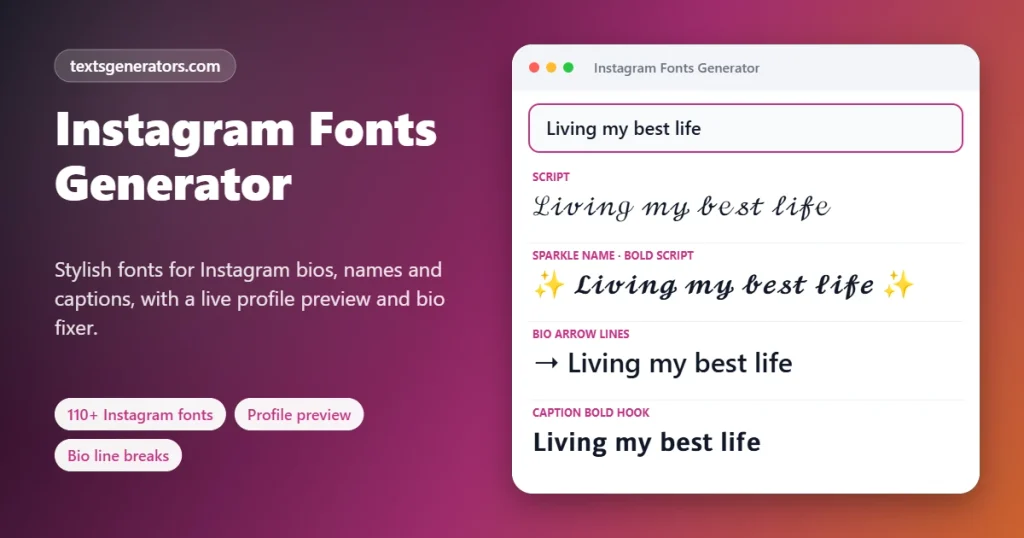
An Instagram fonts generator turns what you type into stylish Unicode letters, such as 𝓼𝓬𝓻𝓲𝓹𝓽, 𝗯𝗼𝗹𝗱, or ꜱᴍᴀʟʟ ᴄᴀᴘꜱ, that Instagram displays in your name, bio, captions, comments, and stories even though the app has no font menu for them.
Instagram lets you pick fonts only inside stories and reels. Everywhere else, every account shares the same typeface. Fancy fonts work around this by using alternative characters from the Unicode standard, which Instagram stores and shows like any other text. The result travels with your profile to every phone that opens it.
Choosing a font is only half the job. This page also shows a live profile preview with Instagram’s 30-character name and 150-character bio limits, a fixer that keeps blank and centred bio lines from collapsing, and a caption helper that styles your opening hook while keeping hashtags in plain letters so they still work.
- 30 / 150 Name and bio limits checked live
- 2,200 Caption characters tracked
- 30 Hashtag maximum flagged
How to Change the Font on Your Instagram Profile
- Type your name or bio line: Use the input field, or tap a starter like “Photographer”.
- Browse the fonts: Use the Fonts, Name Styles, Bio Lines, and Caption Styles chips to narrow the list.
- Preview your profile: Open the Live Profile Preview to see name, bio, and link together with their character counts.
- Copy: Tap a result or use Copy name and Copy bio in the preview.
- Paste in Instagram: Open your profile, tap Edit profile, paste into Name or Bio, and save.
Where Fancy Fonts Work on Instagram and Where They Do Not
| Field | Fancy fonts? | Limit | Advice |
| Name | Yes | 30 characters | Searchable, so keep one important word plain |
| @username | No | 30 characters | Restricted to plain a–z, digits, dots, and underscores |
| Bio | Yes | 150 characters | Style one line, keep the rest readable |
| Captions | Yes | 2,200 characters | Style the hook; leave hashtags plain |
| Comments and replies | Yes | 2,200 characters | Short styled phrases stand out |
| Story and reel text | Yes, plus built-in fonts | None practical | Mix Instagram’s own fonts with symbols |
| Highlight titles | Yes | Short | Small caps keep titles neat under the circles |
| Hashtags | Technically, but they break | 30 per post | Always type hashtags in plain letters |
Instagram Fonts and Search: Protect Your Discoverability
Instagram search looks at your username and your name field. Fancy characters are different code points from normal letters, so a name written entirely in 𝓢𝓪𝓻𝓪 may not match someone typing “Sara”. The same applies to hashtags: #𝗻𝗮𝘁𝘂𝗿𝗲 is a different tag from #nature and will not appear in its feed.
- Keep your real name or main keyword in plain letters and style only an emoji, symbol, or second word.
- The “Name in Script, Keyword Plain” style does this automatically, for example 𝓝𝓸𝓻𝓪 Photography.
- The caption helper converts any fancy hashtag you paste back into plain text and removes duplicates.
- Tap the Search-friendly chip to list just the layouts that leave ordinary letters intact.
Line Breaks, Blank Lines and Centred Bios on Instagram
Why blank lines disappear
Instagram trims empty lines and spaces in some places, so a carefully spaced bio can arrive squashed together.
The invisible fix
Placing a Braille blank character, which looks empty but counts as text, on each empty line stops it from being removed. The fixer adds it for you.
Centred lines
Instagram tends to delete ordinary spaces that open a line. The fixer pads lines with invisible blanks instead, giving a centred look on most phones.
Character budget
Each invisible blank is one character of your 150, so the fixer shows the running total.
To bold just the hook line of a caption, the bold text generator lets you pick single words.
Font Ideas for Different Kinds of Instagram Accounts
📷 Photographers
Script or light italic names feel artistic without being loud.
Example: 𝓐𝓶𝓪𝓵 Photography
🛍 Small shops
Bold sans makes offers and opening hours easy to spot.
Example: 𝗡𝗲𝘄 𝗱𝗿𝗼𝗽 𝗙𝗿𝗶𝗱𝗮𝘆
💪 Coaches
A bold name with a plain role reads confident and searchable.
Example: 𝗭𝗮𝗶𝗻 | Fitness Coach
🎨 Artists
Small caps or gothic suit galleries, tattoo and illustration accounts.
Example: ɪʟʟᴜꜱᴛʀᴀᴛɪᴏɴ ꜱᴛᴜᴅɪᴏ
✈ Travellers
Italic captions and small-caps locations give posts a journal feel.
Example: 📍 ᴛʙɪʟɪꜱɪ · ᴍᴀʏ
🍰 Food creators
Soft script names and emoji bullet bios look warm and tidy.
Example: 🌿 𝑵𝒐𝒓𝒂 𝑩𝒂𝒌𝒆𝒔
What This Instagram Font Tool Includes
110+ styles
Fonts plus ready name, bio, and caption layouts.
Live profile preview
Name, bio, and link shown together with live counts.
Bio spacing fixer
Keeps blank lines and centres text with invisible blanks.
Caption and hashtag helper
Styled hook, plain deduplicated hashtags, spacing options.
Search-friendly filter
Styles that keep normal letters readable for search.
Smart warnings
Alerts for fancy hashtags, long bios, and fully styled names.
Instagram limits
Name, bio, caption and comment limits built in.
Favourites
Star fonts to keep them at the top.
Private
Nothing you type leaves your browser.
See your new bio before you save it
The live preview shows exactly how name and bio fit together.
Instagram Font Tips From Well-Designed Profiles
1. One font, one accent
Choose a single font for the name and repeat one emoji or symbol; consistency looks intentional.
2. Make the first bio line count
It is the most-read line. Style it lightly and say what you do.
3. Keep calls to action plain
Buttons like “DM to order” work better in normal letters that everyone can read.
4. Test on a small screen
Some scripts get thin and hard to read at phone size; preview before saving.
5. Do not change your name too often
Instagram limits how often the name can be changed in a short period, so settle on a style first.
6. Match your grid
Elegant scripts suit soft photos; bold sans suits bright, graphic feeds.
Instagram Font Problems and How to Fix Them
| Problem | Cause | Fix |
| “Bio is too long” when saving | Fancy letters count as two characters | Check the bio meter in the preview and style fewer words |
| Name shows boxes on a friend’s phone | Their device lacks that character set | Pick a style labelled Works everywhere |
| Blank lines vanished from my bio | Instagram removed empty lines | Run the bio through the spacing fixer |
| My hashtags do not show up in search | They were written in fancy letters | Paste them into the caption helper to make them plain |
| I cannot use fancy letters in my @username | Usernames allow only basic characters | Style the Name field instead |
| People cannot find me by name | The styled name no longer matches searches | Use a style that keeps one keyword plain |
| The post was rejected for hashtags | More than 30 hashtags | Trim the list; the helper counts them |
This Instagram Font Generator Versus Ordinary Ones
| Feature | This page | Ordinary Instagram font sites |
| Fonts and ready layouts | 110+ including name, bio and caption styles | Font list only |
| Profile preview with limits | ✅ | ❌ |
| Blank-line and centring fix | ✅ | ❌ |
| Hashtag clean-up and count | ✅ Plain, deduplicated, 30 maximum | ❌ |
| Search-friendly guidance | ✅ Filter and warnings | ❌ |
| Character counts per field | ✅ | Rarely |
IG Font Generator for Bios, Names and Captions
People call it an Instagram font generator, an IG font generator, or an IG bio font generator, and they all want the same result: lettering that stands out on a profile without breaking it. Each part of a profile has its own limits, so the right font depends on where you paste.
| Profile part | Fonts allowed? | Limit | Best choice |
| Name field | ✅ | 30 characters | Bold script or small caps |
| Bio | ✅ | 150 characters | One styled line, rest plain |
| Captions and comments | ✅ | 2,200 characters | A bold sans hook |
| Story text | ✅ | Screen space | Any readable style |
| @username | ❌ | 30, plain only | Letters, numbers,. and _ |
Before you change your Instagram name, run it through the name font style checker to see its character count.
Stylish Font for Instagram: Best Picks for Each Spot
| Spot | Stylish font for Instagram | Why it works |
| Name field | Bold Sans or light Script | Shows in search results and above your bio, so it must stay clear |
| First bio line | Bold Script | Sets the tone at a glance |
| Bio details | Small Caps | Neat and compact for short facts |
| Captions | Bold for the hook only | Stops the scroll without hiding hashtags |
| Highlight titles | Small Caps or Bubble | Fits the tiny circle labels |
| Comments | Bold or Italic | Adds emphasis to one phrase |
Fonts for Instagram are Unicode characters, so friends see the same style on iPhone, Android, and the web.
Instagram Name Font: Change How Your Name Looks
Your Instagram name and your username are separate fields. The name can hold any Instagram name font from this page, while the @username accepts only letters, numbers, full stops, and underscores. Open Edit Profile, tap Name, paste the styled version, and save. Instagram allows two name changes within 14 days, so preview the look first.
Instagram Bio Fonts and Text Style Tips
Instagram bio fonts look best when one line is styled, and the rest stays plain. Give the headline an Instagram text style, write the terms followers might search for in regular type, and check the counter, since many fancy letters use two characters each.
Instagram Fonts: Frequently Asked Questions
How do I get different fonts on Instagram?
Write something above, choose a style you like, then place it in any profile or post field. The letters are special Unicode characters, so Instagram shows them as styled text.
Can I change the font of my Instagram username?
No. The @username only accepts letters, numbers, periods, and underscores. You can style the Name field, which appears in bold on your profile.
Why does my Instagram bio say it is too long?
Styled letters usually use up two of the 150 bio slots each. Open the Live Profile Preview to see the real count and shorten or un-style a line.
Do fancy fonts hurt my Instagram search ranking?
They can make your name harder to find because search compares normal letters. Keep your main name or keyword plain and style only part of it.
Can I use fancy fonts in hashtags?
You can type them, but a styled hashtag is a different tag that nobody follows. Keep hashtags plain; the caption helper converts them for you.
How do I add line breaks in my Instagram bio?
Press Enter between lines when editing your bio. If blank lines disappear, use the Bio Line-Break and Spacing Fixer, which keeps them with an invisible character.
How do I centre my Instagram bio?
Write the bio in the fixer and tick Centre each line. It pads lines with invisible blanks that Instagram does not strip, creating a centred look on most screens.
Which Instagram font is the most popular?
Script, bold script, bold sans, small caps and italic sans are the most widely used. They are marked in the Popular on Instagram chip.
Will my friends see the same font?
Almost always. Styles labelled Works Everywhere display on current iPhones and Android phones. A few rare characters may show as boxes on old devices.
Do these fonts work inside stories?
Yes. Paste them into the story text tool. You can also combine them with the story’s own built-in fonts and colours.
How many hashtags can I use on Instagram?
Instagram allows up to 30 hashtags on a post. The caption helper counts them and warns you if you go over.
Is it safe to use font generators on Instagram?
Yes. You are only pasting text characters; you do not log in or give this page any access to your account.
Why do some fonts look like boxes on my phone?
Your phone’s system fonts lack those characters. Updating the operating system usually fixes it, or choose a style with wider support.
Can I style just one word in my caption?
Yes. Copy the styled word from the generator and paste it into your caption between your normal words, or use the Caption Bold Hook style for the first line.
How do I make highlight titles look aesthetic?
Use small caps or a short script word. The Highlight Cover Title style shortens your text to one styled word that fits under the circle.
Do Instagram fonts work in direct messages?
Yes. Styled characters display in DMs like any other text.
Can businesses use fancy fonts on Instagram?
Yes, they are free to use. Keep prices, contact details, and calls to action in plain letters so every customer can read them.
Why did Instagram remove the spaces in my bio?
Leading and repeated spaces are often trimmed. The spacing fixer replaces them with invisible blanks that stay in place.
Can I preview my profile before changing it?
Yes. The Live Profile Preview shows your styled name, bio, and link with name and bio character counts, so you can adjust before pasting into Instagram.
Is the Instagram fonts generator free?
Yes. No account or payment is needed; your phone or computer does all the work.
Does this site store my bio or captions?
No. Text stays in your browser. The browser remembers just your stars and latest copies.
What is the best IG bio font generator style?
A single styled line, such as bold script or small caps, above plain details keeps a bio striking but readable.
Does an Instagram font generator work for story text?
Yes. Paste styled characters into a text sticker; they show on top of Instagram’s own story fonts.
Why does my IG name font look different on Android?
Each phone draws Unicode characters with its own system font, so shapes vary slightly between iPhone and Android.
How do I turn off bold text on Instagram?
If the whole app looks bold, the Bold Text setting on your phone is on. On iPhone, open Settings, then Display and Brightness, and turn off Bold Text; on Android, look under Display or Accessibility. To remove bold letters from a bio, retype those words in plain letters.
Is there a way to type bold letters on Instagram?
Not inside the app itself. Choose a bold style on this page, copy it, then drop it into the bio, a caption, or a comment.
Which stylish font suits an Instagram name best?
A bold sans or a light script, because names appear small in search results and comments. Skip heavy decoration that hides the letters.
Give Your Instagram a Signature Look
𝓨𝓸𝓾𝓻 𝓟𝓻𝓸𝓯𝓲𝓵𝓮, 𝓨𝓸𝓾𝓻 𝓢𝓽𝔂𝓵𝓮 ✨
Fonts, a live preview, and spacing fixes that keep your profile searchable.✨ Pick My Instagram Font
- 3D Text Generator
- Aesthetic Text Generator
- Arrow Text Generator
- Big Text Generator
- Birthday Text Generator
- Bold Italic Text Generator
- Bold Text Generator
- Bracket and Boxed Text Generator
- Bubble Text Generator
- Calligraphy Text Generator
- Christmas Text Generator
- Clap Emoji Text Generator
- Cool Fonts Generator
- Copy and Paste Fonts
- Cursive Generator: Cursive Letters and Fonts
- Cute Fonts Generator
- Decorative Text Generator
- Discord Fonts Generator
- Diwali Text Generator
- Double Struck Text Generator
- Eid Text Generator
- Emoji Text Generator
- Fancy Text Generator
- Flag Text Generator
- Glitch Text Generator: Zalgo and Cursed Text
- Glow Text Generator
- Gothic Text Generator
- Halloween Text Generator
- Heart Text Generator
- Invisible Text Generator
- Italic Text Generator
- LinkedIn Text Generator
- Love Text Generator
- Monospace Text Generator
- Neon Text Generator
- New Year Text Generator
- Old English Font Generator and Translator
- Serif And Sans Serif Text Generator
- Small Caps Generator
- Small Text Generator
- Square Text Generator
- Star Text Generator
- Strikethrough Text Generator
- Stylish Text Generator
- Subscript Text Generator
- Underline Text Generator
- Valentine’s Text Generator
- Vaporwave Text Generator
- Weird Text Generator
No tools match your search. Try another word or choose "All tools".