
Text Symbols: Copy and Paste Symbols ★ ♥ ✓ → ∞ ©
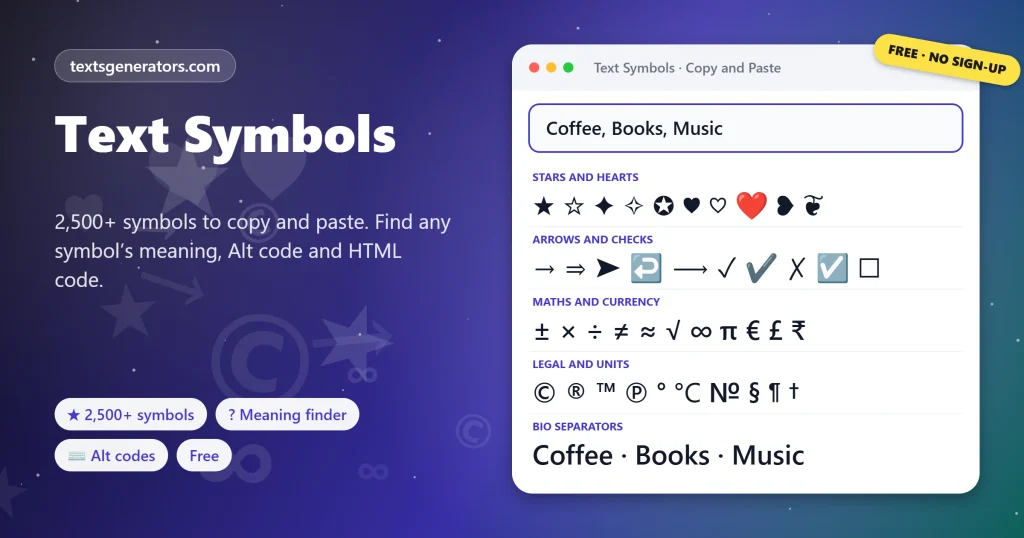
Copy and paste text symbols from a library of 2,500+ cool symbols and special characters in 27 groups, from stars, hearts and arrows to maths, currency and box drawing. Search a symbol by name, find out what any symbol means and how to type it, and turn shortcuts like (c) or -> into real symbols.
- 2,500+ symbols in 27 groups
- ? symbol meaning finder
- Alt codes and Mac shortcuts
- 40+ symbol formats for lists
| Symbol | Name | Code point | Unicode block | HTML code | How to type |
|---|
Symbol formats for your text
Know someone who always asks how to type a symbol?
Send them the symbol library and the Alt code finder.
Symbol Lines for Bios, Lists, Brands and Messages
Short lines that already use the right symbols. Press Copy for the finished line, or Edit in tool to load its words into the format box and test other symbols.
What Are Text Symbols?
Quick answer: text symbols are special characters such as ★, ♥, ✓, →, ∞ , and © that are part of the Unicode standard, so they can be copied and pasted like letters into any app, bio, document, or chat. Fonts on phones and computers already include them; you only need a way to find and copy them.
A keyboard shows about a hundred characters, yet modern devices understand well over a hundred thousand. Text symbols are the non-letter part of that set: marks for maths and money, arrows, stars and hearts, ticks for lists, lines for dividers and pictograms for weather, music or chess.
This page gathers more than 2,500 cool symbols into 27 groups you can tap to copy. Each symbol shows its official name, its code point and, where one exists, the Windows Alt code or Mac shortcut. Three extra tools sit beside the library: a symbol meaning finder that identifies anything you paste, a smart converter that replaces typed shortcuts with proper symbols, and more than 40 formats that turn your own words into bullet lists, separated lines, trademarks, and dividers.
- 2,500+ Symbols to copy
- 27 Symbol groups
- 60+ Alt codes and Mac shortcuts
How Do You Copy and Paste Symbols?
- Pick a group or search: Open Stars, Arrows, Maths, or another group, or type a name such as degree or euro.
- Tap a symbol: It is copied at once, and its name, code, and shortcut appear underneath.
- Collect several: Each tap also adds the symbol to the collection bar, so you can copy a whole set together.
- Paste it anywhere: Hold the text field in your app and choose Paste, or press Ctrl+V or Command+V.
Rating lines and sparkle borders get their own tools on our page of star symbols.
Which Symbols Are in the Library?
| Group | Examples | Typical use |
| Stars and sparkles | ★ ☆ ✦ ✧ ✪ ⋆ | Ratings, highlights, aesthetic bios |
| Hearts | ♥ ♡ ❤ ❥ ❦ | Captions, greetings, couple names |
| Arrows | → ⇒ ➤ ↩ ⟶ | Steps, links, before and after |
| Checks and crosses | ✓ ✔ ✗ ☑ ☐ | To-do lists, comparisons, polls |
| Maths | ± × ÷ ≠ ≈ ≤ √ ∞ π ∑ | Homework, formulas, prices |
| Currency | € £ ¥ ₹ ₿ ₩ ₽ | Prices and finance posts |
| Letterlike and legal | © ® ™ ℠ ℗ № ℅ | Brand names, credits, addresses |
| Box drawing and blocks | ─ ━ ═ ║ ╔ █ ░ | Dividers, tables in plain text, retro art |
| Weather, music and games | ☀ ☁ ♪ ♫ ♛ ♠ ⚄ | Status lines, playlists, game chats |
For love notes and couple names, the heart text generator mixes heart symbols with styled letters.
Some groups have whole pages of their own with extra tools: the heart, star, arrow, and flag pages on this site go deeper than the sample rows here.
What Does This Symbol Mean?
Every symbol has an official name and a number, called its code point, written like U+2605. Paste any mystery character into the What Symbol Is This panel and the table tells you its name, its code point, the Unicode block it belongs to, the HTML code that displays it on a web page, and how to type it. It also recognises styled letters: paste 𝓐, and it answers mathematical bold script capital A, which explains why some fancy names are hard to search for.
Meanings in everyday use can differ from the official name. The reference mark ※ is a note marker in Japanese text, the pilcrow ¶ marks a paragraph, the section sign § points to a clause in a law, and the dagger † flags a footnote or a date of death.
How Do You Type Symbols on a Keyboard?
On Windows, hold Alt and type a number on the numeric keypad; on a Mac, hold Option, sometimes with Shift. Phones hide many symbols behind a long press on a related key. These shortcuts cover the special characters people need most often:
| Symbol | Name | Windows Alt code | Mac (US layout) | Phone |
| © | Copyright | Alt+0169 | Option+G | Symbols page of the keyboard |
| ™ | Trademark | Alt+0153 | Option+2 | Symbols page of the keyboard |
| ° | Degree | Alt+0176 | Option+Shift+8 | Long press 0 |
| • | Bullet | Alt+7 or Alt+0149 | Option+8 | Long press the hyphen or full stop |
| — | Em dash | Alt+0151 | Option+Shift+Hyphen | Long press the hyphen |
| € | Euro | Alt+0128 | Option+Shift+2 | Long press the currency key |
| ♥ | Heart suit | Alt+3 | Copy it from the library | Emoji keyboard |
| ± | Plus-minus | Alt+0177 | Option+Shift+= | Long press the plus key |
Alt codes need a numeric keypad with Num Lock on, so many laptops cannot use them; tapping the symbol in the library is the reliable route everywhere.
Where Are Special Characters Used?
- Profiles and bios: middle dots and vertical bars split roles cleanly, as in Founder · Writer · Runner.
- Lists and plans: checkboxes, ticks and circled numbers turn a plain note into a clear to-do list.
- Brands and credits: ™, ®, and © mark names, logos and copyright lines correctly.
- School and work: maths operators, Greek letters and fractions for homework, reports and spreadsheets.
- Shops and listings: currency signs and arrows for prices, discounts and delivery steps.
- Chats and games: music notes, weather pictograms, chess pieces and card suits for status lines.
If you need arrows around words rather than single arrows, try the arrow text generator.
Symbol Terms Explained
Unicode
The global character standard: it assigns each letter, digit and symbol a number of its own, which keeps it identical from phone to laptop.
Code point
A symbol’s number in Unicode, written U+ followed by hexadecimal digits, for example U+2713 for ✓.
Unicode block
A named range of related characters, such as Arrows, Dingbats, or Box Drawing.
Glyph
How one font chooses to draw a character, which is why ★ may look slimmer in one app than in another.
Dingbat
An ornament or pictogram used in printing, such as ✂, ✈, or ❀, originally from typewriter and printer fonts.
HTML entity
A code such as the hexadecimal reference shown in the library that makes a web page display a symbol without typing it.
Tools on This Symbols Page
Symbol library
27 groups, search by name, one-tap copy.
Meaning finder
Name, code point, block, and HTML code.
Smart converter
(c), ™, -> and 1/2 become real symbols.
Shortcut hints
Alt codes and Mac keys shown per symbol.
List formats
Bullets, checkboxes and numbered lists.
Recently used
Your last 24 symbols stay one tap away.
Got a symbol you cannot name?
Paste it into the meaning finder to see what it is and how to type it.
Seeing Boxes Instead of Symbols?
| What you see | Why it happens | What to do |
| An empty box or a question mark | The font on that device has no drawing for the symbol | Pick a symbol from an older group such as Shapes or Arrows |
| A colourful emoji instead of a plain symbol | The app shows emoji style for that character | Choose a lookalike from Dingbats or Shapes, which stay plain |
| The Alt code types a different character | Num Lock is off, or the number row was used | Use the numeric keypad with Num Lock on |
| The username field rejects the symbol | Usernames allow only letters, numbers, and a few marks | Move the symbol to your display name or bio |
| A symbol counts as two characters | It sits outside the basic range, like 𝄞 | Pick a single-unit lookalike when space is tight |
Want your own name written with look-alike signs? See our guide to turning a name into symbols.
Tips for Using Symbols Well
One family per line
Mixing stars, hearts, and arrows in one line looks busy; repeat a single symbol instead.
Space around separators
A space on each side of · or | keeps bios easy to scan.
Keep search words plain
Symbols are not letters, so never replace letters people might search for.
Prefer real marks
™ and © look more professional than (TM) and (c), and the converter swaps them for you.
To frame a whole name with wings, stars, or dividers, use the decorative text generator.
Text Symbols FAQ
What are text symbols?
Special characters like ★, ♥, ✓, and © that belong to the Unicode standard, so they can be copied and pasted like ordinary letters.
How many symbols does this page have?
More than 2,500 in 27 groups. The counter above the grid shows the exact number your browser can display.
Can I copy a single symbol with one tap?
Yes. Tap it in the library. It is copied straight away and also added to the collection bar.
Can I copy several symbols at once?
Yes. Tap each one to add it to the collection bar, then press Copy collected.
How do I find a symbol by name?
Type a word such as degree, euro, check, or infinity into Find a symbol; the grid shows every match.
How can I find out what a symbol means?
Paste it into What Symbol Is This. You get its official name, code point, block, and HTML code.
Which Alt code types the heart symbol ♥?
Alt+3 types ♥ on Windows with Num Lock on and the numeric keypad.
How do I type the degree symbol?
Alt+0176 on Windows, Option+Shift+8 on a Mac, or a long press on 0 on most phone keyboards.
How do I type ™ or ©?
Alt+0153 and Alt+0169 on Windows; Option+2 and Option+G on a Mac. You can also type ™ or (c) in the smart converter.
Why does a symbol show as a box?
The device has no font that draws it. Older groups such as Shapes, Arrows and Maths display almost everywhere.
Are symbols the same as emoji?
Emoji are a colourful subset of symbols. Most symbols here are plain, single-colour characters that follow your text colour.
Can I use these symbols in Instagram and TikTok bios?
Yes, in bios, captions, and display names. Handles are stricter and refuse anything except plain letters, digits, dots, and underscores.
Do symbols work in Word, Google Docs, and Excel?
Yes. Paste them like normal text, and keep the same font to avoid a different look.
What is a code point?
The number Unicode gives each character, written as U+ and hexadecimal digits, such as U+2192 for →.
How do I show a symbol on a web page?
Use the HTML code from the meaning finder, or paste the symbol directly into a UTF-8 page.
What does the smart converter do?
It replaces typed shortcuts with the real symbols: (c) becomes ©, -> becomes →, 1/2 becomes ½, and != becomes ≠.
How do I make a checklist with symbols?
Type your items separated by commas and copy the Empty Checkbox List or Check Mark List format.
Which symbol separates words in a bio?
The middle dot · and the vertical bar | are the cleanest; the Separators group shows both.
Are these symbols free to use?
Yes. They are standard characters, free to copy for personal or business use.
Is anything I paste uploaded?
No. Searching, identifying, and converting all happen in your browser.
Does the symbol library work on phones?
Yes. Tap to copy, then paste with a long press in any app.
Copy and Paste Text Symbols
★ ♥ ✓ → ∞
Stars, hearts, arrows, maths, currency, and thousands more. ★ Open the Symbol Library
- 3D Text Generator
- Aesthetic Text Generator
- Arrow Text Generator
- Big Text Generator
- Birthday Text Generator
- Bold Italic Text Generator
- Bold Text Generator
- Bracket and Boxed Text Generator
- Bubble Text Generator
- Calligraphy Text Generator
- Christmas Text Generator
- Clap Emoji Text Generator
- Cool Fonts Generator
- Copy and Paste Fonts
- Cursive Generator: Cursive Letters and Fonts
- Cute Fonts Generator
- Decorative Text Generator
- Discord Fonts Generator
- Diwali Text Generator
- Double Struck Text Generator
- Eid Text Generator
- Emoji Text Generator
- Fancy Text Generator
- Flag Text Generator
- Glitch Text Generator: Zalgo and Cursed Text
- Glow Text Generator
- Gothic Text Generator
- Halloween Text Generator
- Heart Text Generator
- Invisible Text Generator
- Italic Text Generator
- LinkedIn Text Generator
- Love Text Generator
- Monospace Text Generator
- Neon Text Generator
- New Year Text Generator
- Old English Font Generator and Translator
- Serif And Sans Serif Text Generator
- Small Caps Generator
- Small Text Generator
- Square Text Generator
- Star Text Generator
- Strikethrough Text Generator
- Stylish Text Generator
- Subscript Text Generator
- Underline Text Generator
- Valentine’s Text Generator
- Vaporwave Text Generator
- Weird Text Generator
No tools match your search. Try another word or choose "All tools".