
Strikethrough Text Generator c̶r̶o̶s̶s̶e̶d̶ o̶u̶t̶
Draw a line through words that survives pasting, choosing a long stroke, a short stroke, a slash, or heavy and slanted letter versions. Compare two drafts and get the deleted words struck through automatically, strike only the words you tap, and get the exact syntax for Discord, WhatsApp, Slack, HTML and LaTeX.
- 40+ strikethrough styles
- Before → after edit tracker
- Tap-to-strike word picker
- 10 app syntaxes
All strikethrough styles
Editing a document or a price list?
Share the strikethrough generator with whoever needs to see the changes.
Strikethrough Lines for Jokes, Prices, Tasks and Edits
Lines that use crossing out to make a point. Copy keeps both the struck and the new words; Edit in tool drops the line marks and moves the words into the generator.
What Is a Strikethrough Text Generator?
Quick answer: strikethrough draws a horizontal line through text to show it is deleted, outdated, or not meant seriously. This generator inserts U+0336 behind every letter, which embeds the line in the characters and lets it show up in Instagram, X, LinkedIn, and other apps lacking a formatting toolbar.
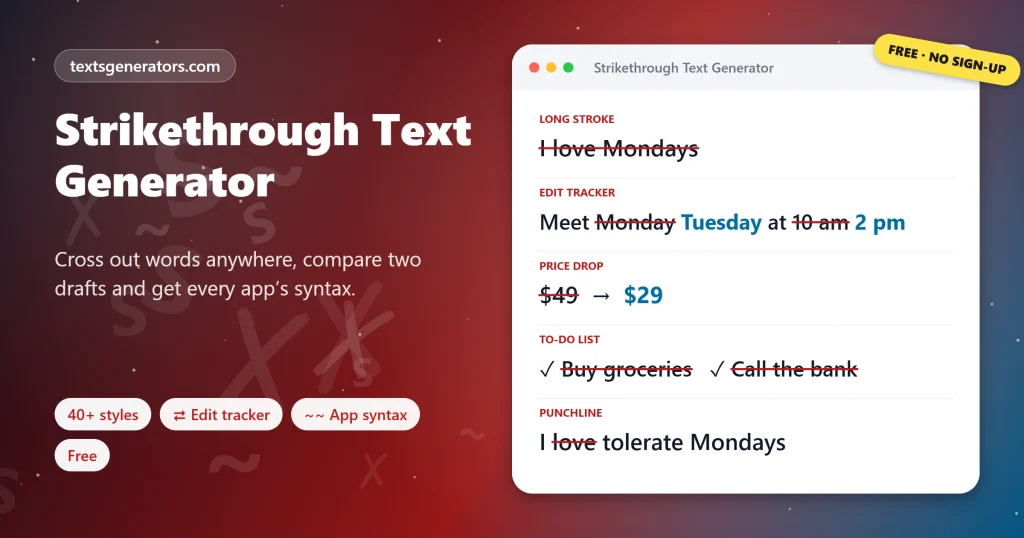
Editors have crossed words out for as long as there has been ink, and the habit survives online for jokes (“I l̶o̶v̶e̶ tolerate Mondays”), price cuts and finished tasks. Some chat apps support it through Markdown, but most social feeds do not, which is where Unicode combining marks come in.
This generator adds three tools most strikethrough sites lack. The edit tracker compares an old and a new version word by word and shows deletions struck through and additions highlighted, a quick way to announce changed meeting details or document edits. The word picker strikes only the words you tap, and the app guide gives the exact syntax for Discord, WhatsApp, Slack, Telegram, Reddit, HTML, CSS, and LaTeX, with a remover for cleaning struck text.
- 5 Combining line characters
- 10 Apps and formats covered
- 1 Click to compare two drafts
How Do You Cross Out Text Online?
- Type the text: Use old | new to strike only the first part.
- Pick a line: Long stroke, slash, short or doubled, with optional bold or italic letters.
- Strike precisely: Tap individual words or compare two versions in the edit tracker.
- Copy and paste: Or copy the app’s own syntax if it supports Markdown.
How Do I Strikethrough Text on Each App?
| App or program | Native method | Works with Unicode? |
| Discord, Reddit, GitHub | ~~text~~ | Yes |
| WhatsApp, Slack | ~text~ | Yes |
| Microsoft Word | Font dialog (Ctrl + D), tick Strikethrough | Yes |
| Google Docs | Alt + Shift + 5 (Cmd + Shift + X on Mac) | Yes |
| Excel and Google Sheets | Ctrl + 5 | Yes |
| Instagram, X, TikTok, LinkedIn, Facebook | None | Yes, the only option |
Why Do People Use Strikethrough Text?
- Humour: saying the honest thing first, then the polite correction.
- Price changes: the old price crossed out beside the sale price.
- Schedule updates: showing what moved, so nobody relies on the old time.
- Checklists: finished tasks that stay visible but clearly done.
- Transparent corrections: editing a post while showing what changed.
- Document review: a plain-text alternative to tracked changes.
Strikethrough Glossary
Combining long stroke overlay
U+0336, the mark that draws a full-width line through the previous letter.
Short stroke overlay
U+0335, a shorter line that suits narrow letters.
Solidus overlay
U+0338, a diagonal slash used for negation, as in ≠.
Redline
A marked-up document showing deletions and insertions between drafts.
Diff
The list of differences between two texts, computed word by word here.
Redaction
Blacking out text completely so it cannot be read, shown here with █ blocks.
Strikethrough Features Built In
Edit tracker
Old versus new, deletions struck automatically.
Word picker
Strike exactly the words you tap.
App syntax
Ten platforms and formats, with notes.
Remover
Strips marks, tildes, and del tags.
Old | new
Strike only the part before the bar.
Redaction
Black bars for spoilers and censoring.
Did the plan change?
Paste both versions and announce the update with the old details crossed out.
Strikethrough Not Working?
| What happens | Why | Fix |
| Tildes show instead of a line | The app does not support Markdown | Copy the Unicode Long Stroke style instead |
| The line has gaps between words | Spaces are not struck by default | Use Continuous Line |
| The line sits too high or low | Each font positions the overlay differently | Try the Short Stroke or Slash style |
| A screen reader ignored the line | Combining marks are usually not announced | Add a word such as “was” or “now” so the meaning is clear |
| The post is longer than expected | Each letter carries an extra character | Strike only the key words with the picker |
Tips for Effective Crossing Out
Short and sharp
A struck word or two lands a joke; a struck paragraph is hard to read.
Always give the new value
For prices and times, place the correct version right after the struck one.
Prefer native syntax in chats
Markdown strikethrough stays searchable and looks crisp.
Keep a clean copy
Use the remover before reusing struck text elsewhere.
Strikethrough Text FAQ
What is strikethrough text?
Text with a horizontal line through the middle, used to show something was deleted, changed or said tongue in cheek.
How does Unicode strikethrough work?
Behind every letter sits U+0336, the long stroke overlay, which the font paints across the preceding glyph.
How do I strikethrough text on Instagram?
Since Instagram offers no formatting toolbar, grab the Long Stroke card and drop it into a caption, bio or comment.
How do I cross out text on Discord?
Put double tildes before and after the words, like ~~this~~; nicknames need the Unicode version instead.
What is the WhatsApp strikethrough code?
One tilde on each side, like ~this~.
How do I strikethrough in Google Docs?
Select the text and press Alt + Shift + 5 on Windows or Cmd + Shift + X on a Mac.
Is there a strikethrough shortcut in Word?
There is no default single key; open the Font dialog with Ctrl + D and tick Strikethrough, or add a custom shortcut.
How do I strikethrough in Excel?
Select the cells and press Ctrl + 5.
How does the edit tracker work?
It finds the longest run of words both versions share, then strikes words only in the old text and marks words only in the new text.
Is it possible to cross out a single word only?
Yes. Use the tap-to-strike picker, or type old | new to strike the part before the bar.
Why are there gaps in the line between words?
Spaces are left unmarked by default. The Continuous Line style strikes the spaces too.
What is the difference between the long and short stroke?
U+0336 spans the whole letter width, while U+0335 is shorter and suits narrow letters such as i and l.
How do I remove strikethrough from copied text?
Paste it into the text field of Strikethrough by App and press the remove button; marks, tildes, and del tags disappear.
Does strikethrough text work on LinkedIn?
Yes, the Unicode version shows in LinkedIn posts, comments, and headlines.
How do I show a sale price with the old one crossed out?
Type old price | new price and copy Price Drop, for example $̶4̶9̶ → $𝟐𝟗.
What is the HTML tag for strikethrough?
Use del for deleted content and s for content that is no longer accurate.
How do I write strikethrough in LaTeX?
Load the ulem package with the normalem option and use the \ sout command.
Do screen readers announce strikethrough?
Usually not, so struck words are read as if they were normal. Add context words for clarity.
Can I redact text instead of striking it?
Yes. Redacted Blocks replaces every character with █ so the words cannot be read.
Are my drafts sent anywhere when I compare them?
No. The comparison is computed by this page on your device and the drafts stay private.
Is the strikethrough generator free?
Yes, with all styles, the edit tracker, the word picker, and the app guide included at no cost.
Make Strikethrough Text That Sticks
o̶l̶d̶ i̶d̶e̶a̶ new idea
Unicode strikes, tracked edits, and app syntax for every platform. S̶ Start Striking Text
- 3D Text Generator
- Aesthetic Text Generator
- Arrow Text Generator
- Big Text Generator
- Birthday Text Generator
- Bold Italic Text Generator
- Bold Text Generator
- Bracket and Boxed Text Generator
- Bubble Text Generator
- Calligraphy Text Generator
- Christmas Text Generator
- Clap Emoji Text Generator
- Cool Fonts Generator
- Copy and Paste Fonts
- Cursive Generator: Cursive Letters and Fonts
- Cute Fonts Generator
- Decorative Text Generator
- Discord Fonts Generator
- Diwali Text Generator
- Double Struck Text Generator
- Eid Text Generator
- Emoji Text Generator
- Fancy Text Generator
- Flag Text Generator
- Glitch Text Generator: Zalgo and Cursed Text
- Glow Text Generator
- Gothic Text Generator
- Halloween Text Generator
- Heart Text Generator
- Invisible Text Generator
- Italic Text Generator
- LinkedIn Text Generator
- Love Text Generator
- Monospace Text Generator
- Neon Text Generator
- New Year Text Generator
- Old English Font Generator and Translator
- Serif And Sans Serif Text Generator
- Small Caps Generator
- Small Text Generator
- Square Text Generator
- Star Text Generator
- Stylish Text Generator
- Subscript Text Generator
- Underline Text Generator
- Valentine’s Text Generator
- Vaporwave Text Generator
- Weird Text Generator
No tools match your search. Try another word or choose "All tools".