
Remove Extra Spaces: Delete Double Spaces and Fix Spacing
Remove extra spaces instantly: paste your words, press one button, and the gaps are gone, free and without registering. It turns double and triple spaces into one, trims the start and end of every line, fixes stray gaps before commas and inside brackets, and keeps web addresses, numbers and code indentation intact. It also trims whole Excel and CSV tables and converts tabs to spaces.
- ␣ double spaces to single
- ▦ Excel and CSV cell trimmer
- ⇥ tab and indent converter
- 6 spacing formats
| Line | Leading | Trailing | Double spaces | Punctuation gaps |
|---|
Your text with spacing fixed
Know someone who still hunts double spaces by hand?
Share this free extra space remover.
Untidy Spacing in Documents, Web Copy and Data, Fixed
Every card shows a line after its extra spaces were removed. Copy takes the tidy version; Edit in tool returns the gappy original so you can test other options.
What Does an Extra Space Remover Do?
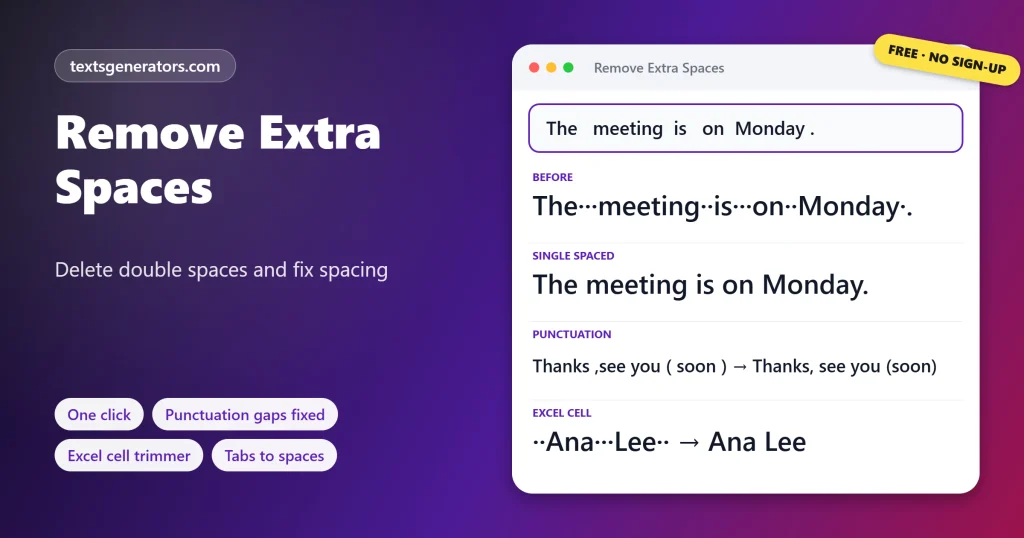
Quick answer: An extra space remover replaces runs of two or more spaces with a single space and deletes spaces at the start and end of lines. This one also closes gaps before punctuation, so Thanks, see you soon! becomes Thanks, see you soon!.
Extra spaces are any spaces beyond the single one needed between words.
Double spaces creep in from old typing habits, justified text, copy and paste, and spreadsheet exports. They are hard to see but cause real trouble: names that will not match in a VLOOKUP, duplicate entries in a mailing list, uneven gaps in a published article, and failed form validation. The toolbar fixes spacing in one press while leaving web addresses, email addresses, decimals, and times alone. The Whitespace Report shows each problem before you change anything, the Spreadsheet Cell Trimmer cleans a whole table at once, and the Indentation Converter tidies code.
- 5 Spacing rules you can switch
- 6 Problems counted in the report
- 4 Table separators handled
- 5 Indentation targets
How Do You Remove Extra Spaces From Text?
- Paste your text: Any length, from one line to a full document.
- Check the options: Keep indentation, fix punctuation gaps, convert tabs.
- Press Remove extra spaces: The note confirms when the spacing is clean.
- Copy the result: Or download it, and undo if needed.
Which Spacing Problems Does It Fix?
| Problem | Before | After |
| Double or triple spaces | the···report (dots mark spaces) | the report |
| Leading and trailing spaces | ··Hello·· | Hello |
| Space before punctuation | Monday. | Monday. |
| Missing space after a comma or colon | red, blue · Note: this | red, blue · Note: this |
| Spaces inside brackets | ( see page 3 ) | (see page 3) |
| Two sentences glued together | 9 am.Doors close | 9 am. Doors close |
| Tabs between words | Name[tab]City | Name City |
Spacing fixed, but quotes and hidden characters remain? Run the text through the plain text converter.
Safe by design: 1,000.50, 3:30, example.com and full links with query strings are never split.
Should You Use One or Two Spaces After a Period?
One. Two spaces after a full stop was a typewriter convention, needed because every letter took the same width. Modern fonts are proportional, and the Chicago Manual of Style, the APA manual, and most publishers now ask for a single space. Web browsers collapse double spaces in HTML anyway, so the extra space only survives in documents and emails, where it looks uneven. If a teacher or publisher still requires two spaces, the Two spaces after sentences button adds them consistently.
How Do You Remove Extra Spaces in Word, Excel and Google Sheets?
| App | Method | Limit |
| Microsoft Word | Find and Replace: two spaces with one, repeated until none are found | Leaves spaces before punctuation |
| Word, advanced | Use wildcards, find ( ){2,} and replace with \1 | Needs wildcard syntax |
| Excel | =TRIM(A1) in a helper column, then paste values | Does not remove non-breaking spaces, CHAR(160) |
| Excel, web data | =TRIM(SUBSTITUTE(A1,CHAR(160),” “)) | One column at a time |
| Google Sheets | Data, Data cleanup, Trim whitespace | Does not fix punctuation gaps |
| Google Docs | Regex search for \s{2,} inside the Find and replace dialog | Manual each time |
The Spreadsheet Cell Trimmer above does the work of TRIM and SUBSTITUTE on every cell at once: copy the range, paste it in, then paste the trimmed result back into your sheet.
When Do Extra Spaces Cause Problems?
- Lookups and matching: “John Smith ” with a trailing space never matches “John Smith”.
- Mailing lists: stray spaces create duplicate contacts.
- Publishing: double spaces make paragraphs look uneven in documents and emails.
- Forms and imports: leading spaces can fail validation or create blank-looking values.
- Code: mixed tabs and spaces break Python and YAML files.
- Character limits: removing gaps frees room in titles, bios, and SMS.
Need to swap a specific word or symbol everywhere? Try the find and replace tool.
Whitespace Terms
Whitespace
Any blank character: spaces, tabs, and line breaks.
Trailing space
Whitespace sitting after the last visible character of a row.
Leading space
Whitespace before the first visible character, typical of indented code.
Trim
Removing spaces from both ends of a value, as Excel TRIM does.
Indentation level
One step of nesting, usually a tab, 2 spaces, or 4 spaces.
Tab stop
The column a tab jumps to, normally every 4 or 8 characters.
For lines broken in the middle of sentences, use the remove line breaks tool.
What Is Included in This Space Remover?
Single spacing
Runs of spaces become one.
Punctuation
Gaps before marks are closed.
Brackets
Inner spaces removed.
Report
Every gap marked by a line.
Cell trimmer
Excel, Sheets, and CSV.
Re-indent
Tabs or 2, 4, 8 spaces.
VLOOKUP failing on names that look identical?
Hidden spaces in cells are the usual cause. Trim the whole table in one paste.
Spaces Still There After Cleaning?
| Problem | Cause | Fix |
| A gap still shows between words | It is a special or zero-width space | Keep the non-breaking spaces option ticked |
| Code lost its indentation | Keep indentation was unticked | Undo and tick it again |
| Columns in pasted data merged | Tabs were treated as spaces | Use the Spreadsheet Cell Trimmer instead |
| A French text lost its space before! or? | Punctuation fixing follows English rules | Untick Fix spaces around commas |
| Nothing changed | The text had no extra spaces | Open the Whitespace Report to confirm |
Tips for Consistent Spacing
Clean data at the source
Trim names and emails before importing them into a CRM.
Pick one indent style
Choose tabs or spaces per project and convert old files once.
Turn on formatting marks
In Word, the ¶ button shows every space as a dot.
Check before you publish
A quick pass catches double spaces left by edits.
Once names are trimmed, delete repeated entries with the remove duplicate lines tool.
Remove Extra Spaces FAQ
How do I remove extra spaces from text?
Drop the text in and hit Remove extra spaces; repeated gaps shrink to one, and each row loses its edge whitespace.
How do I remove double spaces?
The main button replaces any two or more spaces in a row with a single space throughout the text.
How do I remove spaces at the start and end of lines?
Press Trim each line. Spaces inside the line stay as they are.
Can I remove all spaces from text?
Yes. Press Remove all spaces to join every word; line breaks are kept.
Will it keep my code indentation?
Yes, while Keep indentation at the start of lines is ticked, leading spaces and tabs are untouched.
Fix capitalization next with the case converter.
Does it fix spaces before commas and full stops?
Yes. With the punctuation option on, gaps before commas, full stops, colons and question marks are closed.
Will it break links or numbers?
No. Web addresses, emails, decimals like 1,000.50 and times like 3:30 are protected.
How do I convert tabs to spaces?
Choose a tab width and press Tab to spaces; each tab is expanded to the next tab stop.
How do I change 2-space indentation to 4 spaces?
Open the Indentation Converter, paste the code, and pick 4 spaces; nesting levels are preserved.
How do I convert spaces to tabs?
In the Indentation Converter, choose 1 tab as the target, and every indentation level becomes a tab.
How do I trim spaces in Excel cells?
Copy the cells, paste them into the Spreadsheet Cell Trimmer, then copy the result back into the sheet.
Why does Excel TRIM not remove some spaces?
TRIM ignores the non-breaking space, character 160, which often comes from web pages. The cell trimmer removes it.
Can I trim a CSV file?
Yes. Paste the CSV text; quoted values containing commas are handled correctly, and you can download the result.
Can I delete empty rows and columns from pasted data?
Yes. Tick Drop empty rows or Drop empty columns in the cell trimmer.
How can I see where the extra spaces are?
Open the Whitespace Report. Double spaces, trailing spaces, and tabs are highlighted with a per-line table.
Should I use one space or two after a period?
One is the modern standard. Use two spaces after sentences only when a style guide requires it.
Why do I have double spaces in my document?
Usually from typing two spaces after periods, joining edited sentences, or pasting from PDFs and justified text.
Does removing spaces change my word count?
Rarely. Words stay the same; only the character count drops, which the stats panel shows.
How much text can the space remover handle?
Each paste may hold 100,000 characters, roughly 15,000 words.
Is the extra space remover free?
Yes. The toolbar, report, cell trimmer, and indentation converter cost nothing, with no registration step.
Does my text leave my computer?
No. The cleaning code runs in your browser tab, so pasted text, tables, and code stay private.
Remove Extra Spaces
Gaps → tidy
One space between words, nothing at line ends.: ␣ Remove Extra Spaces
- Alphabetical Order Tool: Sort Lists A to Z Online
- camelCase Converter: Turn Words and Names Into camelCase
- Capitalize the First Letter of Each Word, Sentence, or Line
- Case Converter: Change Text to UPPERCASE, lowercase, or Title Case
- Find and Replace Text Online: Swap Words in Seconds
- Lowercase Converter: Change CAPS to Small Letters
- Minecraft Color Codes and Colored Text Generator
- Number-to-Words Converter: Amount in Words for Cheques
- PascalCase Converter: Class, Type and Component Names
- Plain Text Converter: Remove Formatting and Hidden Characters
- Remove Duplicate Lines: Delete Repeated Lines and List Items
- Remove Line Breaks: Fix Broken Lines From PDFs and Emails
- Roman Numeral Converter: Numbers and Dates to Roman
- Sentence Case Converter: Turn Any Text Into Proper Sentences
- Snake Case Converter: Words and camelCase to snake_case
- Text Repeater: Repeat Text, Words and Emoji Up to 10,000 Times
- Title Case Converter: Capitalize Titles in AP, APA, Chicago, and MLA Style
- Toggle Case Converter: Invert Capitals and Fix Caps Lock Text
- Uppercase Converter: Change Lowercase to Capital Letters
- URL Slug Generator: Turn Titles Into SEO-Friendly Slugs
- Word Combiner: Mix Words and Keyword Lists Into Every Combination
No tools match your search. Try another word or choose "All tools".