
Find and Replace Text Online: Swap Words in Seconds
Find and replace text online for free: no account, no install, just paste and edit. Paste your text, type the word to find and its replacement, and see every match highlighted before you change anything. Match whole words only, keep the capitals of each match, replace many words at once from a list, use regular expressions with $1 groups, and pull out every email, link or number in one click.
- ⇄ live match highlighting
- Aa keeps each match’s capitals
- ☰ bulk replace from a list
- .* regex with $1 groups
| Find | Replace with | Changed |
|---|
Quick swaps for your text
Know someone still fixing the same word by hand?
Share this free find and replace tool.
Words, Separators and Code After a Find and Replace
Each card shows a sentence after one word or symbol was swapped. Copy takes the edited version; Edit in tool restores the unchanged sentence for a swap of your choosing.
What Is a Find and Replace Tool?
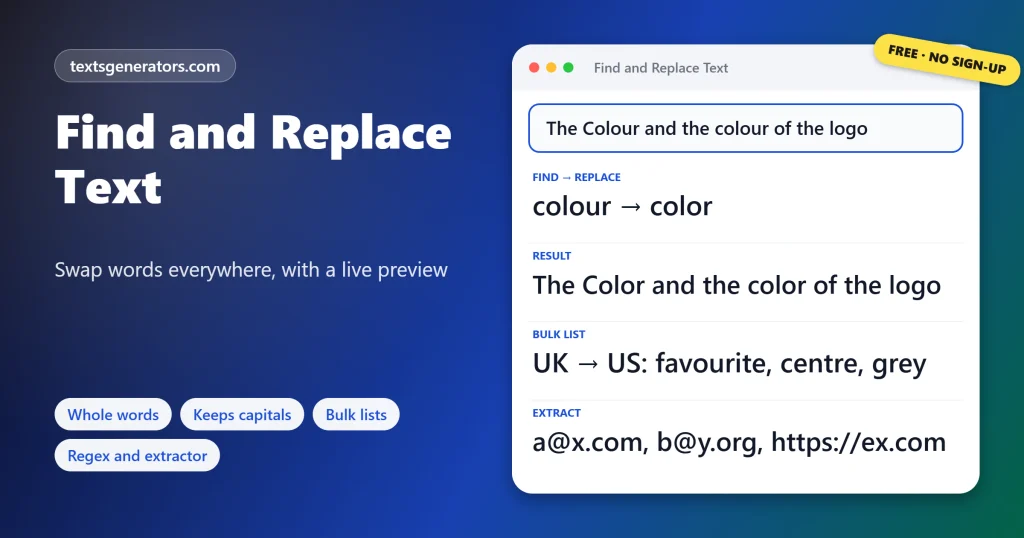
Quick answer: Find and replace searches text for a word, phrase, or pattern and swaps every match for something else. Find colour, replace with color, and The Colour and the colour becomes The Color and the color when capitals are kept.
Every word processor has it, but an online version works on any text from any app, including places with no search box such as a CMS field, a chat draft or a CSV export.
The main panel highlights each match before you change anything and counts them line by line. Options control how strict the search is: ignore or respect capitals, match whole words so cat leaves category alone, keep the capitalisation of each match, and use \n to insert or remove line breaks. The Bulk Replace List runs dozens of pairs at once, with presets for British and American spelling, common typos and contractions. The Pattern Finder pulls every email, link, phone number, or hashtag out of the text.
- 5 Search options
- 4 Bulk presets
- 12 Ready-made patterns
- 60 Undo steps
How Do You Find and Replace Words in Text?
- Paste your text: From a document, email, spreadsheet, or code file.
- Type Find and Replace: Matches light up and are counted instantly.
- Set the options: Whole words, capitals, line breaks, or regex.
- Press Replace all: Undo if the result is not right, then copy it.
Which Search Options Should You Use?
| Option | Example | Use it when |
| Ignore upper and lower case | cat finds Cat, cat and CAT | Almost always for ordinary writing |
| Whole words only | cat skips category and concatenate | Short words that appear inside longer ones |
| Keep the capitals of each match | Colour becomes Color, COLOUR becomes COLOR | Spelling changes in finished text |
| \n and \t | Find, replace \n puts each item on a line | Splitting or joining lists |
| Regular expression | (\d+)-(\d+) replaced by $2-$1 swaps numbers | Patterns, reordering and advanced edits |
To change capitalisation rather than words, use the case converter.
Which Keys Open Find and Replace in Office Apps and Code Editors?
| App | Windows | Mac |
| Microsoft Word | Ctrl + H | Cmd + Shift + H |
| Google Docs | Ctrl + H | Cmd + Shift + H |
| Excel | Ctrl + H | Ctrl + H |
| Google Sheets | Ctrl + H | Cmd + Shift + H |
| VS Code | Ctrl + H | Cmd + Option + F |
| Notepad++ | Ctrl + H | Not available |
Browsers only offer Find (Ctrl + F) with no replace, which is why a separate tool helps for text in web forms, emails, and content management systems.
How Do Regular Expressions Work in Find and Replace?
A regular expression describes a pattern instead of exact text. \d matches any digit, \s matches any space, a dot matches any character, + means one or more, and brackets capture a part you can reuse. With Regular expression ticked, finding (\d{4})-(\d{2})-(\d{2}) and replacing it with $3/$2/$1 turns 2026-10-28 into 28/10/2026. Use $0 for the whole match. If a pattern is not valid, the note under the buttons explains the problem instead of changing your text. The Pattern Finder below includes tested patterns you can drop straight into Find.
When Is Online Find and Replace Useful?
- Rebranding: swap an old product or company name across a whole page.
- Localising: switch between British and American spelling in one pass.
- Data cleanup: change separators, fix codes, and reformat dates.
- Developers: rename variables in a snippet or upgrade HTTP to HTTPS.
- Writers: fix a repeated typo or a character’s name throughout a draft.
- Marketers: extract every email or link from a page of text.
Extracted the same email twice? Deduplicate the list with the remove duplicate lines tool.
Find and Replace Terms
Match
A piece of text that fits what you searched for.
Case-sensitive
A search that treats Cat and cat as different.
Whole word
A match that is not part of a longer word.
Regular expression
A pattern language for describing text, often shortened to regex.
Capture group
A bracketed part of a regex, reused in the replacement as $1, $2.
Escape sequence
Codes like \n and \t that stand for invisible characters.
For PDF text with broken lines, the remove line breaks tool is quicker than \n replacements.
What Makes This Find and Replace Different?
Live preview
Matches marked first.
Smart capitals
Each match keeps its case.
Bulk pairs
Many swaps in one run.
Regex
Groups with $1 and $2.
Extractor
Emails, links, numbers.
Undo
60 steps back.
Need every email address or link from a page?
Paste the text and list them all, one per line, with repeats removed.
Find and Replace: Not Finding Your Word?
| Problem | Cause | Fix |
| No matches although the word is there | Case matching is on, or the text has a different apostrophe | Switch on case-insensitive search and copy the exact apostrophe used |
| Parts of longer words changed | Whole words only is off | Tick it, then Undo and replace again |
| A dot or bracket matched everything | Regular expression is on | Untick it to search for the symbols literally |
| \n appeared as text | The escape option is off | Tick Read \n as a new line |
| Replacement capitals look wrong | Keep the capitals is on for mixed-case words | Untick it to insert the replacement exactly as typed |
Turning titles into web addresses? The URL slug generator does it in one step.
Tips for Safe Find and Replace
Check the highlights first
Scan the preview before pressing Replace all, especially for short words.
Replace the longest phrase first
In bulk lists, put longer phrases above shorter ones that they contain.
Delete with an empty box
Leave Replace with blank to remove every match.
Swap two words safely
Go through a placeholder: A to TEMP, B to A, then TEMP to B.
Double spaces left after deleting words? Clean them with the Remove Extra Spaces tool.
Find and Replace Text FAQ
How do I find and replace text online?
Paste the text, type the word in Find and its replacement in Replace with, then press Replace all.
Can I see the matches before replacing?
Yes. Every match is highlighted in yellow below the buttons as you type.
How do I replace only whole words?
Tick Whole words only so the search skips matches inside longer words.
Is the search case-sensitive?
Not by default. Untick Ignore upper and lower case to match capitals exactly.
Can the replacement keep the original capitals?
Yes. Tick Keep the capitals of each match; Colour becomes Color and COLOUR becomes COLOR.
How do I delete a word everywhere?
Type it in Find, leave Replace with empty, and press Replace all.
How do I replace only the first match?
Press Replace first only. Press it again for the next one.
How do I replace commas with new lines?
Find a comma and space, replace with \n, and keep the \n option ticked.
Can I join lines into a comma list with Find and Replace?
Yes. Put \n in Find and a comma plus a space in Replace with.
Can I replace several words at once?
Yes. Write pairs as old => new in the Bulk Replace List and press Apply.
Can I change British spelling to American?
Yes. Load the British-to-American preset in the Bulk Replace List and apply it.
Does it support regular expressions?
Yes. Tick Regular expression to use patterns, with $1 and $2 for groups.
How do I reorder parts of a date with regex?
Find (\d{4})-(\d{2})-(\d{2}) and replace with $3/$2/$1.
How do I extract all email addresses from text?
Open the Pattern Finder, choose Email addresses, and press List all matches.
Can I pull out every link from a page?
Yes. Choose Web links in the Pattern Finder; each link is listed on its own line.
Can I undo a replacement?
Yes. Undo steps back up to 60 changes, and Redo restores them.
What happens if my regex is invalid?
Nothing is replaced, and the note explains what is wrong with the pattern.
Does it work with accented and non-English words?
Yes. Whole-word matching and case handling understand letters in any alphabet.
What is the shortcut for find and replace in Word?
Ctrl + H on Windows and Cmd + Shift + H on a Mac.
Is this find and replace tool free?
Yes. Searching, replacing, bulk lists, and the extractor are free, with no account.
Is my text kept private?
Yes. Searching and replacing happen in your browser; nothing is sent or saved online.
Find and Replace Text
Old → new
Every match found, checked, and changed at once. ⇄ Find and Replace
- Alphabetical Order Tool: Sort Lists A to Z Online
- camelCase Converter: Turn Words and Names Into camelCase
- Capitalize the First Letter of Each Word, Sentence, or Line
- Case Converter: Change Text to UPPERCASE, lowercase, or Title Case
- Lowercase Converter: Change CAPS to Small Letters
- Minecraft Color Codes and Colored Text Generator
- Number-to-Words Converter: Amount in Words for Cheques
- PascalCase Converter: Class, Type and Component Names
- Plain Text Converter: Remove Formatting and Hidden Characters
- Remove Duplicate Lines: Delete Repeated Lines and List Items
- Remove Extra Spaces: Delete Double Spaces and Fix Spacing
- Remove Line Breaks: Fix Broken Lines From PDFs and Emails
- Roman Numeral Converter: Numbers and Dates to Roman
- Sentence Case Converter: Turn Any Text Into Proper Sentences
- Snake Case Converter: Words and camelCase to snake_case
- Text Repeater: Repeat Text, Words and Emoji Up to 10,000 Times
- Title Case Converter: Capitalize Titles in AP, APA, Chicago, and MLA Style
- Toggle Case Converter: Invert Capitals and Fix Caps Lock Text
- Uppercase Converter: Change Lowercase to Capital Letters
- URL Slug Generator: Turn Titles Into SEO-Friendly Slugs
- Word Combiner: Mix Words and Keyword Lists Into Every Combination
No tools match your search. Try another word or choose "All tools".