
Remove Duplicate Lines: Delete Repeated Lines and List Items
Remove duplicate lines from any list with this free online tool, no sign-up needed. Paste emails, keywords, product codes or names and keep only the first copy of each, while the original order stays the same. Ignore capital letters and stray spaces, keep the last copy instead, list only the repeats, count how often each line appears, or compare two lists to see what they share.
- ⧉ keeps the original order
- # duplicate counter
- ⇆ compare two lists
- 6 dedupe formats
| Item | Times | Share |
|---|
Your list without duplicates
Know someone cleaning a mailing list by hand?
Share this free duplicate line remover.
Lists, Emails and Tags With Their Repeats Removed
Each card shows a list after the duplicates were dropped, ignoring capital letters. Copy takes the clean list; Edit in tool reloads the version with repeats so you can try another mode.
What Does a Duplicate Line Remover Do?
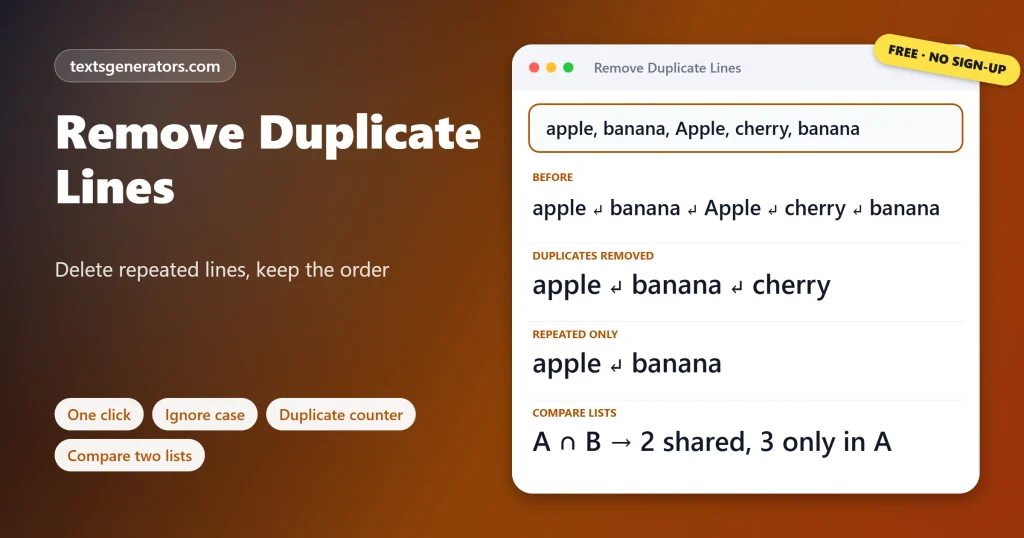
Quick answer: A duplicate line remover scans a list and keeps only one copy of each line. Here, the first copy stays in its original position and later repeats are deleted, so apple, banana, Apple, cherry becomes apple, banana, cherry when capital letters are ignored.
A duplicate is any line, or list item, that matches one that came earlier.
Repeated entries sneak into every kind of list: mailing lists merged from two sign-up forms, keyword research exported from several tools, product codes copied from different orders, log files and survey answers. Spreadsheets can remove duplicates, but only after you set up columns, and they often reorder the data. This tool works straight on pasted text, keeps your order, detects whether items are split by lines, commas, semicolons, or spaces, and can treat “Ana@Example.com ” and “ana@example.com” as the same entry. The counter shows which items repeat most, and the list comparer shows what two lists have in common.
- 4 Keep modes: first, last, unique, repeats
- 5 Separators detected
- 4 List comparison results
- 100K Characters per paste
How Do You Remove Duplicate Lines?
- Paste the list: One item per line, or separated by commas, semicolons, or spaces.
- Set the matching rules: Ignore case, extra spaces, or accents if needed.
- Press Remove duplicates: The note tells you how many copies were found.
- Copy the clean list: Or save it to your device with Download.
Which Copy Should You Keep?
| Button | Result for: a, b, a, c, b | Use it when |
| Remove duplicates | a, b, c | You want every item once, in first-seen order |
| Keep last copy | a, c, b | Later entries are newer, as in logs or updated records |
| Keep lines that appear once | c | You need the items nobody else listed |
| Show only repeated lines | a, b | You want to find what was entered twice |
Want the clean list sorted A to Z? Use the alphabetical order tool next.
Should Duplicate Matching Ignore Case?
Usually yes. Email addresses, tags, city names, and keywords mean the same thing whatever their capitals, so “London” and “london” are one entry. Leave case matching on for code, passwords, file names on Linux, and product codes where capitals carry meaning, by unticking Ignore upper and lower case. The same applies to spaces: a trailing space copied from a spreadsheet makes two identical-looking lines different, and Ignore extra spaces fixes that. Ignore accents treats café and cafe as one, which helps with names typed on different keyboards.
How Do You Remove Duplicates in Excel, Google Sheets and Notepad++?
| App | Method | Watch out for |
| Excel | Data tab, Remove Duplicates, choose the columns | Deletes rows without showing which ones |
| Excel 365 | =UNIQUE(A1:A100) | Case is ignored; spaces are not |
| Google Sheets | Data, Data cleanup, Remove duplicates, or =UNIQUE() | UNIQUE treats capitals as different |
| Notepad++ | Edit, Line Operations, Remove Duplicate Lines | Case-sensitive |
| VS Code | Command palette, Delete Duplicate Lines | Case-sensitive, needs a recent version |
| Linux and macOS terminal | sort -u file.txt, or awk ‘!seen[$0]++’ file.txt to keep order | sort -u changes the order |
How Do You Compare Two Lists for Matches?
Paste one list in A and the other in B inside Compare Two Lists. The tool shows four counts at once: items in both lists, items only in A, items only in B, and the merged total with no repeats. A typical use is checking which newsletter subscribers are already customers, which keywords a competitor ranks for that you do not, or which products appear in last month’s order but not this month’s. The same matching rules apply, so capital letters and stray spaces will not hide a match.
If entries differ only by stray spaces, tidy them first with the remove extra spaces tool.
Who Uses a Duplicate Remover?
- Email marketers: merge sign-up lists without sending anyone two copies.
- SEO specialists: combine keyword exports from several tools into one clean list.
- Social media managers: remove repeated hashtags before posting.
- Developers: clean log lines, IDs, and config entries.
- Shop owners: spot SKUs entered twice in an order or stock list.
- Teachers and researchers: count repeated survey answers.
Deduplication Terms
Deduplication
Removing repeated records so each appears once.
Case-insensitive
Matching that treats A and a as the same letter.
First occurrence
The earliest copy of an item in the list.
Unique value
An item that appears exactly once.
Intersection
Items found in both of two lists.
Union
Everything from two lists combined, with repeats dropped.
To turn the deduplicated column into one comma-separated list, try the remove line breaks tool.
What Can This Dedupe Tool Do?
Order kept
Nothing is re-sorted.
Smart matching
Case, spaces, and accents.
Any separator
Lines, commas, spaces.
Counter
Times each item appears.
Compare
Shared and missing items.
Undo
Every step reversible.
Two lists and need to know what overlaps?
See shared items, missing items, and a merged list in one view.
Duplicates Not Being Removed?
| Problem | Cause | Fix |
| Lines that look the same both stay | Hidden characters or different capitals | Tick Ignore case and Ignore extra spaces, or clean the text first |
| The whole paragraph counts as one item | Separator detection picked new lines | Choose Commas or Spaces in Items are separated by |
| Different items were merged | Case or accents were ignored | Untick those options for codes and passwords |
| “had had” lost a word | Remove doubled words treats it as a typo | Undo, or select only the part to fix |
| Blank lines disappeared | Delete empty lines is ticked | Untick it to keep spacing |
Tips for Clean, Duplicate-Free Lists
Dedupe before importing
Clean lists before they reach a CRM or email platform to avoid double sends.
Keep last for updates
When newer rows are at the bottom, keep the last copy to retain the latest data.
Count before deleting
The counter shows whether repeats are mistakes or meaningful frequency.
Lowercase emails
Addresses are not case-sensitive in practice, so match them that way.
Make every email address lowercase with the lowercase converter.
Remove Duplicate Lines FAQ
How do I remove duplicate lines from a list?
Paste the list and press Remove duplicates. The first copy of each line stays, and later copies are deleted.
Does removing duplicates change the order?
No. Lines keep their original order; only the repeated copies are taken out.
Can it ignore capital letters?
Yes. With Ignore upper and lower case ticked, Apple and apple count as the same line.
How do I keep the last copy instead of the first?
Press Keep last copy. Each item stays at the position of its final appearance.
How do I find which lines are duplicated?
Press Show only repeated lines, or open the Duplicate Counter to see how many times each appears.
How do I keep only lines that appear once?
Press Keep lines that appear once. Any line with a copy elsewhere is removed completely.
Can I remove duplicates from a comma-separated list?
Yes. Commas are detected automatically, and the clean list is joined with a comma and a space.
Can I remove duplicate hashtags or words separated by spaces?
Yes. Set Items are separated by two spaces, then press Remove duplicates.
How do I remove doubled words like the the?
Press Remove doubled words. Any word repeated right after itself is reduced to one.
Can I remove duplicate email addresses?
Yes. Paste one address per line with case ignored; differently capitalised addresses are treated as one.
What about lines with trailing spaces?
Ignore extra spaces treats lines that differ only by spacing as duplicates.
Can I count how many times each line appears?
Yes. The Duplicate Counter lists every item with its count and share, and exports a CSV.
How do I compare two lists?
Open Compare Two Lists, paste one list into A and the other into B, then choose what to show.
How do I find items that are in both lists?
Choose In both lists in the comparison. Matching follows the case and spacing options.
How do I merge two lists without duplicates?
Choose Both lists merged, no repeats; list A comes first, followed by new items from B.
Can I remove duplicates from only part of the text?
Yes. Select the lines first, then press a button; the rest stays untouched.
How do I remove duplicate rows in Excel?
Use Data, Remove Duplicates, or paste a single column here to keep the order and see what was removed.
Does it remove empty lines?
Yes, while Delete empty lines is ticked. Untick it to keep blank lines in place.
How large a list can I clean?
Up to 100,000 characters per paste, which is thousands of lines.
Is the duplicate line remover free?
Yes. Every mode, the counter, and the list comparer cost nothing, and there is no login.
Are my lists kept private?
Yes. Matching happens in your browser, so email lists and customer data never leave your device.
Remove Duplicate Lines
Repeats → gone
Every item once, in its original place. ⧉ Remove Duplicates
- Alphabetical Order Tool: Sort Lists A to Z Online
- camelCase Converter: Turn Words and Names Into camelCase
- Capitalize the First Letter of Each Word, Sentence, or Line
- Case Converter: Change Text to UPPERCASE, lowercase, or Title Case
- Find and Replace Text Online: Swap Words in Seconds
- Lowercase Converter: Change CAPS to Small Letters
- Minecraft Color Codes and Colored Text Generator
- Number-to-Words Converter: Amount in Words for Cheques
- PascalCase Converter: Class, Type and Component Names
- Plain Text Converter: Remove Formatting and Hidden Characters
- Remove Extra Spaces: Delete Double Spaces and Fix Spacing
- Remove Line Breaks: Fix Broken Lines From PDFs and Emails
- Roman Numeral Converter: Numbers and Dates to Roman
- Sentence Case Converter: Turn Any Text Into Proper Sentences
- Snake Case Converter: Words and camelCase to snake_case
- Text Repeater: Repeat Text, Words and Emoji Up to 10,000 Times
- Title Case Converter: Capitalize Titles in AP, APA, Chicago, and MLA Style
- Toggle Case Converter: Invert Capitals and Fix Caps Lock Text
- Uppercase Converter: Change Lowercase to Capital Letters
- URL Slug Generator: Turn Titles Into SEO-Friendly Slugs
- Word Combiner: Mix Words and Keyword Lists Into Every Combination
No tools match your search. Try another word or choose "All tools".