
Uppercase Converter: Change Lowercase to Capital Letters
Use this free uppercase converter to switch any text to CAPITAL LETTERS instantly, no account required. Capitalize an entire document or just a highlighted phrase, keep web links, emails and @handles untouched, shrink long names into acronyms, and copy the UPPER function for Excel, SQL, JavaScript, Python and more.
- ⇪ ALL CAPS in one click
- 🔗 leaves links and emails alone
- ABC acronym and initials maker
- 7 uppercase formats
Tap any snippet to copy it. Spreadsheet formulas expect a cell reference such as A2.
Your text in capital letters
Making a sign or a label?
Share this free uppercase converter.
Signs, Labels and Acronyms in Capital Letters
Common notices already in capitals, plus everyday acronyms with their full forms. Copy takes them as shown; Edit in tool puts the small-letter original back in the box.
What Is an Uppercase Converter?
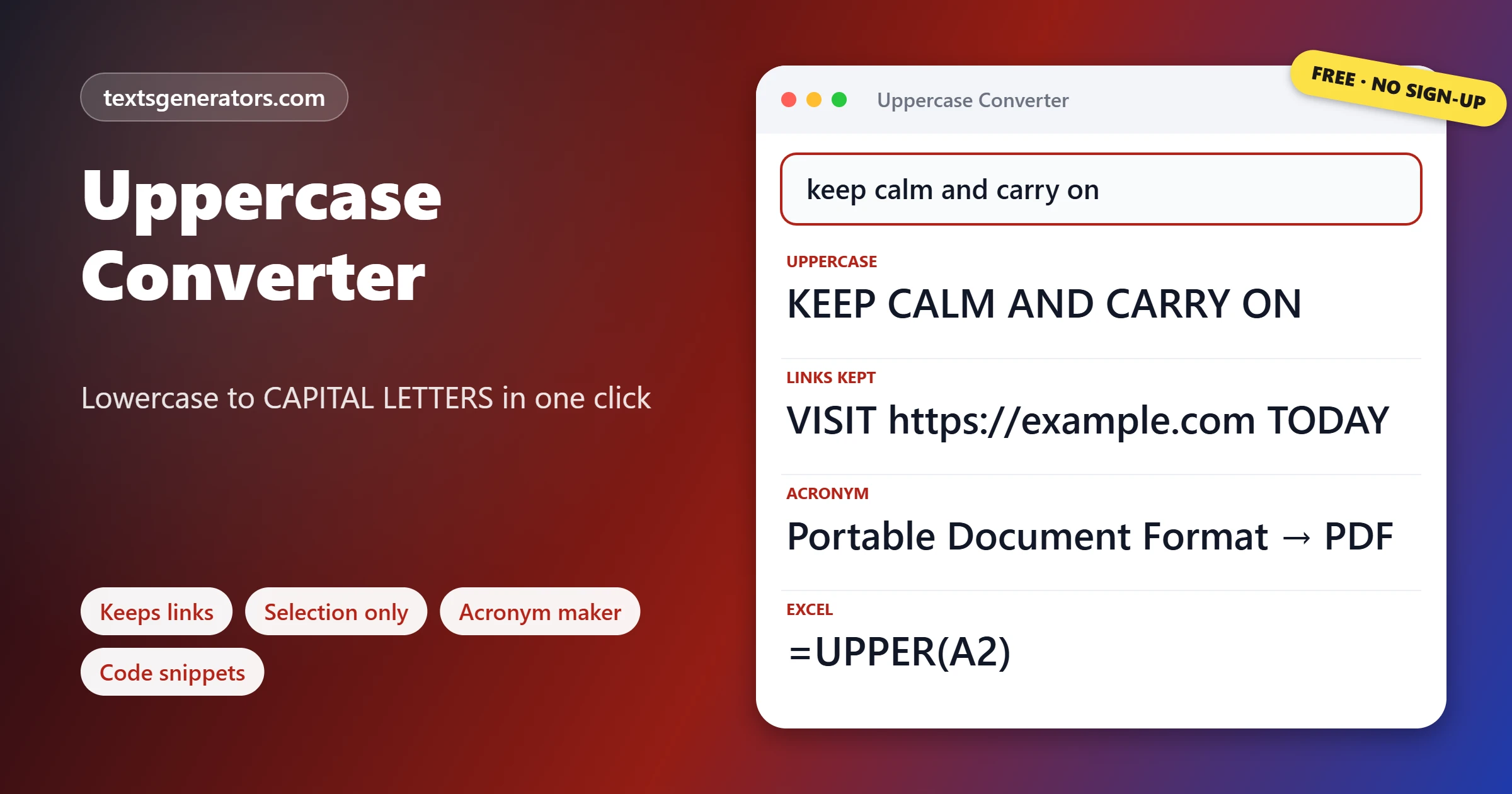
Quick answer: An uppercase converter rewrites small letters as capitals for you: keep calm and carry on turns into KEEP CALM AND CARRY ON. Paste, press one button, and copy the all-caps version; no retyping, no Caps Lock.
Uppercase letters are also called capitals, caps, or majuscules, and text written entirely in them is known as all caps.
Typing a long passage again with Caps Lock on is slow and error-prone, and many apps have no command for it. Here the whole box changes at once, or just the words you highlight. Web addresses, email addresses, hashtags, and @mentions can be left untouched, because some of them stop working or look wrong in capitals. Two extra tools turn long names into acronyms and give you the uppercase function for spreadsheets and programming languages.
- 1 Click to capitalize everything
- 4 Acronym styles
- 9 Code and formula snippets
- 7 Uppercase formats
How Do You Convert Lowercase to Uppercase?
- Paste the text: Any length up to 100,000 characters.
- Highlight if needed: Select a word or line to capitalize only that part.
- Press UPPERCASE: Links and emails stay as typed while the option is on.
- Copy the capitals: Or download them as a .txt file.
Switch between UPPERCASE, lowercase, Title Case, and 20 more formats with the case converter.
When Is It Right to Use Capital Letters for Everything?
| Good fit for all caps | Better in normal case |
| Short signs: EXIT, STAFF ONLY, WET FLOOR | Paragraphs, emails and chat messages |
| Labels and packaging: FRAGILE, THIS WAY UP | Long headlines and article titles |
| Acronyms: NASA, UNICEF, PDF | Body text on websites |
| Legal key phrases that must stand out | Whole contracts or terms pages |
| Logos, posters and button labels in design | Anything a screen reader must read aloud at length |
In online messages, a sentence in capitals reads as shouting, so save it for a single word you really want to stress.
How Do You Type Capital Letters on a Keyboard or Phone?
| Device or app | How to get capitals |
| Any computer keyboard | Hold Shift for one capital, or press Caps Lock to type in capitals until you press it again |
| iPhone and iPad | Double-tap the Shift arrow to lock capitals on |
| Android with Gboard | Double-tap Shift for Caps Lock, or select text and tap Shift to change its case |
| Microsoft Word | Select the text and press Ctrl + Shift + A for the All Caps effect, or Shift + F3 to change the letters |
| Google Docs | Format, Text, Capitalization, UPPERCASE |
| Excel and Google Sheets | =UPPER(A2) in a helper column |
To go the other way and turn capitals into small letters, use the lowercase converter.
Word’s All Caps effect only changes how the text looks; the letters underneath stay small and come back if you copy them elsewhere. This converter changes the letters themselves.
Should You Type Capitals or Use CSS on a Website?
For headings and buttons on a website, it is usually better to type the words in normal case and display them in capitals with the CSS rule text-transform: uppercase. Search engines and screen readers then see ordinary words; you can change the design later without retyping, and copied text pastes in normal case. Type real capitals when the capitals are part of the meaning, such as acronyms, or when the text will leave the website, for example in a printed label or a file name.
Does Uppercase Work for Every Language?
Capital letters exist in alphabets such as Latin, Greek, Cyrillic, and Armenian, and this converter handles them all. Some letters change in special ways: the German ß becomes SS, so a word can grow by one character, and accented letters keep their accents, as in ÉCOLE. In Turkish and Azerbaijani, the dotted and dotless i have their own capitals, İ and I, which general converters cannot guess. Scripts without a case system, such as Arabic, Hebrew, Chinese, Japanese, and Hindi, pass through unchanged.
Who Uses an All Caps Converter?
- Shops and offices: print clear notices and door signs.
- Warehouses: write packaging labels and handling marks.
- Designers: set poster lines, logos and banner text.
- Data teams: standardise codes, postcodes and IDs before matching records.
- Developers: name constants and environment variables in capitals.
- Form fillers: meet forms that ask for BLOCK CAPITALS.
Capital Letter Terms
Uppercase
Capital letters; the name comes from the uppercase type in old print shops.
Block capitals
Plain, separate capital letters, often requested on official forms.
All caps
Text where every letter is a capital.
Caps Lock
The key that keeps the keyboard typing capitals until it is pressed again.
Acronym
A word formed from initials and said as a word, such as NATO.
text-transform
The CSS property that displays text in capitals without changing it.
For letters that are physically larger rather than capitals, try the big text generator.
What Can This Capital Letters Converter Do?
Whole or part
Everything, or a selection.
Safe links
URLs and emails stay working.
Undo
Every step can be reversed.
Acronyms
PDF, P.D.F. or J.R.R. style.
Snippets
UPPER for nine tools.
Download
Save the capitals as .txt.
Need a long name shortened?
Turn any organisation or phrase into neat capital initials.
Capital Letters Not Coming Out as Expected?
| Problem | Reason | Fix |
| A web link stayed in small letters | Links are protected so they keep working | Untick the links option to capitalize them too |
| A German word got longer | ß has no traditional capital and becomes SS | This is standard; replace SS with ẞ by hand if you prefer |
| Turkish i looks wrong | Turkish uses İ for the dotted i | Correct those letters by hand after converting |
| Nothing changed in my text | The script has no capital letters | Scripts like Arabic and Chinese have no case to change |
Emphasise a word without shouting by using the bold text generator.
Tips for Using All Caps Well
Keep it short
Capitals work best for five words or fewer.
Add a little spacing
Slightly wider letter spacing makes capitals easier to read on signs.
Do not shout in email
Use bold or a short sentence instead of capitals for emphasis.
Keep the original
Normal-case text is easy to capitalize later; the reverse loses names.
Small capitals give a softer all-caps look; make them with the small caps generator.
Uppercase Converter FAQ
What is an uppercase converter?
A free tool that turns small letters into capital letters, so you never have to retype text with Caps Lock on.
Lowercase to uppercase: how does it work here?
Put the text in the box and press UPPERCASE. Every letter becomes a capital at once.
How can I capitalize only part of my text?
Highlight that part in the box before pressing the button; the rest stays as it is.
Will web links and emails be capitalized?
Not while the links option is ticked. URLs, email addresses, hashtags and @handles stay exactly as you typed them.
Which Word shortcut makes text all caps?
Ctrl+Shift+A toggles the All Caps effect, while Shift+F3 rotates a selection through upper, lower and capitalized words.
How do I make text uppercase in Google Docs?
Select it, then open Format, Text, Capitalization, and choose UPPERCASE.
Which Excel formula changes text to capitals?
=UPPER(A2) returns the text in cell A2 in capital letters.
How do I convert a string to uppercase in JavaScript?
Call toUpperCase() on it, for example, name.toUpperCase().
How do I uppercase a string in Python?
Use the upper() method, for example, name.upper().
What is the SQL function for uppercase?
UPPER(column_name) returns the column value in capital letters in most databases.
How do I make an acronym from a long name?
The Acronym and Initials Maker keeps one letter from every word, and can skip connecting words like of or and.
Why did ß turn into SS?
Traditional German has no capital ß, so standard uppercasing writes SS instead.
Is typing in all caps rude?
In messages, it often reads as shouting, so use it for single words or short notices rather than whole sentences.
Is uppercase the same as capital letters?
Yes. Uppercase, capitals, caps, and majuscules all mean the same tall letter forms.
Can I convert capitals back to small letters?
Yes. Press back to lowercase, or Undo to restore exactly what you had.
Does the converter work with accents and other alphabets?
Yes. Accented letters, Greek, and Cyrillic all have capitals and convert correctly.
Is there a length limit for capitalizing?
Up to 100,000 characters in one go.
Is the uppercase converter free?
Yes, every feature is free, and there is no account to create.
Does my text get stored?
No. The capitals are produced locally on your device, and no copy is kept anywhere.
Can I download the result?
Yes. Download .txt saves the capitalized text as a plain text file.
Can I use it on a phone?
Yes. Paste, tap UPPERCASE and copy; the page is built for small screens.
Make It Capital
abc → ABC
Capital letters for signs, labels, codes, and forms. ⇪ Convert to Uppercase
- Alphabetical Order Tool: Sort Lists A to Z Online
- camelCase Converter: Turn Words and Names Into camelCase
- Capitalize the First Letter of Each Word, Sentence, or Line
- Case Converter: Change Text to UPPERCASE, lowercase, or Title Case
- Find and Replace Text Online: Swap Words in Seconds
- Lowercase Converter: Change CAPS to Small Letters
- Minecraft Color Codes and Colored Text Generator
- Number-to-Words Converter: Amount in Words for Cheques
- PascalCase Converter: Class, Type and Component Names
- Plain Text Converter: Remove Formatting and Hidden Characters
- Remove Duplicate Lines: Delete Repeated Lines and List Items
- Remove Extra Spaces: Delete Double Spaces and Fix Spacing
- Remove Line Breaks: Fix Broken Lines From PDFs and Emails
- Roman Numeral Converter: Numbers and Dates to Roman
- Sentence Case Converter: Turn Any Text Into Proper Sentences
- Snake Case Converter: Words and camelCase to snake_case
- Text Repeater: Repeat Text, Words and Emoji Up to 10,000 Times
- Title Case Converter: Capitalize Titles in AP, APA, Chicago, and MLA Style
- Toggle Case Converter: Invert Capitals and Fix Caps Lock Text
- URL Slug Generator: Turn Titles Into SEO-Friendly Slugs
- Word Combiner: Mix Words and Keyword Lists Into Every Combination
No tools match your search. Try another word or choose "All tools".