
Shrug Emoticon ¯\_(ツ)_/¯ Copy and Paste
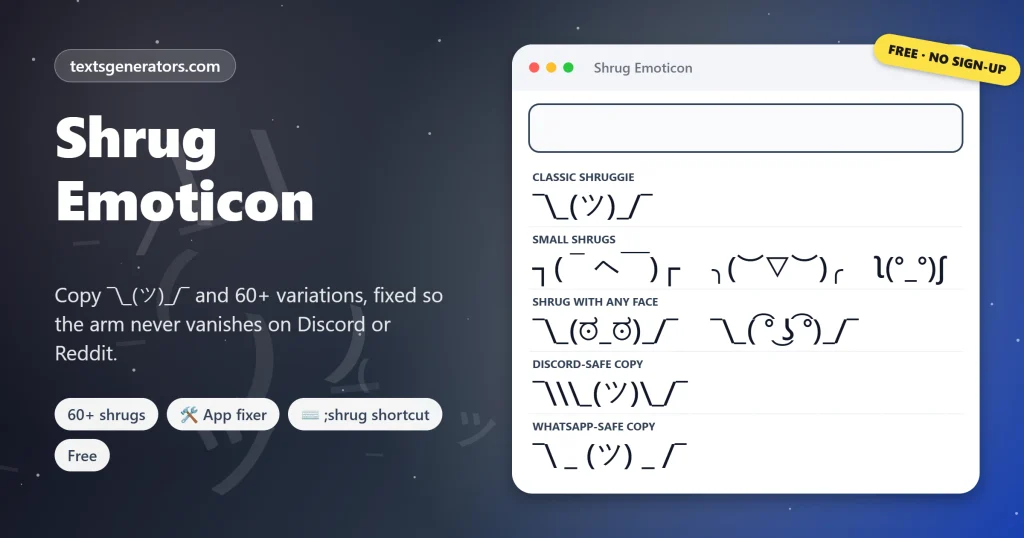
Copy the shrug emoticon in one tap, free and without signing up, plus 60+ variations from ┐( ̄ヘ ̄)┌ to a shrugging Lenny. The fixer gives you the exact version for Discord, Reddit, WhatsApp and code, so the left arm never vanishes again.
- 60+ shrug variations
- 🛠 fixed for 6 apps
- ⌨ ;shrug shortcut file
- Free, no account
Shrug emoticons, tap to copy
Lost the arm of your shrug in a group chat?
Share the fixer with whoever posted ¯_(ツ)_/¯ last.
Shrug Replies for When You Really Do Not Know
Lines that end in a shrug. Copy grabs the whole reply; Edit in tool sends the reply minus its shrug to the box, so all 60 shrugs can carry it.
What Is the Shrug Emoticon?
Quick answer: the shrug emoticon ¯\_(ツ)_/¯, nicknamed the shruggie, is a text drawing of a person lifting their shoulders and arms. It means I don’t know, whatever, or there is nothing I can do. The face in the middle is the Japanese katakana character ツ (tsu).
People search for it as shrug emoji text, idk emoticon, shoulder shrug emoji, or shruggie copy paste. They all want the same nine characters, and they all run into the same missing-arm problem sooner or later.
The shrug is one of more than 1,200 kaomoji in our main collection.
Below are the original shruggie, 25 copies wearing different faces, ten compact ┐ and ┌ shrugs, and an app fixer that hands you the right version for wherever you post. Type a few words in the box and every variation carries your message, ready to paste as a reply.
- 9 Characters in the classic
- 6 App-ready versions
- 1 Shortcut to type it anywhere
Which Characters Make Up ¯\_(ツ)_/¯?
| Character | Name | Role in the shrug |
| ¯ | Macron | Raised hands |
| \ | Backslash | Left forearm |
| _ | Underscore (twice) | Shoulders |
| ( ) | Brackets | The head |
| ツ | Katakana tsu | Smiling eyes and mouth |
| / | Slash | Right forearm |
Why Does the Shrug Lose an Arm on Discord and Reddit?
Discord, Reddit, GitHub, and other Markdown-based apps use the backslash as an escape character: it tells the app to show the next symbol literally. In ¯\_(ツ)_/¯ the backslash escapes the underscore after it, so the app hides the backslash, and you get ¯_(ツ)_/¯. Sometimes the two underscores also italicise the face.
The fix is to escape the escape. Posting ¯\\\_(ツ)\_/¯ makes the app display the original perfectly. You do not have to type that: pick Discord or Reddit in the fixer, or set Paste into above the cards, and the copied shrug already contains the extra backslashes.
| App | What goes wrong | What to paste |
| Discord | Left arm disappears | The Discord version, or use /shrug |
| Left arm disappears, face may tilt into italics | The Reddit or Markdown version | |
| _(ツ)_ turns into italic text without underscores | The WhatsApp version with full-width _ shoulders | |
| Slack | Usually fine as text | Or type /shrug for the built-in version |
| Code and JSON | A lone backslash breaks the string | The code string version with \\ |
How Do You Type the Shrug Without Copying It?
iPhone and iPad
Settings, General, Keyboard, Text Replacement: paste the shrug as the phrase and use; shrug as the shortcut.
Mac
System Settings, Keyboard, Text Replacements, or drag in the .plist file from the shortcut tool. iCloud syncs it to your iPhone.
Android
In Gboard, open Settings, Dictionary, Personal dictionary, add the shrug, and give it a shortcut.
Windows
There is no built-in replacer, so download the AutoHotkey or Espanso file, and shrug will work in every program.
Discord and Slack
Type /shrug followed by your message; the app appends the face for you.
Microsoft Word
Add it under AutoCorrect Options so a code like (shrug) becomes the full emoticon.
Shrug Emoticon or Shrug Emoji 🤷?
The Person Shrugging emoji 🤷 joined Unicode in 2016 and now comes in skin tones and genders. It is quick to find on a phone keyboard, but it looks different on every device and carries less personality. The text shruggie is older, works in usernames and code, and its slightly smug grin gives it a tone the emoji lacks. Many people use both: the emoji for quick reactions, the emoticon when they want the joke to land.
What Does ¯\_(ツ)_/¯ Mean in a Text?
I don’t know
The most common use: an honest, light-hearted lack of an answer.
Oh well
Accepting something small that went wrong, without complaining.
Not my problem
A playful way to step back from a decision or a mess.
Whatever works
Agreeing loosely, as in either option is fine.
Tone depends on context. Sent to a manager who asked for a deadline, it can read as careless; sent to a friend asking what to eat, it is perfect.
Add a shrug to a speech bubble with the text art generator.
Shrug Etiquette and Tips
Answer as well
A shrug after a real reply softens it; a shrug instead of a reply can feel dismissive.
Pick the face to match
¯\_(ಥ_ಥ)_/¯ admits defeat, ¯\_(⌐■_■)_/¯ owns it.
Escape once, not twice
Copy the Discord version only for Discord; elsewhere the extra backslashes will show.
Keep a shortcut
If you shrug daily, a shrug text replacement saves more time than any bookmark.
More keyboard faces for quick replies are in the text emojis collection.
Shrug Emoticon FAQ
What does ¯\_(ツ)_/¯ mean?
A shrug: I don’t know, whatever, or oh well, said with a small smile.
What is the shrug emoticon called?
Its nickname is the shruggie. It is also called the shrug kaomoji or the idk emoticon.
What is the face in the middle of the shrug?
The Japanese katakana letter ツ, pronounced tsu, which happens to look like two eyes and a smile.
Fastest way to grab the shruggie?
Tap the first card, or the Copy button next to Any app in the fixer, and paste where you need it.
Why is the left arm missing when I post it?
The app uses Markdown, where a backslash escapes the next character. Paste the Discord or Reddit version, which adds the extra backslashes.
How do I shrug on Discord?
Type /shrug before your message, or paste the Discord version from the fixer.
Is there a /shrug command in Slack?
Yes. Typing /shrug with a message posts it, followed by ¯\_(ツ)_/¯.
Why does the shrug turn into italics on WhatsApp?
Text between two underscores becomes italic there. The WhatsApp version swaps them for full-width underscores that look the same.
How do I make a shortcut for the shrug on iPhone?
Add it in Settings, General, Keyboard, Text Replacement, with a shortcut such as: shrug.
Can I type the shrug on Windows?
Not with a built-in shortcut, but the AutoHotkey or Espanso file from the shortcut tool adds one.
How many characters long is the shrug?
Nine: ¯ \ _ ( ツ ) _ / ¯.
Is there a shrug emoji?
Yes, 🤷 Person Shrugging, added in 2016. The text version is older and works in more places.
What is a shrug with a Lenny face?
¯\_( ͡° ͜ʖ ͡°)_/¯, a cheekier shrug that suggests you know more than you say.
How do I put the shrug in code?
Escape the backslash: write “¯\\_(ツ)_/¯” inside a JSON or JavaScript string. The fixer creates it for you.
Can I add text to the shrug?
Yes. Whatever you write above the cards rides along beside each shrug.
Is the shrug rude?
Rarely between friends. In formal messages, it can seem dismissive, so pair it with a real answer.
Can I use the shrug in a username?
Where symbols are allowed, yes, though some platforms reject the backslash or the katakana.
Can I get the shrug as an image?
Yes. Shrug Sticker PNG renders it on a square canvas, see-through or tinted, ready to download.
Does the shrug work on Instagram?
Yes. Instagram shows it exactly as typed, in captions, comments, and bios.
Which shrug variation is the most popular?
The original ¯\_(ツ)_/¯, followed by ┐( ̄ヘ ̄)┌ and ¯\_(ಠ_ಠ)_/¯.
Is this shrug page free?
Yes, and registration is never requested. Your words are processed on your own device only.
Shrug It Off
¯\_(ツ)_/¯
The classic shrug and 60 variations, fixed for every app. ¯\_(ツ)_/¯ Copy the Shrug
- Emoticons Copy and Paste, With Meanings
- Kaomoji Copy and Paste: 1,200+ Japanese Emoticons
- Lenny Face Copy and Paste ( ͡° ͜ʖ ͡°)
- Text Emojis: Copy and Paste Keyboard Faces
No tools match your search. Try another word or choose "All tools".