
Braille Translator: English to Braille and Braille to English
Convert text into Unified English Braille cells you can copy and paste, or turn Braille symbols back into English. Capitals, numbers and punctuation follow the official signs, Grade 2 adds common contractions, and a six-dot cell builder shows exactly how every character is formed.
- UEB Unified English Braille
- ⇄ text ⇄ Braille
- ⠿ 6-dot cell builder
- Grade 1 and 2
Your text in Braille
Teaching about Braille or making accessible signs?
Share this Braille translator with your class or team.
Braille Words, Labels and Messages
Common words already in Braille. Copy takes the cells; Edit in tool reads them back as print in the box, where every Braille style can redo them.
What Is a Braille Translator?
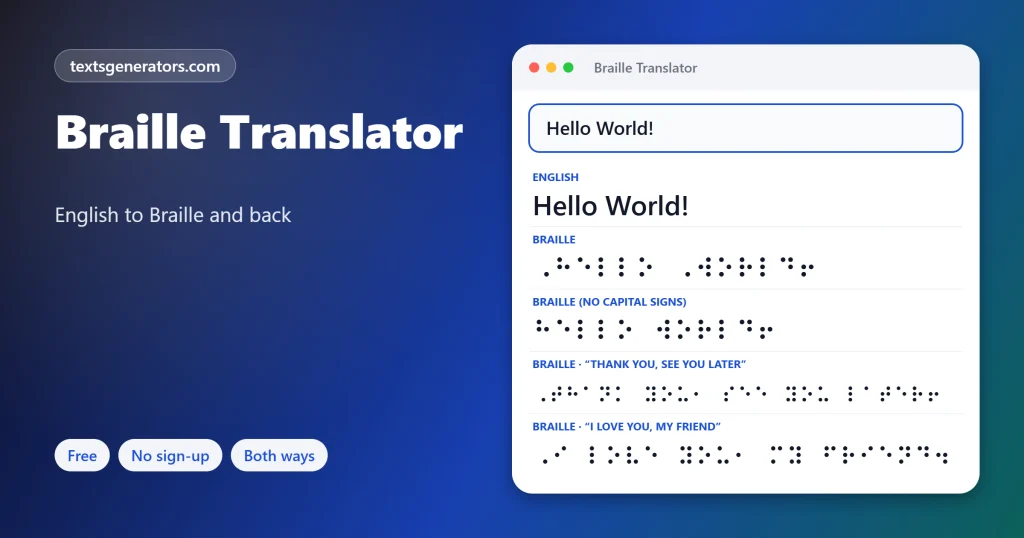
Quick answer: a Braille translator converts printed text into Braille cells, the raised-dot patterns read by touch, and reads Braille cells back as print. Hello becomes ⠠⠓⠑⠇⠇⠕: a capital sign followed by the letters h, e, l, l, o.
Braille is not a language. It is a tactile code for writing a language, invented by Louis Braille in France in the 1820s, when he was a teenager who had lost his sight. Each cell has six possible dot positions in two columns of three, giving 63 patterns.
This translator uses Unicode Braille characters, so the output can be copied into documents, slides, social posts and chats. It follows Unified English Braille (UEB), the standard used in the UK, US, Australia and other English-speaking countries, with the capital sign, number sign and punctuation cells. Paste Braille back in, and it reads it as print, including numbers and capitals.
- 6 Dots per cell
- 63 Possible patterns
- 1824: Year Louis Braille began his system
- 2 Grades of English Braille
The Braille Alphabet A to Z
| Letter | Braille | Dots | Letter | Braille | Dots |
| A | ⠁ | 1 | N | ⠝ | 1-3-4-5 |
| B | ⠃ | 1-2 | O | ⠕ | 1-3-5 |
| C | ⠉ | 1-4 | P | ⠏ | 1-2-3-4 |
| D | ⠙ | 1-4-5 | Q | ⠟ | 1-2-3-4-5 |
| E | ⠑ | 1-5 | R | ⠗ | 1-2-3-5 |
| F | ⠋ | 1-2-4 | S | ⠎ | 2-3-4 |
| G | ⠛ | 1-2-4-5 | T | ⠞ | 2-3-4-5 |
| H | ⠓ | 1-2-5 | U | ⠥ | 1-3-6 |
| I | ⠊ | 2-4 | V | ⠧ | 1-2-3-6 |
| J | ⠚ | 2-4-5 | W | ⠺ | 2-4-5-6 |
| K | ⠅ | 1-3 | X | ⠭ | 1-3-4-6 |
| L | ⠇ | 1-2-3 | Y | ⠽ | 1-3-4-5-6 |
| M | ⠍ | 1-3-4 | Z | ⠵ | 1-3-5-6 |
Dots are numbered 1, 2, 3 down the left column and 4, 5, 6 down the right. The letters a to j use only the top four dots; k to t add dot 3, and u, v, x, y, and z add dots 3 and 6. W is the exception because French, Louis Braille’s language, rarely used it at the time.
How Are Capitals and Numbers Written in Braille?
Grade 1 vs Grade 2 Braille
| Grade 1 (uncontracted) | Grade 2 (contracted) | |
| How it works | Every letter spelled out | Common words and letter groups shortened |
| “the child and you” | ⠞⠓⠑⠀⠉⠓⠊⠇⠙⠀⠁⠝⠙⠀⠽⠕⠥ | ⠮⠀⠡⠀⠯⠀⠽ |
| Who uses it | Beginners, signs, labels | Most books and experienced readers |
Grade 1 here is exact both ways. The Grade 2 option applies the most common word signs (the, and, for, of, with, you, can, have…) and letter groups (th, sh, ch, ing, er, ou…). Full UEB contraction rules also include shortforms and position rules, so for official documents, signage, or exams, always have Braille checked by a qualified transcriber.
How to Translate Braille to English
- Paste the Braille symbols: Unicode Braille from a document, website, or message.
- Choose Braille → English: The suggestion banner offers this automatically when it spots Braille.
- Check the grade: If the text uses contractions, pick Grade 2 for better results.
- Build unknown cells: Use the cell builder to tick the dots you see on a physical sign and read the letter.
Who Uses a Braille Converter?
How This Braille Converter Compares
| Feature | This page | Basic converter |
| Capital and number signs | Yes, UEB | Often missing |
| Braille back to English | Yes | Sometimes |
| Grade 2 contractions | Common word and group signs | Rarely |
| Six-dot cell builder | Yes | No |
| Dot numbers, quiz and image export | Yes | No |
What does hello look like in Braille cells?
Hello is ⠓⠑⠇⠇⠕ in lowercase, or ⠠⠓⠑⠇⠇⠕ with the capital sign in front.
What does I love you look like in Braille?
I love you in Grade 1 is ⠠⠊⠀⠇⠕⠧⠑⠀⠽⠕⠥.
Is Braille a language?
No. It is a tactile writing code. English, French, Arabic, and many other languages each have their own Braille.
Who invented Braille?
Louis Braille, a blind French student, created it in the 1820s, adapting a military night-writing code.
How many dots are in a Braille cell?
Six, in two columns of three, numbered 1-2-3 on the left and 4-5-6 on the right.
How are numbers written in Braille?
With the number sign ⠼ followed by the letters a to j, which stand for 1 to 9 and 0.
How are capital letters shown?
With the capital sign ⠠ (dot 6) before the letter, or ⠠⠠ before a word in all capitals.
What is the difference between Grade 1 and Grade 2?
Grade 1 spells every letter. Grade 2 uses contractions for common words and letter groups, which makes text shorter and faster to read.
Can I translate Braille to English here?
Yes. Paste the Braille characters and select Braille → English.
Can I copy and paste Braille?
Yes. The output uses Unicode Braille Patterns, which paste into most apps and fonts.
Will the copied Braille be readable by touch?
Only when it is embossed or shown on a refreshable Braille display. On screen, it is a visual representation.
Is the Grade 2 output official?
It uses common contractions but not every UEB rule. Have important documents checked by a certified transcriber.
What Braille standard does this use?
Unified English Braille (UEB), adopted in the UK, the US, and other English-speaking countries.
What is the Braille cell builder?
Tick any of the six dots to see the matching character and its meaning, then add it to the text box.
How can I learn Braille quickly?
Learn a to j first, since k to t and u to z follow a pattern. Use the quiz panel to practise.
When is World Braille Day?
4 January, Louis Braille’s birthday.
Why is W different from the other letters?
W was added later because French did not use it often when the system was created.
Does the translator read Braille aloud?
Press Read aloud in English → Braille mode after swapping, or translate Braille to English and read the print aloud.
Can I make a Braille image?
Yes. Open the image panel to save your Braille as a PNG for slides or lessons.
Do I pay or register for the Braille converter?
Neither. The converter, chart, cell builder, and quiz cost nothing and ask for no login.
Is my text private?
Yes. Every cell is worked out on your own device; the text never travels to a server.
Translate Text Into Braille
⠃⠗⠁⠊⠇⠇⠑
UEB signs, Grade 2 contractions, and a dot builder, free. ⠃ Start Translating
- Alien Language Translator: English to Alien Text
- British Slang Translator: American to British English
- Cat Translator: Human to Cat and Meow to English
- Caveman Translator: English to Ooga Booga
- Dog Translator: Human to Dog and Dog to Human
- Dragon Language Translator: English to Dovahzul
- Dumb It Down Translator: Complicated Text to Plain English
- Elvish Translator: English to Sindarin and Quenya
- Fancy English Translator: Make Your Words Sound Posh
- Fun Translator: 24 Silly, Secret and Fictional Languages
- Gen Z Slang Translator and Dictionary
- High Valyrian Translator: Game of Thrones Language
- Jamaican Patois Translator: English to Patwa and Back
- Minion Translator: English to Minionese
- Na’vi Translator: Talk Like the People of Pandora
- NATO Phonetic Alphabet Translator: Alfa, Bravo, Charlie
- Old English Translator: Modern English to Anglo-Saxon
- Parseltongue Translator: Speak the Language of Snakes
- Pig Latin Translator: English to Pig Latin and Back
- Pirate Translator: English to Pirate Speak
- Scottish Translator: English to Scots and Back
- Toki Pona Translator: English to the Language of Good
- Victorian English Translator: Speak Like the 1800s
- Yoda Translator: Talk Like Yoda You Will
No tools match your search. Try another word or choose "All tools".