
Redacted Text Generator: Black Out Words ███ ██████
This redacted text generator blacks out words with █ bars you can paste anywhere. Click words to hide them or let it find emails, phone numbers, dates and names for you. Turn the result into a classified-style document image, make blackout poetry, and copy 20+ redaction and spoiler styles.
- █ black bars that paste anywhere
- 🔎 finds emails, phones, dates and names
- 🗎 classified document PNG
- 20+ redaction styles
Click any word below to hide it, or click a hidden word to show it again.
The page uses the text and redactions from the workbench above. It is a novelty design, not an official form.
Click the words you want to keep, in reading order.
Your text, redacted
Know someone who loves a good secret?
Send them the redacted text generator.
Redacted Meme Lines, Spoilers and Privacy Examples
Lines with the key words already blacked out. Copy keeps the bars; Edit in tool restores the full sentence so you can redact it your own way.
What Is Redacted Text?
Quick answer: Redacted text is text with words blacked out so they cannot be read, like ████ on a declassified file. A redacted text generator replaces each hidden letter with a solid block character such as █, so the censored line can be pasted into chats, posts, and documents.
Redaction began as an editing step for official papers released to the public, and the black-bar look became a popular joke format online: a sentence where the one word that matters is hidden.
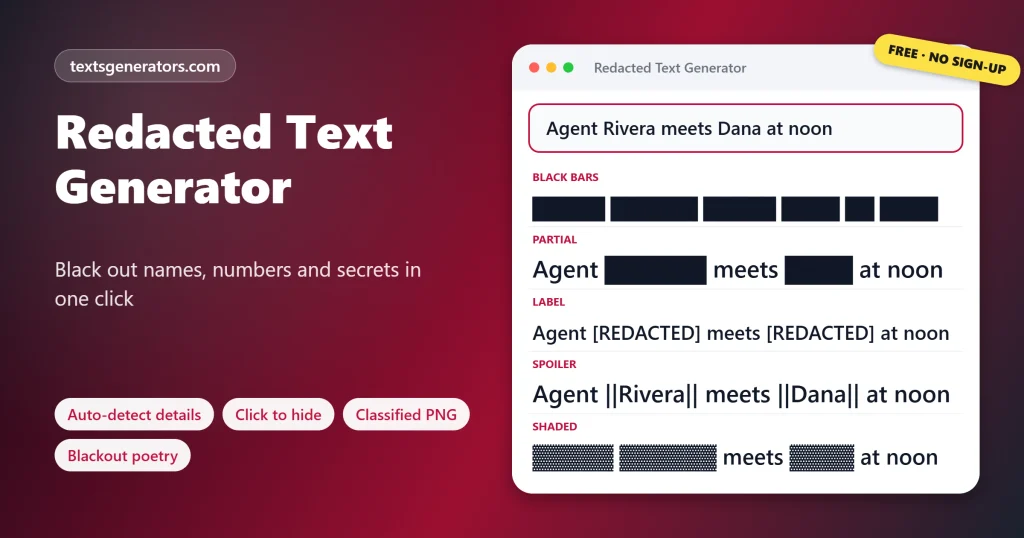
This tool does both jobs. Use the style cards for memes and spoilers, or open the workbench to hide personal details before you share a message, a screenshot caption, or a document extract. It spots email addresses, phone numbers, dates, and names, lets you click any word to hide or reveal it, and can turn the result into a typed document image or a page of blackout poetry.
- 6 Kinds of detail found automatically
- 7 Ways to hide a word
- 2 PNG makers: document and poem
How Do You Redact Text Online?
- Paste the text into the box above or the Redaction Workbench.
- Choose what to hide: Tick details to find, list words to always hide, or click words.
- Pick a bar style: Black bars, shades, stars, a label, or a Discord spoiler.
- Copy or save: Paste the text, or download it as a document image.
Is Redacted Text Really Hidden?
Here, yes: every hidden letter is swapped for a bar character, so the original word is not inside the copied text at all. That differs from drawing a black box over a PDF or an image layer, where you can sometimes select and copy the words underneath. One clue remains: the number of bars shows each word’s length. When the length itself could give a name away, tick Hide word length so every redaction becomes the same six blocks.
To hide text completely with blank characters instead of bars, try the invisible text generator.
Which Characters Make Black Bar Text?
| Character | Unicode name | Code | Best for |
| █ | Full block | U+2588 | Classic solid redaction |
| ▓ | Dark shade | U+2593 | Heavy but textured bars |
| ▒ | Medium shade | U+2592 | Softer, faded look |
| ░ | Light shade | U+2591 | Faint, half-hidden words |
| ■ | Black square | U+25A0 | Separated blocks per letter |
| ▇ | Lower seven-eighths block | U+2587 | Bars that leave a thin gap between lines |
| ▬ | Black rectangle | U+25AC | Thin marker-pen lines |
If you want words crossed out but still readable, use the strikethrough text generator.
How Do You Hide Spoilers in Discord?
Discord turns anything between two pairs of vertical bars into a spoiler that stays hidden until someone clicks it, so ||the butler did it|| shows as a dark bar. The Discord Spoiler style wraps your whole message this way, and Spoiler Each Word wraps every word separately so readers can uncover one at a time. On apps without spoiler tags, use the █ styles instead.
What Is Blackout Poetry?
Blackout poetry starts with a page of existing prose. You choose a handful of words, in reading order, and black out everything else; the words that survive form a new poem. Teachers use it to get reluctant writers started, and artists post finished pages online. The Blackout Poetry Maker lets you click words to keep, suggests a random poem if you are stuck, and saves the page as an image.
When Should You Use Redacted Text?
- Memes: hide the punchline word for comic effect.
- Spoilers: talk about a film or game without ruining it.
- Privacy: remove phone numbers, emails, and names before posting.
- Stories and games: mysterious files for role-play, puzzles and escape rooms.
- Classrooms: fill-the-gap exercises and blackout poetry lessons.
- Design: a confidential look for posters, slides and covers.
Redaction Terms
Redaction
Removing or obscuring parts of a text before it is released.
Personal data
Details that identify someone, such as a phone number, email or home address.
Spoiler tag
Formatting that hides text until a reader chooses to reveal it.
Declassified
A document once secret and later released, often with redactions.
Blackout poetry
A poem made by blacking out most of an existing page.
Block element
A Unicode character, like █, that fills part or all of a character cell.
What This Redacted Text Generator Can Do
Click to redact
Hide or reveal any word.
Auto-detect
Emails, phones, dates, names.
For a typed memo look in plain text, pair your redactions with the typewriter text generator.
Hide length
Equal bars for every word.
Document image
Stamped, typed, ready to share.
Blackout poetry
Keep words, save the page.
Spoilers and labels
Discord tags and [REDACTED].
Got a message with private details?
Paste it into the workbench and hide them before you hit send.
Black Bars Not Showing Correctly?
| Problem | Cause | Fix |
| Bars have gaps between them | The app’s font draws blocks narrower than letters | Try Tall Blocks or Solid Blackout |
| A name was not found | It is lowercase or starts a sentence | Click the word, or add it to Always hide |
| A normal word was hidden as a name | It is capitalised mid-sentence | Click it to reveal it again |
| Spoiler bars show as plain pipes | The app has no spoiler tags | Use a █ style instead |
| Readers guess words from their length | Bars match the letter count | Tick Hide word length |
More blocks, squares, and shades are in the text symbols library.
Tips for Better Redactions
Hide one word for comedy
A single bar on the key word is funnier than a fully blacked-out line.
Check the whole message
Names often repeat; Always hide them to catch every copy.
Mind the context
Nearby words can reveal what a bar hides, so redact those too.
Keep the original
Redacted text cannot be reversed, so save your full version elsewhere.
Want friends to be able to decode the hidden part? Encrypt it with the secret code translator.
Redacted Text Generator FAQ
What is a redacted text generator?
A tool that replaces chosen words with black block characters so they cannot be read, but the line can still be pasted.
How do I make black bar text?
Enter your words above; the Black Bars result turns each letter into a solid █ block.
Can I redact only some words?
Yes. In the workbench, click the words you want hidden, or use Every Other Word and Long Words Only.
Can it find phone numbers and emails automatically?
Yes. Tick the details to find: emails, phone numbers, dates, names, links, or all numbers.
Can someone recover redacted words?
Not from the copied text, because the letters are replaced rather than covered. Only the word length shows unless you hide it.
What does Hide word length do?
It makes every redaction the same six blocks so nobody can guess a word from its size.
How do I write [REDACTED] instead of bars?
Choose the [REDACTED] label in the workbench, or copy the REDACTED Tags card.
How do I mark a spoiler on Discord?
Discord hides anything fenced by double pipes, ||so||. The Discord Spoiler card adds them for you.
What is the black block symbol called?
The full block, Unicode U+2588.
Can I make a classified document image?
Yes. The Classified Document Maker places your redacted text on a typed page with a stamp and saves a PNG.
Is the document an official form?
No. It is a novelty design for stories, games, and fun posts, with no real agency names or seals.
What is blackout poetry?
A poem made by keeping a few words from a page of prose and blacking out the rest.
Can the tool suggest a blackout poem?
Yes. Suggest a poem picks words in reading order; click to adjust them.
Can I use my own passage for blackout poetry?
Yes. Replace the sample passage with any text you have the right to use.
Do the bars work on Instagram and X?
Yes. Block characters are standard Unicode and display in posts, bios, and comments.
Why do my bars look broken in some apps?
Some fonts draw blocks with small gaps; Tall Blocks or Solid Blackout usually look smoother.
Can I censor a swear word but keep it recognisable?
Yes. Censor Middle keeps the first and last letters and blacks out the rest.
Does redacting change my original text?
No. Your input stays as typed; only the output is redacted.
Is the redacted text generator free?
Yes, including auto-detection, both image makers and every style.
Is my text uploaded when I redact it?
No. Detection and redaction run in your browser, so private details never leave your device.
Can I redact text on my phone?
Yes. Tap words to hide them; the workbench and image makers fit small screens.
Black Out Any Words
██████████
Hide details, mark spoilers, and make documents and poems. █ Start Redacting
- 3D Text Generator
- Aesthetic Text Generator
- Arrow Text Generator
- Big Text Generator
- Birthday Text Generator
- Bold Italic Text Generator
- Bold Text Generator
- Bracket and Boxed Text Generator
- Bubble Text Generator
- Calligraphy Text Generator
- Christmas Text Generator
- Clap Emoji Text Generator
- Cool Fonts Generator
- Copy and Paste Fonts
- Cursive Generator: Cursive Letters and Fonts
- Cute Fonts Generator
- Cybersigilism Text Generator
- Decorative Text Generator
- Discord Fonts Generator
- Diwali Text Generator
- Double Struck Text Generator
- Drunk Text Generator
- Eid Text Generator
- Emoji Text Generator
- Fancy Text Generator
- Flag Text Generator
- Glitch Text Generator: Zalgo and Cursed Text
- Glow Text Generator
- Gothic Text Generator
- Halloween Text Generator
- Heart Text Generator
- Invisible Text Generator
- Italic Text Generator
- LinkedIn Text Generator
- Love Text Generator
- Minecraft Color Codes and Colored Text Generator
- Monospace Text Generator
- Neon Text Generator
- New Year Text Generator
- Old English Font Generator and Translator
- Serif And Sans Serif Text Generator
- Small Caps Generator
- Small Text Generator
- SpongeBob Mocking Text Generator
- Square Text Generator
- Star Text Generator
- Strikethrough Text Generator
- Stylish Text Generator
- Subscript Text Generator
- Underline Text Generator
- Valentine’s Text Generator
- Vaporwave Text Generator
- Weird Text Generator
No tools match your search. Try another word or choose "All tools".