
Case Converter: Change Text to UPPERCASE, lowercase or Title Case
This free case converter changes any text to UPPERCASE, lowercase, Sentence case, Title Case or 20+ other formats in one click, with no sign-up. Paste up to 100,000 characters, undo any change, keep acronyms like NASA intact, turn names into camelCase or snake_case, and repair text typed with Caps Lock on.
- ⚡ 1-click conversion in place
- ↶ undo, redo and live word count
- 🔒 private: runs in your browser
- 20+ case formats
Your text looks like: nothing yet
Your text in every case format
Know someone who retypes text after hitting Caps Lock?
Send them this free case converter.
Headlines, Email Subjects and Variable Names Already Converted
Real-world lines in the right case. Copy takes them as shown; Edit in tool puts the lowercase original in the box so you can try every other format.
What Is a Case Converter?
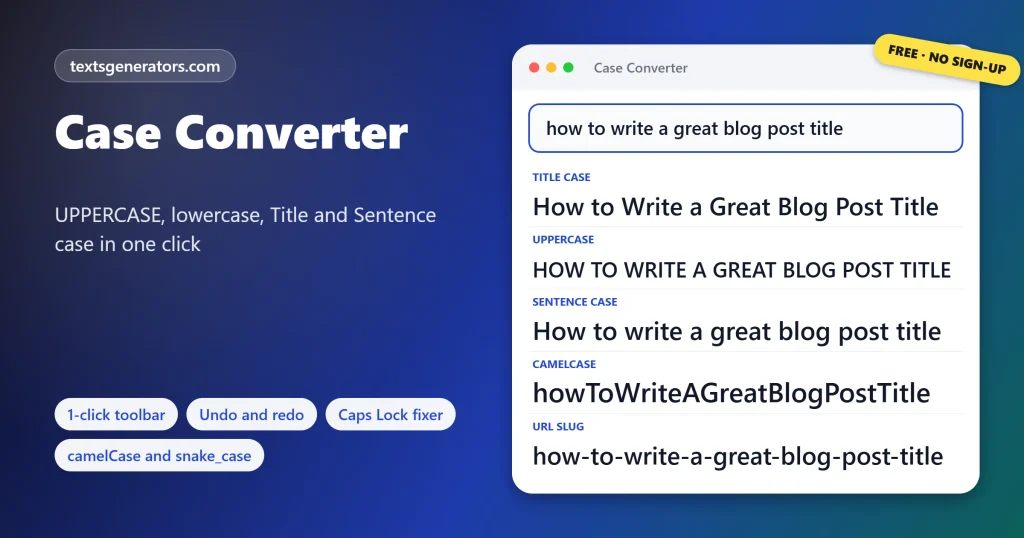
Quick answer: A case converter rewrites the capital and small letters in your text for you, so nothing has to be retyped. Paste a paragraph and switch it to UPPERCASE, lowercase, Sentence case, or Title Case in one click; for example, the quick brown fox jumps over the lazy dog becomes The Quick Brown Fox Jumps Over the Lazy Dog.
People reach for a case converter when Caps Lock was left on, when a headline needs proper title capitalization, or when a list of names has to match a coding style.
This converter works on up to 100,000 characters at a time and keeps every line break, space, and punctuation mark exactly where it was. Each conversion can be undone, acronyms such as FAQ and brand names such as iPhone survive the change, and live counters show characters, words, sentences, and reading time while you edit. Three extra tools sit alongside the main box: a one-click toolbar, a converter for variable names, and a fixer for text typed with Caps Lock on.
- 1 Click to change case
- 100K Characters per conversion
- 0 Sign-ups, fees, or uploads
How Do You Change Text Case Online?
- Paste your text: Drop it into the big box at the top of the page.
- Pick a case: Tap Sentence case, lower case, UPPER CASE, or Title Case on the toolbar.
- Check the result: Undo if you change your mind; the counters update instantly.
- Copy or download: Copy it to your clipboard or save it as a .txt file.
Headlines need AP, APA, or Chicago rules? The title case converter explains every capital it sets.
Which Letter Cases Can You Convert To?
| Case | Example | Best for |
| UPPERCASE | THE QUICK BROWN FOX JUMPS OVER THE LAZY DOG | Warnings, short labels, acronyms |
| lowercase | the quick brown fox | Casual messages, tags, email addresses |
| Sentence case | The quick brown fox jumps over the lazy dog | Body text, email subjects, buttons |
| Title Case | The Quick Brown Fox Jumps Over the Lazy Dog | Headlines, book and blog titles |
| Capitalized Case | The Quick Brown Fox Jumps Over The Lazy Dog | Names, product lists, menu items |
| camelCase | userFirstName | JavaScript and Java variables |
| snake_case | user_first_name | Python, database columns |
| kebab-case | user-first-name | CSS classes, file names |
| URL slug | cafe-menu-best-dishes-of-2026 | Web addresses and permalinks |
| iNVERSE cASE | hELLO wORLD | Undoing a Caps Lock slip |
Title Case or Sentence Case: Which Should You Use?
Use Title Case for the names of things: article headlines, book and film titles, product names and page titles in navigation. Use Sentence case for anything that reads like a sentence: email subject lines, button labels, captions, form fields and most interface text. Many modern style guides, including those for apps and websites, now prefer Sentence case for headings too, because it is easier to scan and avoids arguments about which small words to capitalize.
For whole documents in sentence style, the sentence case converter also fixes headings in bulk.
| Where the text appears | Recommended case |
| Blog post or news headline | Title Case (or Sentence case if your style guide says so) |
| Email subject line | Sentence case |
| Button or menu label | Sentence case |
| Book, film or song title | Title Case |
| Legal warning or safety notice | UPPERCASE for the key phrase only |
| Social media hashtag | #CapitalizedWords for readability |
How Do You Change Text Case in Microsoft Word, Google Docs or Excel?
| App | How to change case |
| Microsoft Word | Select the text and press Shift + F3 to cycle through lowercase, UPPERCASE, and Capitalize Each Word |
| Google Docs | Select the text, then Format, Text, Capitalization, and choose lowercase, UPPERCASE or Title Case |
| Excel and Google Sheets | Use =UPPER(A1), =LOWER(A1) or =PROPER(A1) in a new column |
| Mac apps such as TextEdit | Select the text, right-click, and choose Transformations |
| Notepad++ | Ctrl + U for lowercase, Ctrl + Shift + U for UPPERCASE |
| Visual Studio Code | Open the Command Palette and run Transform to Uppercase or Transform to Lowercase |
| Android with Gboard | Select the text and tap the Shift key to cycle through cases |
| Everything else | Paste the text into this case converter, convert, and paste it back |
Word and Docs have no Sentence case shortcut that also keeps acronyms, and Excel’s PROPER function capitalizes every word, including small ones like “of” and “the”. That is where an online converter saves time.
What Are camelCase, snake_case, and kebab-case?
They are naming conventions for writing several words without spaces, which programming languages, URLs, and file systems often forbid. The Code Case Converter splits any name into its words, even when it arrives as getHTTPResponseCode, and rebuilds it in the convention you need, one name per line.
| Convention | Example | Typical use |
| camelCase | maxRetryCount | JavaScript, Java and Swift variables |
| PascalCase | MaxRetryCount | Class and component names |
| snake_case | max_retry_count | Python functions, SQL columns |
| CONSTANT_CASE | MAX_RETRY_COUNT | Constants and environment variables |
| kebab-case | max-retry-count | CSS classes, URLs, npm packages |
| Train-Case | Content-Type | HTTP header names |
| dot.case | max. retry. count | Configuration keys |
Programmers can jump to the camel case converter, with snake, kebab, and Pascal versions linked from there.
When Should You Write in All Caps?
Sparingly. Capitals work for a word or two that must stand out, such as WARNING, for acronyms like UNESCO, and for short labels on signs. Whole sentences in capitals feel like shouting in messages, and long passages are harder to read because every word becomes the same rectangular shape, so the eye loses the ascenders and descenders it uses to recognise words. If you received or typed a block of capitals, the Caps Lock Fixer turns it back into normal sentences while keeping real acronyms.
Turning a short phrase into capitals while keeping links intact is quickest with the uppercase converter.
Who Uses a Case Converter?
- Writers and bloggers: capitalize headlines correctly before publishing.
- SEO specialists: tidy meta titles and turn headings into clean URL slugs.
- Students: fix essays, citations, and titles that came out in the wrong case.
- Developers: rename variables and keys between camelCase, snake_case, and more.
- Office workers: clean up spreadsheet exports and lists typed in capitals.
- Social media managers: format captions and readable #HashtagCase tags.
Text typed with the wrong key held down is repaired by the toggle case converter.
Letter Case Terms Explained
Uppercase (majuscule)
Capital letters, such as A, B and C.
Lowercase (minuscule)
Small letters, such as a, b and c.
Letter case
Whether a letter is written as a capital or a small letter.
Title case
Main words capitalized, short articles and prepositions left small.
Sentence case
Only the first word and proper nouns start with a capital.
Acronym
A word built from initials, like NASA, usually kept in capitals.
Pasted text still carrying odd quotes or invisible characters? Strip it with the plain text converter.
Why Use This Case Converter?
Converts in place
One click, no second box.
Undo and redo
Step back through changes.
Smart capitals
Keeps NASA and iPhone intact.
Code cases
Bulk rename, any style in.
Caps Lock fixer
Repairs tHIS kIND oF tEXT.
Live counters
Words, lines, reading time.
Typed a whole paragraph with Caps Lock on?
Paste it into the fixer and get normal sentences back in a second.
Case Conversion Not Coming Out Right?
| Problem | Cause | Fix |
| An acronym turned into lowercase | Most of the text was in capitals, so acronyms could not be told apart | Use the Caps Lock Fixer and list it under Keep in capitals |
| A name lost its capital | Sentence case only capitalizes sentence starts | Add the name to Always capitalize in the fixer |
| Title Case leaves “of” or “the” small | Short articles and prepositions stay lowercase in titles | Use Capitalized Case to capitalize every word |
| The text stopped at 100,000 characters | The box has a size limit to stay fast | Convert long documents in parts |
| A code name split in the wrong place | Numbers or abbreviations run together | Add a space where the words should break |
Shouting text or messy emails? The lowercase converter tidies them and protects web addresses
Tips for Perfect Capitalization
Pick one style per site
Mixing Title Case and Sentence case headings looks careless; choose one.
Check proper nouns
After Sentence case, scan for names, places, and brands that need a capital.
Keep slugs short
Trim filler words from a URL slug so it stays readable.
Match the codebase
Follow the naming convention a project already uses, even if you prefer another.
Names and postal addresses follow their own rules, so use the capitalize first letter tool for those
Case Converter FAQ
What is a case converter?
An online tool that changes the capitalization of text, for example from UPPERCASE to lowercase, without retyping a single word.
How do I convert uppercase to lowercase?
Drop your capitals into the main box, then hit lowercase on the toolbar. Everything switches at once, and Undo brings it back.
How do I change lowercase letters to capital letters?
Paste your text and press UPPER CASE, or copy the UPPERCASE card from the list of formats.
How can I fix text I typed with Caps Lock on?
Open the Caps Lock Fixer. It flips words like tHIS back to This, calms down full capitals, and restores capitals at sentence starts.
Title case or sentence case for headlines?
Title Case suits traditional headlines and titles of works; Sentence case suits subject lines, buttons, and most website headings.
What does Capitalized Case mean?
Every word starts with a capital letter, and the rest of each word is lowercase, as in Quick Brown Fox.
Does Title Case capitalize every single word?
No. Title Case leaves words like of and the uncapitalized; pick Capitalized Case when you want a capital on every word.
Will acronyms like NASA stay in capitals?
Yes, when Keep acronyms and brand names is ticked, short all-capital words and names like iPhone are preserved.
Swap a word everywhere at once using the find and replace tool.
How do I change case in Microsoft Word?
Select the text and press Shift and F3 together; each press switches between lowercase, UPPERCASE, and capitalized words.
How do I change case in Google Docs?
Highlight the text, open Format, then Text, then Capitalization, and pick the case you want.
Is there an Excel formula to change case?
Yes. =UPPER(A1) makes capitals, =LOWER(A1) makes small letters and =PROPER(A1) capitalizes each word.
What is camelCase?
A way of joining words without spaces where every word after the first starts with a capital, as in firstName.
What is snake_case used for?
It joins lowercase words with underscores and is the standard style for Python functions and many database columns.
How do I turn a title into a URL slug?
Use the url-slug button or the URL Slug card. Accents are removed, spaces become hyphens, and punctuation disappears.
Can I undo a conversion?
Yes. The Undo and Redo buttons step back and forward through every change made with the toolbar.
How much text can I convert at once?
Up to 100,000 characters, which is roughly 15,000 to 20,000 words.
Are line breaks and punctuation kept?
Yes. Only the capitalization changes; spacing, line breaks, and punctuation stay where they were, except in code cases and slugs.
Does the converter store what I paste?
No. The letters are switched by code running on your own device; no server ever receives them.
Is this case converter really free?
Yes. Every format and tool on this page costs nothing, needs no account, and has no daily limit.
Can I download the converted text?
Yes. Download .txt saves everything in the main box as a plain text file.
Does the case converter work on iPhone and Android?
Yes. The page fits small screens, and the toolbar buttons are large enough to tap.
Convert Your Text Now
Aa → AA → aa
UPPERCASE, lowercase, Title and Sentence case, free and private. 🔠 Start Converting
- 3D Text Generator
- Aesthetic Text Generator
- Arrow Text Generator
- Big Text Generator
- Birthday Text Generator
- Bold Italic Text Generator
- Bold Text Generator
- Bracket and Boxed Text Generator
- Bubble Text Generator
- Calligraphy Text Generator
- Christmas Text Generator
- Clap Emoji Text Generator
- Cool Fonts Generator
- Copy and Paste Fonts
- Cursive Generator: Cursive Letters and Fonts
- Cute Fonts Generator
- Cybersigilism Text Generator
- Decorative Text Generator
- Discord Fonts Generator
- Diwali Text Generator
- Double Struck Text Generator
- Drunk Text Generator
- Eid Text Generator
- Emoji Text Generator
- Fancy Text Generator
- Flag Text Generator
- Glitch Text Generator: Zalgo and Cursed Text
- Glow Text Generator
- Gothic Text Generator
- Halloween Text Generator
- Heart Text Generator
- Invisible Text Generator
- Italic Text Generator
- LinkedIn Text Generator
- Love Text Generator
- Minecraft Color Codes and Colored Text Generator
- Monospace Text Generator
- Neon Text Generator
- New Year Text Generator
- Old English Font Generator and Translator
- Redacted Text Generator: Black Out Words
- Serif And Sans Serif Text Generator
- Small Caps Generator
- Small Text Generator
- SpongeBob Mocking Text Generator
- Square Text Generator
- Star Text Generator
- Strikethrough Text Generator
- Stylish Text Generator
- Subscript Text Generator
- Underline Text Generator
- Valentine’s Text Generator
- Vaporwave Text Generator
- Weird Text Generator
No tools match your search. Try another word or choose "All tools".