
Remove Line Breaks: Fix Broken Lines From PDFs and Emails
Remove line breaks instantly with this free online tool: paste, press once, done, and no account is needed. Fix sentences that break mid-line after copying from a PDF or email, keep real paragraphs while joining the rest, rejoin hyphen-split words, wrap long lines to a set width, convert Windows and Unix line endings, and turn a column of lines into a comma-separated list.
- ↵ PDF line break fixer
- ¶ keeps real paragraphs
- ⇄ CRLF, LF and HTML break converter
- 6 one-click formats
Browsers show every ending the same way on screen, so Copy result and Download use the exact characters you chose.
Your text without line breaks
Know someone who retypes text copied from PDFs?
Share this free line break remover.
Broken Lines From PDFs, Emails and Lists, Joined
Each card shows the text after its breaks were removed. Copy takes the joined version; Edit in tool puts the broken original back so you can try other options.
What Does a Line Break Remover Do?
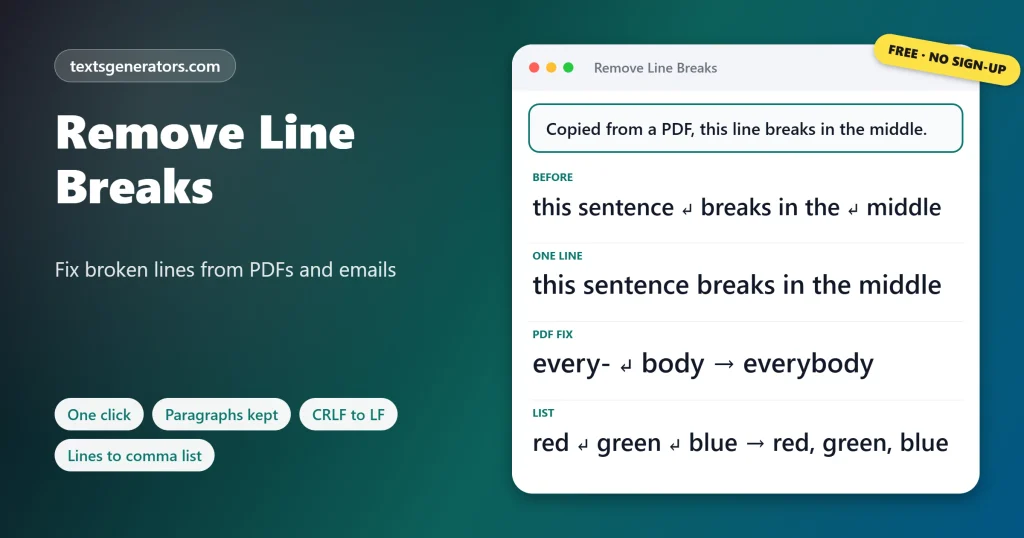
Quick answer: A line break remover joins lines that were split by hard returns, turning text such as broken in the\nmiddle into broken in the middle. The smarter modes keep real paragraph gaps and list items, so only the unwanted breaks disappear.
A line break, also called a newline, hard return, or carriage return, is the invisible character created when you press Enter.
Unwanted breaks usually come from copying. PDFs store each printed line separately, emails wrap long lines at about 72 characters, and spreadsheets copy every cell as its own row. Paste that text into a website, a form, or a document, and it arrives chopped into short pieces. The toolbar above removes every break, keeps paragraphs, or repairs PDF text by spotting where a paragraph really ends. The Line Ending Converter switches between Windows and Unix endings, and the List Joiner turns a column into a comma-separated list.
- 6 One-click line tools
- 9 Line ending conversions
- 4 List output styles
- 100K Characters per paste
How Do You Remove Line Breaks From Text?
- Paste the text: Straight from a PDF, an email, a chat, or a spreadsheet column.
- Choose a mode: All breaks, paragraphs kept, or PDF repair.
- Pick the joiner: A space by default, or a comma, a bar, or your own text.
- Copy or download: Undo any step if the result is not what you wanted.
Which Removal Mode Should You Use?
| Mode | What it does | Best for |
| Remove all line breaks | Puts the whole text on a single line | Meta descriptions, form fields, one-line captions |
| Keep paragraphs | Joins lines but keeps blank-line gaps and list items | Articles, essays, emails with several paragraphs |
| Fix PDF and email breaks | Also starts a new paragraph after a short line ending in a full stop | Text from PDFs, scanned documents and ebooks |
| One sentence per line | Adds a break after each sentence | Subtitles, translation, proofreading |
| Delete blank lines only | Keeps every line but drops the empty ones | Code, lists, poems |
| Wrap at width | Adds breaks so no line is longer than your limit | Plain-text email, commit messages, terminals |
Joined lines leave double spaces behind? Tidy them with the remove extra spaces tool.
Why Does Text Copied From a PDF Have Line Breaks?
A PDF is a picture of a printed page, not a flowing document. Each line on the page is stored as a separate piece of text with an exact position, so copying it gives you a return at the end of every printed line, plus hyphens wherever a word was split to fit. The PDF fixer here measures your typical line length: a line that ends with a full stop and is clearly shorter than the rest is treated as the end of a paragraph, and everything else is joined with a space. Words like every- followed by body are rejoined as everybody, while real hyphenated terms followed by a capital letter are left alone.
Text also carries odd quotes or hidden characters? Clean it with the plain text converter.
What Are CRLF and LF Line Endings?
| Ending | Characters | Used by |
| LF | Line feed, \n | Linux, macOS, Git repositories, most web servers |
| CRLF | Carriage return plus line feed, \r\n | Windows, Notepad, email standards, many CSV files |
| CR | Carriage return alone, \r | Mac OS 9 and older, some old exports |
| <br> | An HTML tag | Web pages and HTML emails |
Mixed endings cause odd problems: scripts that fail with a carriage return error, Git showing every line as changed, or CSV imports with an extra empty column. The converter counts each type and rewrites them all to the one you need.
How Do You Remove Line Breaks in Word, Excel and Notepad++?
| App | Method |
| Microsoft Word | Find and Replace: search for ^p and replace with a space; use ^p^p to protect paragraphs first |
| Excel | =SUBSTITUTE(A1,CHAR(10),” “) or Find and Replace with Ctrl + J in the Find box |
| Google Sheets | =SUBSTITUTE(A1,CHAR(10),” “) |
| Google Docs | Find and replace with regular expressions on, search \n |
| Notepad++ | Replace in Extended mode, find \r\n, replace with a space |
| VS Code | Select the lines and press Ctrl + J (Join Lines) |
Who Needs to Remove Line Breaks?
- Students and researchers: quote passages from PDF papers without broken lines.
- Bloggers and SEO writers: paste clean paragraphs into WordPress and meta fields.
- Developers: fix CRLF endings and escape newlines for JSON strings.
- Data analysts: turn a spreadsheet column into a comma list or SQL IN clause.
- Social media managers: fit captions into one line or a character limit.
- Translators: split long text into one sentence per line.
Line Break Terms
Hard return
A break typed with Enter that stays in place regardless of the window width.
Soft wrap
A visual wrap that moves when the window is resized; it adds no character.
Line feed (LF)
The \n character that ends a line on Unix systems.
Carriage return (CR)
The \r character, from typewriters returning to the left edge.
Paragraph break
Two returns in a row, which show as a blank line.
Hard wrap
Real breaks inserted at a fixed width, such as 72 characters in plain email.
Before joining a list, drop repeated entries with the remove duplicate lines tool.
What Else Can This Line Break Tool Do?
Join lines
With a space, nothing, or any text.
Keep paragraphs
Blank-line gaps survive.
PDF repair
Paragraph ends detected.
Wrap lines
Any width from 10 to 400.
Line endings
CRLF, LF, CR and HTML.
List joiner
CSV, SQL and JSON lists.
Got a column of names, emails, or IDs?
Join them into a comma list, a quoted SQL list, or a JSON array.
Line Breaks Not Removed the Way You Expected?
| Problem | Cause | Fix |
| All paragraphs merged | Remove all line breaks was used | Undo, then press Keep paragraphs |
| Headings joined to the next line | The heading had no blank line after it | Use Fix PDF and email breaks, which splits after short lines |
| Words stuck together | Nothing was chosen as the joiner | Set Replace each break with to A space |
| A hyphenated name lost its hyphen | It was split across two lines | Untick Rejoin words split by a hyphen |
| Bullet items merged | Keep bullet items was unticked | Tick it and run the mode again |
Tips for Working With Line Breaks
Fix one paragraph first
Select a sample, run a mode on it, and check before converting a long document.
Use LF in Git
Set one ending for a project so diffs show only real changes.
Wrap emails at 72
Plain-text mail reads best when lines stay under 72 characters.
Quote SQL values
The List Joiner doubles single quotes inside items so queries stay valid.
Sort your lines A to Z first with the alphabetical order tool
Remove Line Breaks FAQ
How do I remove line breaks from text?
Paste the text and press Remove all line breaks, or Keep paragraphs to join lines while leaving paragraph gaps.
What is a line break?
The invisible character added when you press Enter, which pushes the following text onto a new line.
How do I remove line breaks but keep paragraphs?
Press Keep paragraphs. Lines inside each paragraph are joined, and blank-line gaps stay where they are.
How do I fix line breaks when copying from a PDF?
Paste the text and press Fix PDF and email breaks; it joins printed lines, rejoins split words, and detects paragraph ends.
Why does PDF text paste with broken lines?
PDFs store each printed line separately, so copying adds a return at the end of every line on the page.
Can I replace line breaks with commas?
Yes. Set Replace each break with to Comma and space, then press Remove all line breaks.
Can I replace line breaks with a custom character?
Yes. Choose Custom text and type any separator up to 20 characters, such as a dash or a pipe.
How do I remove blank lines but keep the others?
Press Delete blank lines only. Every line with content stays on its own line.
What happens to words split with a hyphen?
With the rejoin option ticked, a word broken as every- and body becomes everybody when the next line starts in lowercase.
Will bullet lists stay intact?
Yes. Lines starting with a dash, bullet, number, or letter followed by a full stop or bracket stay on their own lines.
How do I put each sentence on its own line?
Press One sentence per line. Every sentence ending (. ? or !) followed by a capital starts a new row.
How do I wrap text at 72 characters?
Set the wrap width to 72 and press Wrap at width. Long words are cut only if they exceed the limit.
Which systems use CRLF and which use LF?
CRLF uses two characters to end a line and is standard on Windows; LF uses one and is standard on Linux and macOS.
How do I change Windows line endings to Unix?
Open the Line Ending Converter, paste the text, and choose LF, then copy or download the result.
How do I replace line breaks with br tags?
In the Line Ending Converter, choose HTML br on one line, or br plus a new line to keep the source readable.
How do I escape newlines for JSON?
Choose Escaped \n for JSON or code. Each break becomes a backslash and n, and existing backslashes are doubled.
How do I turn a column into a comma-separated list?
Paste the column into the List Joiner; the comma list appears at once, with optional quotes and brackets.
Can I make a SQL IN list from lines?
Yes. Choose single quotes and ( ) for SQL IN. Apostrophes inside items are doubled automatically.
Can I split a comma list back into lines?
Yes. Paste it into the List Joiner and press Split a comma list into lines.
Is this line break remover free?
Yes. In every mode, the converter and the list joiner are free, with no account or limit on use.
Is my text sent anywhere?
No. Joining, splitting, and ending conversion all stay in this browser tab, so no server ever receives a copy.
Remove Line Breaks
Broken → whole
One line, clean paragraphs, or a tidy list.: ↵ Remove Line Breaks
- Alphabetical Order Tool: Sort Lists A to Z Online
- camelCase Converter: Turn Words and Names Into camelCase
- Capitalize the First Letter of Each Word, Sentence, or Line
- Case Converter: Change Text to UPPERCASE, lowercase, or Title Case
- Find and Replace Text Online: Swap Words in Seconds
- Lowercase Converter: Change CAPS to Small Letters
- Minecraft Color Codes and Colored Text Generator
- Number-to-Words Converter: Amount in Words for Cheques
- PascalCase Converter: Class, Type and Component Names
- Plain Text Converter: Remove Formatting and Hidden Characters
- Remove Duplicate Lines: Delete Repeated Lines and List Items
- Remove Extra Spaces: Delete Double Spaces and Fix Spacing
- Roman Numeral Converter: Numbers and Dates to Roman
- Sentence Case Converter: Turn Any Text Into Proper Sentences
- Snake Case Converter: Words and camelCase to snake_case
- Text Repeater: Repeat Text, Words and Emoji Up to 10,000 Times
- Title Case Converter: Capitalize Titles in AP, APA, Chicago, and MLA Style
- Toggle Case Converter: Invert Capitals and Fix Caps Lock Text
- Uppercase Converter: Change Lowercase to Capital Letters
- URL Slug Generator: Turn Titles Into SEO-Friendly Slugs
- Word Combiner: Mix Words and Keyword Lists Into Every Combination
No tools match your search. Try another word or choose "All tools".