
WhatsApp Font Generator: Bold, Italic and Stylish Text 𝗛𝗲𝘆 𝓽𝓱𝓮𝓻𝓮
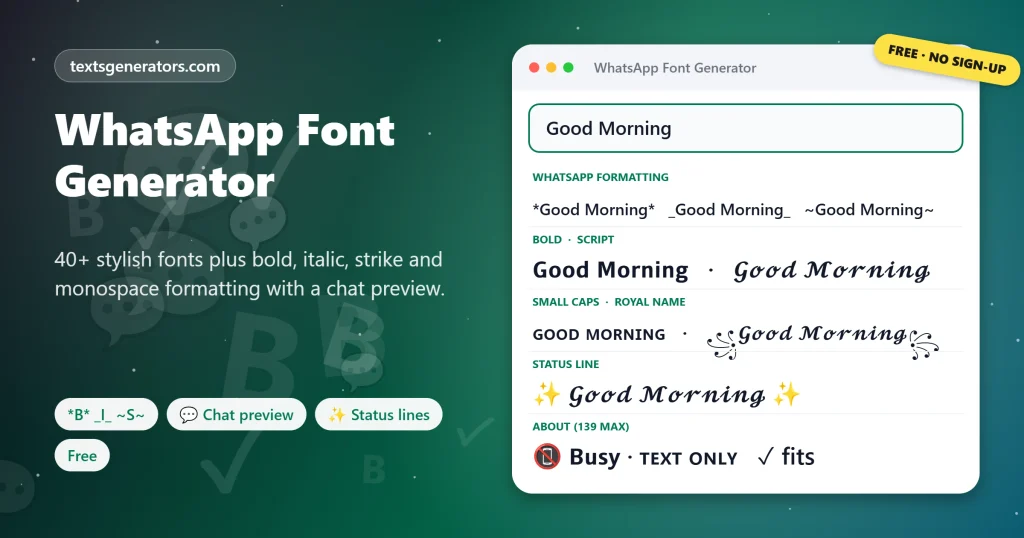
This WhatsApp font generator gives you 40+ stylish fonts for chats, groups, your name, About and Status, plus WhatsApp’s own formatting for bold, italic, strikethrough, monospace, code, quotes and lists. Format a message with a live chat preview, write a status that fits, and make small text for WhatsApp.
- 40+ WhatsApp font styles
- *B* _I_ ~S~ formatter with live preview
- 139 About character checker
- ᵗⁱⁿʸ small text for WhatsApp
All WhatsApp font styles
Running a family group or a business chat?
Share the WhatsApp font generator with your group.
WhatsApp Greetings, Status Lines and Group Messages
Formatted and styled lines that work in WhatsApp today. Copy sends the line with its symbols; Edit in tool strips the formatting so you can restyle the words.
What Is a WhatsApp Font Generator?
Quick answer: this WhatsApp tool restyles what you type using alternative Unicode letters, for instance 𝗯𝗼𝗹𝗱, 𝓼𝓬𝓻𝓲𝓹𝓽 or ꜱᴍᴀʟʟ ᴄᴀᴘꜱ, which show up in chats, group names, the profile name, About, and Status alike. WhatsApp also has built-in formatting: *bold*, _italic_, ~strikethrough~ and monospace with three backticks.
WhatsApp has one typeface and no font menu. You can still make messages stand out in two ways: by using the app’s formatting symbols, which work inside chats, or by pasting alternative Unicode letters, which work in every text field.
This page gives you both. More than 40 styles cover WhatsApp formatting, Unicode fonts, small text, and ready status and name designs. The message formatter wraps the words you select in the right symbols and shows a chat bubble preview, so you can see the result before sending. A status maker suggests short lines by mood and checks the 139-character About limit, and a small text tool makes tiny letters for names and captions.
- 8 WhatsApp formatting options
- 7 Status moods
- 139 Character About check
Changing WhatsApp Text Style in Four Taps
- Type your text: Write the message, name, or status you want to style.
- Pick a style: Use formatting for chats or a Unicode font for any field.
- Copy it: Tap a card or use the formatter’s Copy button.
- Paste in WhatsApp: Formatting appears once the message is sent; fonts show straight away.
Which WhatsApp Formatting Codes Exist?
| Style | Type this | Where it works |
| Bold | *text* | Chats, groups, captions |
| Italic | _text_ | Chats, groups, captions |
| Strikethrough | ~text~ | Chats, groups, captions |
| Monospace | three backticks before and after | Chats and groups |
| Inline code | one backtick before and after | Chats and groups |
| Quote | Begin the line with > followed by a space | Chats and groups |
| Bulleted list | Begin each line with * or – plus a space | Chats and groups |
| Numbered list | Begin each line with 1. then a space | Chats and groups |
On most phones, you can also select a word, open the menu, and choose Bold, Italic, Strikethrough, or Monospace instead of typing the symbols.
Can You Use Fancy Fonts in Your WhatsApp Name, About and Status?
Yes, with Unicode fonts. The formatting symbols only work in messages, so in your profile name, About, group names, and text status, you need letters that are already styled, such as 𝓢𝓪𝓻𝓪 or ʙᴜꜱʏ ᴀᴛ ᴡᴏʀᴋ. Keep the limits in mind: the profile name allows 25 characters, and About allows 139, and most fancy letters count as two. The status maker shows the count for every line, and the Max length menu above filters every style to fit.
How Do People Use Stylish Fonts on WhatsApp?
- Greetings: bold good morning wishes and script birthday messages.
- Group admins: bold headings, numbered rules, and quoted announcements.
- Small businesses: clear price lists and offers in WhatsApp Business chats.
- Profiles: a styled name and an About line that fits the limit.
- Status updates: mood lines with decorations for text status.
- Corrections: strikethrough to show what changed, such as an updated time.
Posting the same news on Facebook? Style it with the Facebook font generator.
WhatsApp Text Terms
Formatting symbols
Asterisks, underscores, tildes, and backticks that WhatsApp turns into styles in sent messages.
Unicode fonts
Alternative letters that look styled in any app because the characters themselves differ.
About
The short line under your name in WhatsApp, limited to 139 characters.
Status
Updates that disappear after 24 hours, including text on a coloured background.
Monospace
A typewriter-style font where every letter is the same width.
WhatsApp Business
The free app for companies, which supports the same formatting.
For your Instagram bio and captions, see our Instagram fonts.
What This WhatsApp Text Tool Includes
Formatter
Eight formatting buttons and a chat preview.
Unicode fonts
Bold, script, gothic, bubble, and more.
Symbols to fonts
Turn *bold* into real bold letters for names.
Status maker
Seven moods with a 139-character check.
Small text
Small caps, superscript, and subscript.
More tiny alphabets and footnote numbers are in the small text generator.
Name limit filter
Hide styles too long for your name.
Sending an announcement to your group?
Format headings, lists, and quotes and preview the bubble first.
WhatsApp Formatting Not Working?
| What you see | Why | Fix |
| The asterisks still show | A gap sits between the symbol and the word | Write *word* with no space after the first asterisk |
| Bold does not work in my name | Symbols only format messages | Use a Unicode bold style instead |
| Fancy letters look like boxes | The other phone is old or lacks the font | Choose Bold Sans or Small Caps, which display widely |
| My About line is cut short | Fancy letters count double | Shorten it or use a style that counts single character |
| Contacts cannot find my name | Search reads styled letters as symbols | Keep the first name in plain letters |
For typewriter text outside WhatsApp, use the monospace text generator.
Tips for Stylish WhatsApp Messages
Bold the key line only
One bold heading reads better than a fully bold message.
Lists for groups
Numbered lists make plans and rules easy to follow.
Fonts for profiles, symbols for chats
Each method works best in its own place.
Mind accessibility
Screen readers may spell out fancy letters, so keep important messages plain.
Want a blank name or an empty message? Copy invisible text instead.
WhatsApp Font Generator FAQ
How do I write bold in WhatsApp?
Surround the word with asterisks, *hello*, and WhatsApp bolds it once sent; for names and status, paste a Unicode bold style.
Which symbol makes WhatsApp text italic?
The underscore: _hello_ turns into slanted text after sending.
Which symbol crosses out words in WhatsApp?
The tilde: ~hello~ gets a line through it. For names and About, use the Crossed Out style instead.
How do I use monospace on WhatsApp?
Type three backticks before and after the text, or press Mono in the formatter.
Can I change my WhatsApp font style completely?
WhatsApp has one typeface, but Unicode font styles from this page change the letters themselves, so they look different.
Will a fancy font work as my WhatsApp profile name?
Yes. Paste a Unicode style into the name field; the name allows 25 characters, so short names work best.
How long can a WhatsApp About be?
139 characters. The status maker shows a counter on every line.
Why does my bold formatting not work?
Usually there is a space right after the first symbol or before the last one; remove it and send again.
Does formatting work in WhatsApp Status?
Text status shows Unicode fonts reliably; the symbol formatting may not apply there.
Where do I get tiny letters for WhatsApp?
Use the small text tool or the Small Caps and Tiny Superscript styles.
How do I make a list in WhatsApp?
Start lines with * or – and a space for bullets, or 1. and a space for numbers.
How do I quote text in WhatsApp?
Start the line with the greater-than sign and a space, or use the Quote button.
Do WhatsApp fonts work on iPhone and Android?
Yes. Both show formatting and Unicode fonts; very old phones may show boxes for some styles.
Can I combine bold and italic?
Yes. Wrap the text in *_ and _* to get both.
Do these fonts work in WhatsApp Business?
Yes. WhatsApp Business uses the same formatting and shows the same Unicode letters.
Will the other person see my fonts?
Yes. Contacts on any reasonably recent phone see the same letters you sent.
Can I preview a message before sending?
Yes. The formatter shows a chat bubble with the formatting applied.
Which style suits a WhatsApp display name?
Bold Sans or Bold Script: both are readable and widely supported.
Is the WhatsApp font generator free?
Yes. The formatter, status maker, and every style are free.
Are my messages saved?
No. Drafts never leave this page, and nothing is logged.
Is this an official WhatsApp tool?
No. It is an independent text tool that creates characters WhatsApp already supports.
Make Stylish WhatsApp Text
𝗛𝗲𝘆 𝓽𝓱𝓮𝓻𝓮
Formatting, fonts, status lines, and small text. 💬 Start Styling
- 3D Text Generator
- Aesthetic Text Generator
- Arrow Text Generator
- Big Text Generator
- Birthday Text Generator
- Bold Italic Text Generator
- Bold Text Generator
- Bracket and Boxed Text Generator
- Bubble Text Generator
- Calligraphy Text Generator
- Christmas Text Generator
- Clap Emoji Text Generator
- Cool Fonts Generator
- Copy and Paste Fonts
- Cursive Generator: Cursive Letters and Fonts
- Cute Fonts Generator
- Decorative Text Generator
- Discord Fonts Generator
- Diwali Text Generator
- Double Struck Text Generator
- Eid Text Generator
- Emoji Text Generator
- Fancy Text Generator
- Flag Text Generator
- Glitch Text Generator: Zalgo and Cursed Text
- Glow Text Generator
- Gothic Text Generator
- Halloween Text Generator
- Heart Text Generator
- Invisible Text Generator
- Italic Text Generator
- LinkedIn Text Generator
- Love Text Generator
- Monospace Text Generator
- Neon Text Generator
- New Year Text Generator
- Old English Font Generator and Translator
- Serif And Sans Serif Text Generator
- Small Caps Generator
- Small Text Generator
- Square Text Generator
- Star Text Generator
- Strikethrough Text Generator
- Stylish Text Generator
- Subscript Text Generator
- Underline Text Generator
- Valentine’s Text Generator
- Vaporwave Text Generator
- Weird Text Generator
No tools match your search. Try another word or choose "All tools".