
TikTok Font Generator 𝗕𝗼𝗹𝗱 𝓒𝓾𝓽𝓮 Aesthetic
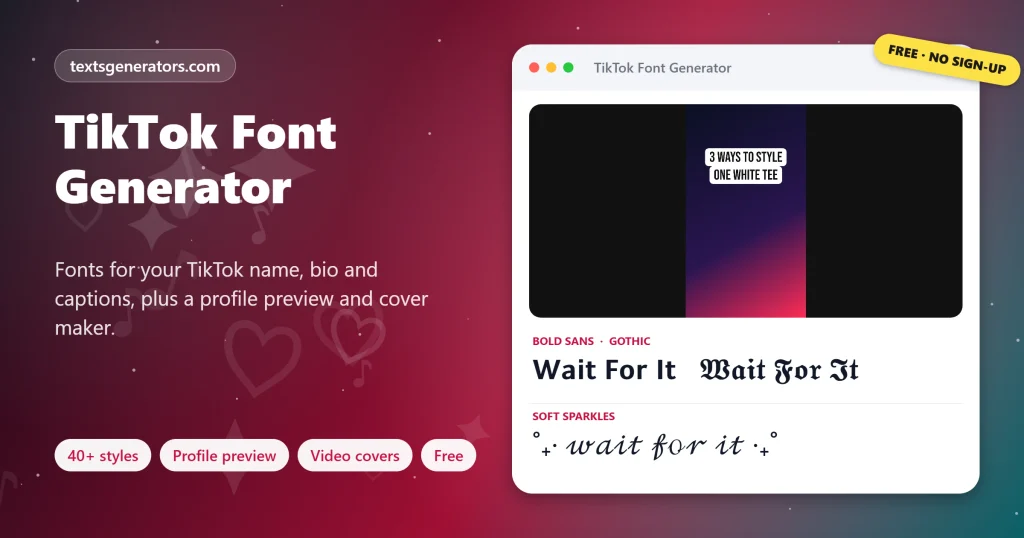
Fonts for your TikTok name, bio and captions that paste straight into the app, plus layouts for POV, storytime and part two posts. Preview your profile with TikTok’s real limits, format captions without breaking hashtags, and design a 1080 × 1920 cover with on-video style text over your own photo.
- 40+ TikTok fonts
- Profile preview with limits
- # hashtag-safe captions
- PNG cover maker
All TikTok fonts
Posting a series or planning covers?
Send the TikTok font generator to your editing buddy.
TikTok Lines for Names, Bios, Captions and Series
Ready-styled text for the app. Copy takes the line; Edit in tool returns the bare wording to the generator for a different look.
What Is a TikTok Font Generator?
Quick answer: creators use this kind of tool to swap ordinary letters for bold, cursive, or aesthetic Unicode lookalikes, which the app then shows in profile names, bios, captions, and comment threads. TikTok’s own font menu only exists for text placed on videos, so pasted characters are how creators style everything else.
Inside the video editor, TikTok offers a handful of on-screen font styles, but none of them reach your profile. Names, bios, and captions use one fixed system font for every viewer. Unicode lettering gets around that: each styled letter is its own character, so it keeps its look on every phone that opens your profile.
This font generator for TikTok sorts more than forty styles by mood and adds templates for the formats creators post most, such as POV, storytime, part two, and get ready with me. Three tools handle the fiddly parts: a profile preview that checks the 30-character name, the 80-character bio and the username rules; a caption formatter that styles your hook while keeping hashtags plain so they stay clickable; and a cover maker that renders on-video style text over a gradient or your own photo as a 1080 × 1920 image.
- 30 Characters in a display name
- 80 Characters in a bio
- 5 Cover fonts
How Do You Get Different Fonts on TikTok?
- Type the text: Whatever needs styling: a handle-free name, bio words, a hook, or cover lines.
- Pick a font: Bold for hooks, script or small caps for names, wide for aesthetic captions.
- Check the limits: The profile preview flags names over 30 and bios over 80 characters.
- Paste into TikTok: Edit profile, then paste into Name or Bio, or paste into the caption box.
Where Do Copy and Paste Fonts Work on TikTok?
| Place | Styled fonts | Limit |
| Display name | ✅ | 30 characters |
| Bio | ✅ | 80 characters |
| Captions | ✅ (hashtags stay plain) | Up to 4,000 characters |
| Comments | ✅ | 150 characters |
| Text on the video | ✅ pasted, or TikTok’s own styles | Screen space |
| @username | ❌ | Plain letters, numbers, _ and. |
Cross-posting to Reels? Our Instagram font generator previews the same name and bio inside an Instagram profile.
How Do Creators Use TikTok Fonts?
- A memorable display name: script or small caps with one symbol.
- A scannable bio: short styled phrases separated by dots.
- Caption hooks: a bold first line before the hashtags.
- Series posts: consistent “part 2” and “day 14” labels.
- Covers and thumbnails: bold text that reads in the profile grid.
- Comments: pinned replies that stand out from the crowd.
For extra-soft names with bows, bunnies, and kaomoji, open the cute text generator.
TikTok Text Terms
Display name
The name shown in bold on your profile; styled fonts are allowed.
Username
Your @ handle, limited to plain characters and 24 characters.
Hook
The first words of a caption or video that make people stay.
Cover
The still image that represents a video in your profile grid.
Text overlay
Words placed on the video itself with TikTok’s editor.
Safe zone
The middle area of a vertical video not hidden by buttons and captions.
Browse more aesthetic fonts sorted by vibe when you want a coquette or Y2K bio.
What This TikTok Font Tool Includes
Profile preview
Name, bio, and username checks.
Caption formatter
Styled hook, clickable hashtags.
Cover maker
Five fonts, three looks, your own photo.
Trend layouts
POV, storytime, GRWM and more.
Length meter
Name, bio, comment and caption limits.
Favourites
Keep your signature style handy.
Need a cover that pops in your grid?
Add bold on-video style text to your photo and save it at full size.
TikTok Font Problems and Fixes
| Problem | Cause | Fix |
| “Name too long” on a short name | Styled letters count double | Use small caps or drop a symbol |
| Hashtag not clickable | The tag was styled | Let the caption formatter keep tags plain |
| Username refused | Fancy characters in the handle | Keep handles to letters, numbers, _ and . |
| Profile not found in search | Search matches plain letters | Mention your everyday name somewhere unstyled |
| Cover text covered by buttons | Text placed at the edge | Use the centre or upper third position |
Our name font generator checks the same display name against 13 other apps.
Tips for TikTok Text That Performs
Style one line
A styled hook plus plain details reads faster than a fully styled caption.
Keep series consistent
Reuse the same font for every part so followers recognise it.
Big cover text
Profile grids are tiny; use five words or fewer on covers.
Test on your phone
Preview the profile in the app before you save changes.
Every other style family is waiting in the main font generator.
TikTok Font Generator FAQ
What is a TikTok font generator?
A tool that turns text into Unicode fonts that the TikTok app displays in names, bios, captions, and comments.
Is this font generator for TikTok free?
Yes. Every style, the profile preview, the caption formatter, and the cover maker are free with no account.
Where in the app do I paste a styled display name?
Copy a style here, open Edit profile in TikTok, paste it into Name, and save.
How many characters can a TikTok name have?
Display names allow 30 characters, and styled letters may count as two each.
How long can a TikTok bio be?
Bios allow 80 characters, so compact fonts such as small caps leave more room.
Will the @ handle accept decorated letters?
No. Usernames accept only plain letters, numbers, underscores, and periods; use fonts in your display name.
Do styled hashtags work on TikTok?
No. A styled hashtag is not linked, which is why the caption formatter leaves tags in plain letters.
Which TikTok font is best for a cute name?
Bold script, light script, and small caps with a heart or sparkle look soft and stay readable.
What about words placed on top of the video itself?
Use TikTok’s editor styles, or paste Unicode text from this page into a text box on the video.
Which dimensions does a vertical cover need?
1080 × 1920 pixels, the full vertical frame; the cover maker exports exactly that.
Can I put my own photo behind the cover text?
Yes. Choose a photo in the cover maker; it stays on your device and fills the frame automatically.
Which fonts does the cover maker use?
Bebas Neue, Pacifico, Courier Prime, Monoton, and Playfair Display, matching TikTok’s classic, handwriting, typewriter, neon, and serif looks.
Why does my TikTok bio look different on another phone?
Every handset renders those characters through its built-in typeface, so small shape differences are normal.
Do these fonts work in TikTok comments?
Yes. Comments accept styled letters up to the 150-character limit.
How many hashtags should I use?
Three to five focused hashtags are a common recommendation; the formatter notes when you use many more.
Will fancy fonts hurt my TikTok reach?
TikTok does not penalise them, but its search reads plain words, so keep keywords unstyled.
What is a POV caption?
A caption that begins with “POV:” to describe a scene from the viewer’s point of view; the POV Hook style formats it.
Can I make an aesthetic TikTok name?
Yes. Try Full-Width, Moon Frame, or Soft Sparkles in the Aesthetic and Cute groups.
Does the cover maker upload my photo?
No. The image is drawn in your browser and never sent anywhere.
Can I copy my name and bio together?
Yes. The profile preview has a button that copies both lines at once.
Does this work in the TikTok app on iPhone?
Yes. Copy here in Safari or Chrome, then paste into the TikTok app on iPhone or Android.
Style Your TikTok Name, Bio and Captions
𝓢𝓽𝓪𝓷𝓭 𝓸𝓾𝓽 𝓲𝓷 𝓮𝓿𝓮𝓻𝔂 𝓼𝓬𝓻𝓸𝓵𝓵
Fonts, trend layouts, and covers sized for TikTok. ♪ Start Styling
- 3D Text Generator
- Aesthetic Text Generator
- Arrow Text Generator
- Big Text Generator
- Birthday Text Generator
- Bold Italic Text Generator
- Bold Text Generator
- Bracket and Boxed Text Generator
- Bubble Text Generator
- Calligraphy Text Generator
- Christmas Text Generator
- Clap Emoji Text Generator
- Cool Fonts Generator
- Copy and Paste Fonts
- Cursive Generator: Cursive Letters and Fonts
- Cute Fonts Generator
- Decorative Text Generator
- Discord Fonts Generator
- Diwali Text Generator
- Double Struck Text Generator
- Eid Text Generator
- Emoji Text Generator
- Fancy Text Generator
- Flag Text Generator
- Glitch Text Generator: Zalgo and Cursed Text
- Glow Text Generator
- Gothic Text Generator
- Halloween Text Generator
- Heart Text Generator
- Invisible Text Generator
- Italic Text Generator
- LinkedIn Text Generator
- Love Text Generator
- Monospace Text Generator
- Neon Text Generator
- New Year Text Generator
- Old English Font Generator and Translator
- Serif And Sans Serif Text Generator
- Small Caps Generator
- Small Text Generator
- Square Text Generator
- Star Text Generator
- Strikethrough Text Generator
- Stylish Text Generator
- Subscript Text Generator
- Underline Text Generator
- Valentine’s Text Generator
- Vaporwave Text Generator
- Weird Text Generator
No tools match your search. Try another word or choose "All tools".