
Serif and Sans Serif Text Generator 𝑺𝒆𝒓𝒊𝒇 · 𝗦𝗮𝗻𝘀
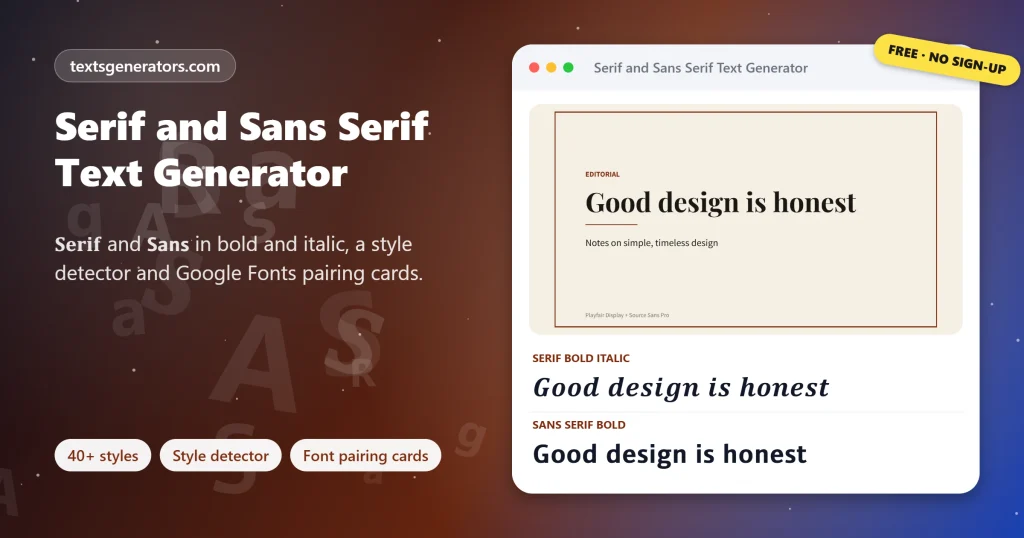
Switch any text between 𝐒𝐞𝐫𝐢𝐟 and 𝗦𝗮𝗻𝘀 𝗦𝗲𝗿𝗶𝗳 in bold, italic and bold italic, the seven Unicode type styles that work in every app. Compare them side by side in a style matrix, detect which family and weight a pasted text uses, and design a quote card with a classic Google Fonts pairing.
- 40+ serif and sans styles
- 7 Unicode type variants
- Style detector and normaliser
- Font pairing card maker
Click any variant to copy it. Regular upright serif is ordinary text, so it is not a separate Unicode style.
The headline uses your main text. Six typeface pairs download once, then render offline.
All serif and sans serif styles
Working on a brand with a designer?
Share the serif and sans generator so you can agree on a type direction fast.
Serif and Sans Headlines, Quotes, Brand Lines and Posts
Lines that mix serif and sans serif the way editors and designers do. Copy keeps the mix exactly; Edit in tool places the words in the input for other weights and slants.
What Are Serif and Sans Serif Text?
Quick answer: serif letters have small finishing strokes, called serifs, at the ends of their lines, as in 𝐓𝐢𝐦𝐞𝐬; sans serif letters have none, as in 𝗛𝗲𝗹𝘃𝗲𝘁𝗶𝗰𝗮. This generator converts your text into the Unicode serif and sans serif styles, in bold, italic, and bold italic, so you can paste them anywhere.
Social apps lock you into one font, but Unicode includes complete alphabets for bold, italic, and bold italic serif, and for regular, bold, italic, and bold italic sans serif. Swapping your letters for those characters changes the look without any font settings.
Serif and sans serif are the two great families of Latin type. Serifs trace back to letters carved in Roman stone, where chisel strokes finished each line; sans serif type appeared in the early nineteenth century and became the voice of modern signage, screens and brands. Choosing between them, or combining them, is the first decision in almost every design.
This page helps with that decision as well as the conversion. A style matrix shows all seven variants of your text side by side; a detector tells you which style a pasted text uses and turns it back into plain letters; and a quote card maker sets your words with six proven Google Fonts pairings, a serif headline over a sans serif line, ready to download.
- 7 Unicode type variants
- 6 Font pairings
- 13 Styles the detector recognises
How Do You Change Text to Serif or Sans Serif?
- Type your words: A headline, a quote or a name.
- Pick family, weight and slant: Use the matrix or the Serif and Sans Serif groups.
- Mix for contrast: Pairings put a serif headline beside sans serif words.
- Copy or design: Paste the text, or download a quote card with real fonts.
Serif Versus Sans Serif at a Glance
| Serif | Sans serif | |
| Strokes | Finishing strokes and often contrast between thick and thin | Plain stroke endings, usually even weight |
| Feeling | Traditional, literary, trustworthy | Modern, clean, neutral |
| Famous fonts | Times New Roman, Garamond, Georgia, Baskerville | Helvetica, Arial, Futura, Roboto |
| Typical uses | Books, newspapers, invitations, law firms | Apps, signage, tech brands, interfaces |
| Unicode example | 𝐒𝐞𝐫𝐢𝐟 𝑖𝑡𝑎𝑙𝑖𝑐 | 𝗦𝗮𝗻𝘀 𝘪𝘵𝘢𝘭𝘪𝘤 |
The Main Kinds of Serif and Sans Serif Fonts
Old style serif
Renaissance designs with gentle contrast, such as Garamond.
Transitional serif
Sharper, more vertical letters like Baskerville and Times.
Didone serif
Extreme thick-thin contrast, as in Bodoni and fashion mastheads.
Slab serif
Heavy block serifs, like Rockwell and typewriter faces.
Grotesque and neo-grotesque
Early and refined realist sans serifs such as Helvetica.
Geometric and humanist sans
Circle-based Futura versus pen-influenced Gill Sans and Open Sans.
Typography Terms Behind This Tool
Serif
The small stroke attached to the end of a letter’s main line.
Typeface and font
A typeface is the design family; a font is one weight or style of it.
Weight
Stroke thickness, from light through regular to bold and black.
Italic and oblique
Italic is redrawn cursive-like; oblique is simply slanted, common in sans serifs.
Font pairing
Combining two typefaces, often a serif and a sans, for contrast and harmony.
Mathematical Alphanumeric Symbols
The Unicode block that supplies these bold, italic, and sans alphabets.
What This Serif and Sans Tool Includes
40+ styles
Serif, sans, pairings and editorial layouts.
Style matrix
All seven variants of your text at once.
Detector
Identifies 13 Unicode styles in pasted text.
Normaliser
Turns styled text back into plain letters.
Quote cards
Six classic Google Fonts pairings.
Editorial marks
Pull quotes, bylines, sections and fleurons.
Length checks
LinkedIn headline, X and bio limits.
Favourites
Star the weights you use most.
Exports
PNG cards and a text file of all styles.
Got text in a mystery style?
Paste it into the detector to see which Unicode style it uses and clean it up.
Tips for Choosing Serif or Sans Serif
1. Match the message
Use serif for heritage and storytelling, sans serif for tech and clarity.
2. Contrast, do not clash
Pair one serif with one sans, not two similar serifs.
3. Keep body text plain
Style the headline and leave long sentences in normal letters.
4. Italic for nuance
Serif italics carry warmth; sans italics look sporty and quick.
5. Check small screens
Thin serif strokes can fade at tiny sizes on phones.
6. Remember accessibility
Screen readers may not read Unicode-styled letters normally.
Serif and Sans Serif Text Fixes
| Problem | Why | Fix |
| There is no regular serif style | Ordinary text already is the regular serif in many apps | Type normally, or choose serif italic |
| Serif italic h looks odd | Unicode stores the italic h as the Planck constant ℎ | That is expected and displays correctly |
| Accented letters stay plain | Unicode has no styled accented letters | Avoid accents or accept the mix |
| The card shows Georgia instead | Google Fonts did not load | Reconnect and reopen the panel |
| The detector says other symbol | The character is not a styled Latin letter | It is left unchanged by the normaliser |
| Search cannot find my bold title | Styled letters are different characters | Repeat key words in plain text |
Why Use This Instead of a Single Font Converter
| Feature | This page | Single-style converters |
| Both families in every weight | ✅ 7 variants | One style |
| Side-by-side comparison | ✅ Matrix | ❌ |
| Detect and normalise | ✅ | ❌ |
| Real font pairings | ✅ Six | ❌ |
| Editorial layouts | ✅ | ❌ |
Serif and Sans Serif: Your Questions
What is a serif?
A serif is the small stroke or foot at the end of a letter’s main strokes, as seen in Times New Roman.
What does sans serif mean?
Sans is French for without, so sans serif type has no finishing strokes, like Arial or Helvetica.
Is serif or sans serif easier to read?
Research shows little difference for most readers; size, spacing, and contrast matter more. Sans serif often suits screens and serif suits long print.
Which famous fonts are serif?
Times New Roman, Garamond, Georgia, Baskerville, and Bodoni are well-known serif typefaces.
Which famous fonts are sans serif?
Helvetica, Arial, Futura, Roboto, Open Sans and Montserrat are popular sans serif typefaces.
Can my Instagram caption use a bold serif headline?
Type your words and copy the Serif Bold style; it pastes into bios and captions.
Can I get regular sans serif text?
Yes. The Sans Serif style uses Unicode’s regular sans alphabet, which looks plain in serif-based apps.
How can I tell which Unicode style a text uses?
Paste it into the Style Detector; it counts characters by style and shows code points.
How do I remove bold or italic from pasted text?
Use Copy as plain text in the detector panel to turn every styled letter back into normal characters.
What is a good serif and sans serif pairing?
Classic choices are Playfair Display with Source Sans, Merriweather with Open Sans, and Lora with Roboto, all in the card maker.
Italic or oblique: are slanted letters all the same?
Italic letters are redrawn with cursive shapes, while oblique letters are the upright design slanted.
Why is there no regular serif style in the list?
Your normal text is already shown in the app’s regular font, so Unicode has no separate regular serif alphabet.
Do these styles work on LinkedIn?
Yes. Bold and italic serif or sans text pastes into LinkedIn posts, headlines, and comments.
Can I use serif bold in my Twitter name?
Yes. X display names accept Unicode serif and sans styles within the 50-character limit.
Where do serifs come from?
They are linked to Roman inscriptions, where carvers finished strokes with a crisp chisel edge.
When did sans serif fonts appear?
Sans serif type appeared in English printing around 1816 and spread widely in the twentieth century.
Do styled letters affect SEO?
Crawlers index 𝐁 and B as unrelated symbols, so any word you want to rank for belongs in ordinary letters.
Can I download the quote card in story size?
Yes. Choose Story as the size in the card maker before downloading.
Which apps show these Unicode styles?
Nearly all modern apps on phones and computers display them, including Instagram, X, Facebook, WhatsApp, and Discord.
Is my text stored?
No. Styles, detection, and cards are produced in your browser.
Does this generator cost anything?
No. Every style and tool on the page is free.
Classic Serif or Clean Sans Serif?
𝐒𝐞𝐫𝐢𝐟 meets 𝗦𝗮𝗻𝘀
Seven variants, a detector, and font-pairing cards, free.Button idea: 𝐒 Convert My Text
- 3D Text Generator
- Aesthetic Text Generator
- Arrow Text Generator
- Big Text Generator
- Birthday Text Generator
- Bold Italic Text Generator
- Bold Text Generator
- Bracket and Boxed Text Generator
- Bubble Text Generator
- Calligraphy Text Generator
- Christmas Text Generator
- Clap Emoji Text Generator
- Cool Fonts Generator
- Copy and Paste Fonts
- Cursive Generator: Cursive Letters and Fonts
- Cute Fonts Generator
- Decorative Text Generator
- Discord Fonts Generator
- Diwali Text Generator
- Double Struck Text Generator
- Eid Text Generator
- Emoji Text Generator
- Fancy Text Generator
- Flag Text Generator
- Glitch Text Generator: Zalgo and Cursed Text
- Glow Text Generator
- Gothic Text Generator
- Halloween Text Generator
- Heart Text Generator
- Invisible Text Generator
- Italic Text Generator
- LinkedIn Text Generator
- Love Text Generator
- Monospace Text Generator
- Neon Text Generator
- New Year Text Generator
- Old English Font Generator and Translator
- Small Caps Generator
- Small Text Generator
- Square Text Generator
- Star Text Generator
- Strikethrough Text Generator
- Stylish Text Generator
- Subscript Text Generator
- Underline Text Generator
- Valentine’s Text Generator
- Vaporwave Text Generator
- Weird Text Generator
No tools match your search. Try another word or choose "All tools".