
Discord Fonts Generator 𝕯𝖎𝖘𝖈𝖔𝖗𝖉 ꜰᴏɴᴛꜱ
Style nicknames, About Me sections, server names, channels and roles with Discord fonts that display everywhere. Then go beyond fonts: build messages with Discord’s own formatting and a live preview, colour text inside ANSI code blocks, and design channel names with emoji and separators that look tidy in the sidebar.
- 100+ Discord fonts and layouts
- Markdown builder with preview
- Coloured text maker
- Channel and role styler
All Discord styles
Running a server with friends?
Share the generator so every mod can style channels the same way.
Discord Server Names, Nicknames and About Me Examples
Lines styled for server names, nicknames, profiles and announcements. Copy gives you the exact line; Edit in tool pushes the bare words into the box above for restyling.
What Is a Discord Font Generator?
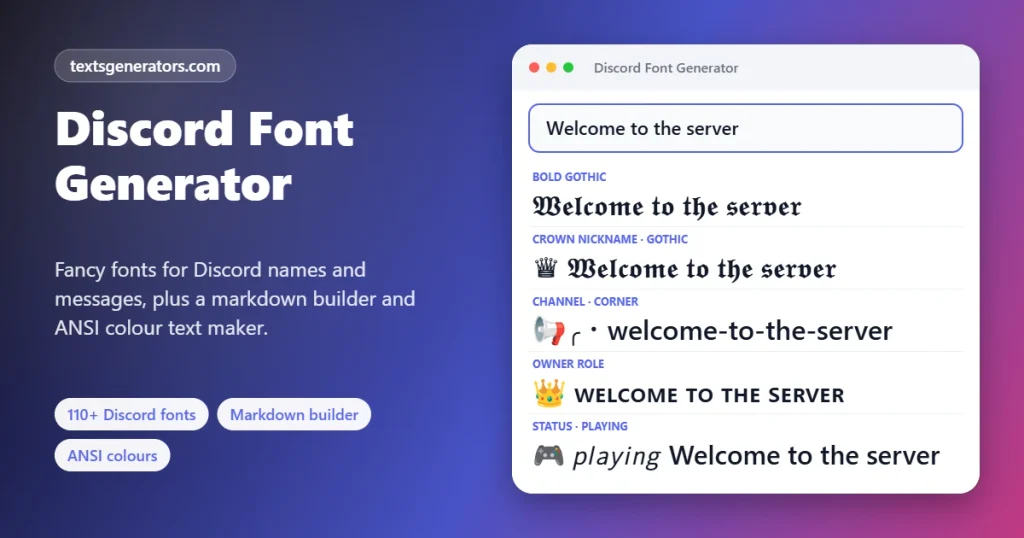
A Discord font generator converts your typing into Unicode lettering such as 𝕲𝖔𝖙𝖍𝖎𝖈, 𝗕𝗼𝗹𝗱, or ꜱᴍᴀʟʟ ᴄᴀᴘꜱ that Discord shows in nicknames, profiles, server names, channels, roles and messages, even though Discord itself has no font picker.
Discord renders all names and messages in its own typeface. It accepts any Unicode character, so alternative alphabets and symbols can give a server personality and make members stand out in the member list. Discord also has a second styling system that most font sites ignore: Markdown. Asterisks, underscores, tildes, pipes, and backticks turn into bold, italics, strikethrough, spoilers, and code once a message is sent.
This page combines both. Pick a font or a ready layout for nicknames, channels, roles and statuses; write messages with the Markdown Builder and see Discord-style rendering before you send; and add real colour to text with ANSI code blocks, the only way to colour words in a Discord message.
- 14 Markdown buttons
- 16 ANSI text and background colours
- 10 Channel separators
How to Use Custom Fonts on Discord
- Type the text: A nickname, server or channel name, About Me line, or message.
- Filter by purpose: Chips for Fonts, Nicknames, Channels, Roles, and Status and Bio show only relevant styles.
- Mind the field limit: Choose the field under Max length; nicknames allow 32 characters and styled letters often count twice.
- Copy: Tap a result to put it on your clipboard.
- Paste in Discord: Open User Settings for your profile, Server Settings for server and channel names, or right-click your name in a server to change the server nickname.
Discord Fields That Accept Fancy Fonts, With Limits
| Field | Fonts allowed? | Length | Notes |
| Username | No | 2 to 32 | Lowercase letters, numbers, periods and underscores only |
| Display name | Yes | 32 | Shown across all servers |
| Server nickname | Yes | 32 | Overrides your display name in one server |
| About Me | Yes, plus Markdown | 190 | Line breaks and emoji supported |
| Custom status | Yes | 128 | One line with an optional emoji |
| Server name | Yes | 100 | Seen in invites and the server list |
| Channel names | Yes | 100 | Text channels convert spaces to hyphens and capitals to lowercase |
| Role names | Yes | 100 | Shown in the member list and profile |
| Messages | Yes, plus Markdown | 2,000 (more with Nitro) | Fonts and formatting can be combined |
Discord Text Formatting Cheat Sheet
| Effect | Type this | Notes |
| Bold | **text** | Two asterisks each side |
| Italics | *text* or _text_ | One asterisk or underscore |
| Underline | __text__ | Two underscores each side |
| Strikethrough | ~~text~~ | Two tildes each side |
| Spoiler | ||text|| | Hidden until clicked |
| Inline code | Backtick before and after | Monospaced, ignores formatting inside |
| Code block | Three backticks on their own lines | Add a language name such as ansi after the first three |
| Headers | # , ## , ### | Must open the line |
| Subtext | -# | Small grey line |
| Quote | > | Single line; three angle brackets quote everything after |
| Masked link | [label](https://…) | Shows the label as a link |
Need to show the symbols themselves? Put a backslash before each one. The builder’s “Copy with markdown shown literally” button does it for you.
How Coloured Text Works on Discord
Discord has no colour picker for messages, but it highlights code blocks labelled ansi using terminal colour codes. Each code starts with an invisible escape character followed by a number: 31 for red, 32 green, 33 yellow, 34 blue, 35 pink, 36 cyan and 37 white, with 40 to 47 for backgrounds, 1 for bold, 4 for underline and 0 to reset. Typing those by hand is fiddly, so the Coloured Text Maker inserts them when you select words and click a colour.
- Colours appear in the Discord desktop app and browser version.
- On phones, the same message shows as plain monospaced text, so keep it readable without colour.
- The whole coloured section sits inside a code block, so fonts and Markdown do not apply within it.
Designing a Clean Discord Server With Fonts and Separators
📂 Categories
Bold or small-caps category names with line separators group channels clearly.
Example: ━━ 𝗜𝗡𝗙𝗢 ━━
# Channels
An emoji plus a separator makes channels scannable in the sidebar.
Example: 📜・rules
💬・general-chat
🛡 Roles
Matching icons and small caps show hierarchy in the member list.
Example: 👑 ᴏᴡɴᴇʀ
🔨 ᴍᴏᴅᴇʀᴀᴛᴏʀ
👤 Nicknames
A symbol and a font make members easy to spot without breaking mentions.
Example: ♛ 𝕽𝖆𝖛𝖊𝖓
📝 About Me
Box-drawing lines and small caps turn a profile into a neat card.
Example: ╭─── 𝖍𝖎
╰───────
📢 Announcements
A header, bold keywords, and subtext keep important posts readable.
Example: 📅 𝗘𝗩𝗘𝗡𝗧 · Friday 9 PM
Everything This Discord Font Tool Can Do
100+ styles
Fonts plus nickname, channel, role, and status layouts.
Markdown Builder
Fourteen formatting buttons and a Discord-style preview.
Coloured Text Maker
ANSI foreground, background, bold, and underline codes.
Channel styler
Batch-style many channels or roles with emoji guesses and separators.
Literal markdown
Escape formatting symbols when you want them visible.
Field limits
Nickname, status, About Me, server, role, and message lengths.
Starred styles
Keep favourite nickname fonts at the top.
Text export
All results bundled into a single .txt download.
No login
No Discord account connection; everything stays in your browser.
Want red, green or blue words in chat?
Select text, click a colour, and copy a ready ANSI block.
Tips for Discord Fonts That Do Not Annoy Your Server
1. Keep nicknames mentionable
Members type @ and a few letters to mention you. Start the nickname with plain letters or keep a plain display name.
2. One style per server
Pick one separator and one font for all channels so the sidebar looks designed.
3. Use Markdown for messages
Bold and headers from Markdown stay searchable; Unicode fonts do not.
4. Avoid tall symbols in names
Combining marks and heavy decorations can overlap neighbouring names in the member list.
5. Colour with purpose
Use ANSI colours for status boards, patch notes or game stats, not every message.
6. Check server rules
Some communities require readable nicknames; moderators may reset fancy ones.
Discord Font and Formatting Problems Solved
| Problem | Cause | Solution |
| “Nickname is too long” | Styled letters use two characters each | Choose the 32-character limit and switch on the hide option |
| Channel name turned lowercase with dashes | Text channels normalise names | Use small caps, which already look lowercase, or voice channels for capitals |
| Colours do not show on my phone | Discord mobile does not render ANSI colours | View on desktop or the web app |
| My asterisks became bold | Discord read them as Markdown | Use the literal-markdown copy option |
| People cannot @mention me | The name starts with fancy letters | Start with plain letters or keep a plain display name |
| Some letters show as boxes | The viewer’s system font lacks them | Pick styles labelled Works everywhere |
| Username will not accept the font | Usernames allow basic characters only | Style your display name or server nickname instead |
This Discord Font Generator Versus Plain Font Lists
| Capability | This page | Typical Discord font sites |
| Fonts and layouts | 100+ with channel, role and status styles | Fonts only |
| Markdown with preview | ✅ | ❌ |
| Coloured ANSI text | ✅ Select and click | ❌ |
| Batch channel naming | ✅ Emoji suggestions and separators | ❌ |
| Discord field limits | ✅ Six fields | ❌ |
| Escape Markdown | ✅ | ❌ |
Every tiny alphabet, with notes on missing letters, is on the small text generator.
Font Generator for Discord: What Works Where
A Discord font generator has two jobs: producing Unicode lettering that Discord shows anywhere, and writing the Markdown that Discord itself turns into bold, italics, headings, and coloured code. This page does both, so you can pick the right method for each spot in the app.
Use the table to decide quickly. Unicode fonts travel into names and channel titles, while Markdown only formats messages but keeps text searchable.
| Spot in Discord | Unicode fonts | Markdown formatting |
| Display name and server nickname | ✅ | ❌ |
| Channel and category names | ✅ with care | ❌ |
| Messages and replies | ✅ | ✅ bold, italics, headings, colours |
| About Me and server bio | ✅ | ✅ partly |
| Account username | ❌ plain only | ❌ |
What Font Does Discord Use?
Discord shows its interface in its own typeface, gg sans, which replaced Whitney in 2023; code blocks use a monospace font. You cannot change that font for other people, but you can change the characters you send. That is what fonts for Discord really are: Unicode alphabets that look like different fonts inside the gg sans typeface.
Discord Small Text and Tiny Text
Discord small text comes in two forms. Subtext is Discord formatting: begin a line with a hyphen, a hash, and a space, and that line shows smaller and grey. Tiny Unicode letters such as ᵗⁱⁿʸ or ꜱᴍᴀʟʟ ᴄᴀᴘꜱ work everywhere else, including nicknames and channel names where formatting is not allowed.
Blue Text, Red Text and Other Colours on Discord
No blue text generator or colour font generator can truly colour Unicode letters, because colour is not part of a character. Discord is one of the few places where coloured text works, through ANSI code blocks. Choose a colour in the ANSI builder above, copy the block, and blue, red, green, or yellow words appear in chat on desktop and in the browser.
Discord Font Generator FAQ
How do I change my font on Discord?
Discord has no font setting, but you can paste styled Unicode letters. Write it above, grab a style, then drop it into a display name, nickname, About Me, status or chat message.
Can I use fancy fonts in my Discord username?
No. Usernames only accept lowercase letters, numbers, periods, and underscores. Fancy fonts work in your display name and server nicknames.
How do I make bold text on Discord?
Wrap the words in two asterisks on each side, like **this**. The Markdown Builder adds them when you select text and press Bold.
How do I write coloured text on Discord?
Use an ANSI code block. In the Coloured Text Maker, select words, click a colour, and copy the block, then paste it into a Discord message on desktop.
Why does my coloured Discord text show as plain on mobile?
The Discord mobile apps do not render ANSI colours, so the code block shows plain text there. Colours appear on desktop and in the browser.
How do I put a spoiler in a Discord message?
Surround the text with two vertical bars on each side, like ||this||. Readers click it to reveal the hidden part.
How do I style Discord channel names?
Open the Channel and Role Name Styler, list your channels, choose an emoji, a separator, and letters, then copy each name into Server Settings or the channel’s edit screen.
Why are my channel names lowercase with dashes?
Discord automatically converts text channel names to lowercase and replaces spaces with hyphens. Small caps letters keep a stylish look within that rule.
What is the character limit for a Discord nickname?
Display names and server nicknames allow 32 characters. Many fancy letters count as two, so check the length badge before pasting.
How long can an About Me be on Discord?
The About Me section holds up to 190 characters and supports line breaks, emoji, and Markdown.
How do I make headers in Discord messages?
Start a line with one, two, or three hash symbols followed by a space. One hash makes the largest header.
What is Discord subtext?
A line starting with a hyphen, a hash, and a space appears as small grey text, useful for footnotes and timestamps.
Can I show asterisks without making text bold?
Yes. Put a backslash before each asterisk, or use “Copy with markdown shown literally” in the builder.
Will fancy fonts break @mentions?
Mentions still work when chosen from the list, but members who type your name may not find it if it starts with fancy letters.
Do Discord fonts work for bots and webhooks?
Yes. Unicode letters and Markdown work in bot messages and embeds the same way as in normal messages.
Can I combine fonts and Markdown?
Yes. For example, **𝕲𝖔𝖙𝖍𝖎𝖈** is bold gothic. Inside code blocks, however, Markdown is ignored.
Which fonts are best for Discord nicknames?
Bold gothic, small caps, bold sans, and monospace are popular because they stay readable in the member list.
Why do some Discord fonts show as squares?
The viewer’s device lacks those characters. Choose styles marked Works everywhere for names everyone must read.
Is it safe to use a Discord font generator?
Yes. You only copy text; the tool never connects to your Discord account or asks for a login.
Is this Discord font generator free?
Yes, every feature is free with no sign-up or limits.
Does the tool save my messages?
No. Messages, colour codes, and channel lists never leave this page, and the only things remembered are your stars and recent copies.
Which Discord font generator styles work in nicknames?
Bold, script, gothic, small caps, and squared letters all display in nicknames; very long decorated names may be cut short.
Can a font generator change Discord’s own font?
No. Discord draws messages in its own typeface for everyone; you can only swap characters or use its Markdown.
Do Discord fonts work on the mobile app?
Yes. Unicode lettering and Markdown both render on Android and iPhone, though a few rare symbols may differ.
What font does Discord use?
Discord uses gg sans for its interface (introduced in 2023), plus a monospace font for code. Fancy fonts from this page are Unicode characters that display inside gg sans.
Can I make blue text on Discord?
Yes, inside a code block with ANSI colour codes. Select blue in the colour builder, copy the finished block and send it; people on the desktop app and in the browser see the words in blue.
How do I get small text on Discord?
Start a line with a hyphen, a hash, and a space to post subtext, or paste tiny Unicode letters from this page into names, bios, and channel names.
Make Your Server Look Designed
꧁ 𝕯𝖎𝖘𝖈𝖔𝖗𝖉 𝕾𝖙𝖞𝖑𝖊 ꧂
Fonts, formatting, colour, and channel design in one free tool. 🎧 Style My Discord
- 3D Text Generator
- Aesthetic Text Generator
- Arrow Text Generator
- Big Text Generator
- Birthday Text Generator
- Bold Italic Text Generator
- Bold Text Generator
- Bracket and Boxed Text Generator
- Bubble Text Generator
- Calligraphy Text Generator
- Christmas Text Generator
- Clap Emoji Text Generator
- Cool Fonts Generator
- Copy and Paste Fonts
- Cursive Generator: Cursive Letters and Fonts
- Cute Fonts Generator
- Decorative Text Generator
- Diwali Text Generator
- Double Struck Text Generator
- Eid Text Generator
- Emoji Text Generator
- Fancy Text Generator
- Flag Text Generator
- Glitch Text Generator: Zalgo and Cursed Text
- Glow Text Generator
- Gothic Text Generator
- Halloween Text Generator
- Heart Text Generator
- Invisible Text Generator
- Italic Text Generator
- LinkedIn Text Generator
- Love Text Generator
- Monospace Text Generator
- Neon Text Generator
- New Year Text Generator
- Old English Font Generator and Translator
- Serif And Sans Serif Text Generator
- Small Caps Generator
- Small Text Generator
- Square Text Generator
- Star Text Generator
- Strikethrough Text Generator
- Stylish Text Generator
- Subscript Text Generator
- Underline Text Generator
- Valentine’s Text Generator
- Vaporwave Text Generator
- Weird Text Generator
No tools match your search. Try another word or choose "All tools".